
Commercial Video Maker · AI Ad Creator Guide
Commercial Video Maker: 7 Steps to Create High-Converting Ads
Learn how to make a commercial video that captures attention and converts using your iPhone, Canva, practical filming techniques, and modern AI ad creator workflows.
By the VidAU Editorial Team · Updated 2026 · 18 min read
Want to learn how to make a commercial video that captures attention and converts without breaking the bank? You don’t need expensive equipment or a production crew. With just your iPhone, Canva, and modern ai ad creator tools, you can build high-impact campaigns that drive measurable results.
Creating commercial videos has become essential for businesses of all sizes. Whether you’re promoting a product launch, building brand awareness, or driving conversions, video ads consistently outperform static content across major platforms. The good news is that modern commercial video maker platforms and AI commercial generator workflows make production faster and more accessible than ever.
This guide focuses on practical, accessible methods that work for businesses with limited budgets. You’ll learn how to make a commercial video using tools you already have, alongside generative ai ad solutions that speed up production.
Summary
Creating effective commercial videos no longer requires expensive studios or large production teams. With your smartphone, free editing platforms like Canva, and modern ai ad creator tools, you can produce high-converting video campaigns that compete with professionally produced ads.
The core principles remain the same regardless of whether you use a traditional commercial video maker or an ai commercial generator: understand your audience deeply, deliver a clear message focused on benefits, tell compelling stories, optimize for your specific platforms, and test continuously to improve results.
Start with the fundamentals outlined in this guide. Film with strong lighting using your iPhone, edit purposefully with accessible software, and tailor content for each platform. As your workflow improves, you can integrate generative ai ad systems and more advanced production tools.
The most important step is simply starting. Your first commercial video won’t be perfect, but it will teach you lessons that improve every subsequent video. The businesses seeing the best results from video advertising are those creating consistently, learning from performance data, and refining their approach over time.
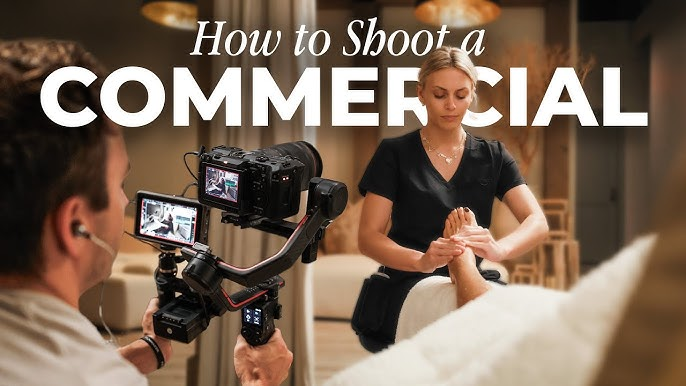
Understanding Commercial Video Fundamentals
Before you start filming, you need to understand what makes a commercial video effective. A commercial video serves a specific purpose: to move viewers toward a particular action, whether that’s making a purchase, signing up for a service, or learning more about your brand.
Successful campaigns created with a commercial video maker share several common traits:
The commercial video landscape has evolved significantly. Traditional long-form commercials still have their place, but short-form vertical videos now dominate social media platforms. Understanding this shift helps you create content that performs well where your audience actually watches.
Key takeaway
A commercial video is not just video content. It is built to move viewers toward one action, and that goal should shape the message, format, filming choices, editing, and platform strategy.
Choosing Your Video Format
Your format decision impacts everything from shooting to editing. Vertical video (9:16 aspect ratio) works best for Instagram Stories, TikTok, and Facebook Stories. Horizontal video (16:9 aspect ratio) suits YouTube and traditional advertising placements. Square video (1:1 aspect ratio) provides versatility across multiple platforms.
Consider where your audience spends time. If you’re targeting younger demographics, vertical video for TikTok and Instagram should be your priority. For B2B audiences, horizontal YouTube content might deliver better results. Many creators now use a commercial video maker combined with generative ai ad tools to produce multiple aspect ratios quickly for different platforms.
| Video format | Best use | Why it matters |
|---|---|---|
| Vertical video, 9:16 | Instagram Stories, TikTok, Facebook Stories | Fills the mobile screen and fits short-form social behavior. |
| Horizontal video, 16:9 | YouTube and traditional advertising placements | Works well for standard viewing environments and longer-form placements. |
| Square video, 1:1 | Versatile cross-platform posting | Provides flexibility across multiple social feeds. |
Two Types of Commercial Videos
Product-focused commercials showcase specific items, highlighting features, benefits, and unique selling points. These work well for e-commerce brands and physical products where visual demonstration adds value.
Brand-focused commercials tell broader stories about your company’s mission, values, or customer experiences. Both formats matter when learning how to make a commercial video that converts consistently.
Many ecommerce brands now use ai ad creator tools to produce scalable product campaigns rapidly.
Step 1: Define Your Message and Audience
Effective commercial videos start with clarity about who you’re speaking to and what you want them to do. This foundation shapes every creative decision that follows
Start by identifying your target audience with specificity. Go beyond basic demographics. What problems do they face? What language do they use? What objections might prevent them from buying? The more precisely you understand your audience, the more effectively you can speak to their needs.
Next, define your single core message. What’s the one thing you want viewers to remember? Trying to communicate multiple messages dilutes impact. Choose one clear benefit or solution your product provides.
Finally, determine your call-to-action. Modern AI commercial generator platforms still require strong audience understanding to produce effective campaigns.
Speaking Your Customer’s Language
Pay attention to how your customers actually talk about their problems and your solutions. Review customer service emails, social media comments, and product reviews. The exact phrases customers use should appear in your commercial script.
Using real customer language improves resonance dramatically, even when using generative ai ad workflows.
Tip
Customer language is stronger than brand language. Use the words your customers already use in reviews, service emails, comments, and objections to make the commercial feel immediately relevant.
Step 2: Write a Compelling Script
Your script provides the structural backbone for your commercial video. Even if you’re creating a product demonstration with minimal dialogue, you need a clear plan for what happens when.
Keep your script short. For social media ads, aim for 15-30 seconds of content. Every second counts, so eliminate filler words and redundant phrases. Get to your value proposition within the first three seconds.
Structure your script using a proven framework. Start with a hook that stops the scroll—a surprising statement, relatable problem, or intriguing question. Follow with your solution, focusing on benefits rather than features. End with a clear call-to-action. Many creators now combine human scripting with ai ad creator assistance to accelerate ideation while keeping messaging authentic.
The Power of Storytelling
Strong storytelling remains essential regardless of whether you use a commercial video maker manually or automate production through AI.
Show a customer struggling with a problem, introduce your product as the solution, and reveal the positive outcome. This three-act structure works across any product category and video length.
Writing for Visual Medium
Remember you’re creating video, not writing an essay. Your script should emphasize what viewers will see, not just what they’ll hear. Describe key visual moments. Indicate when text overlays appear. Plan for B-roll footage that illustrates your points.
Read your script aloud before filming. Sentences that look fine on paper often sound awkward when spoken. Adjust phrasing until it flows naturally. This structure improves performance when using an AI commercial generator because the AI follows stronger creative direction.
Step 3: Gather Your Equipment and Set Up
You don’t need expensive equipment to learn how to make a commercial video effectively. Your iPhone or Android smartphone captures video quality that’s more than sufficient for social media advertising.
The key limitations of smartphone filming aren’t camera quality—they’re lighting and audio. Focus your effort on improving these two factors, and your results will jump dramatically.
Filming with iPhone: Essential Tips
Your iPhone contains powerful video capabilities, but you need to use them correctly. Always clean your lens before filming—fingerprints create blurry footage. Enable grid lines in your camera settings to help with composition and keep horizons level.
Film in landscape mode for horizontal videos and hold your phone vertically for vertical content. This seems obvious, but many creators forget and shoot the wrong orientation.
Use your phone’s exposure lock feature. Tap and hold on your subject until you see AE/AF Lock. This prevents the camera from constantly refocusing and changing exposure as you film, creating more stable, professional-looking footage.
Lighting Essentials
Good lighting transforms amateur footage into professional-looking content. Natural light provides the easiest solution. Film near a large window during daylight hours. Position your subject facing the window so light illuminates their face.
Avoid filming with windows behind your subject—this creates a silhouette effect. If you must film with backlighting, use your phone’s exposure compensation to brighten the subject.
For consistent results regardless of weather or time of day, invest in an affordable ring light. These cost $30-50 and provide even, flattering illumination perfect for product shots and talking-head videos.
Stability and Angles
Shaky footage looks unprofessional and distracts from your message. Use a small tripod designed for smartphones, or improvise with books and household items to create a stable surface.
Experiment with angles to find what looks best for your product or message. Eye-level shots feel conversational and authentic. Slightly elevated angles (filming from above) can make products look appealing and are particularly effective for flat-lay product shots. Many commercial video maker templates assume stabilized footage for best results.
Creating an Organized Workflow
Before you start filming, create a dedicated album in your phone’s photo app for this project. This keeps all footage organized and makes editing easier later. You’ll likely shoot multiple takes of each scene—organization prevents losing good footage in the chaos.
| Setup area | Practical improvement | Why it matters |
|---|---|---|
| Camera lens | Clean the lens before filming | Prevents blurry footage from fingerprints. |
| Composition | Enable grid lines | Helps keep framing balanced and horizons level. |
| Exposure | Use AE/AF Lock | Prevents constant refocusing and exposure shifts. |
| Lighting | Film near a window or use a ring light | Creates clearer, more professional-looking footage. |
| Stability | Use a tripod or stable surface | Removes distracting camera shake. |
| Workflow | Create a dedicated project album | Keeps footage organized for editing. |
Step 4: Shoot Your B-Roll and Main Footage
B-roll footage consists of supplementary video clips that illustrate your message and add visual interest. While your main footage might be you speaking to camera or demonstrating your product, B-roll shows your product in use, close-up details, customer reactions, or relevant lifestyle shots.
Creators using ai ad creator workflows still rely heavily on strong B-roll for authentic-looking campaigns.
Planning Your B-Roll Shots
Before filming, list 8-10 specific B-roll shots you need. These should directly support your script. If you mention a specific product feature, capture close-up footage of that feature. If you reference customer satisfaction, film someone using your product with a genuine smile.
Shoot more B-roll than you think you’ll need. Capture each shot from multiple angles and with slight variations. This extra footage gives you options during editing and ensures you don’t need to reshoot. This flexibility helps both manual editors and AI commercial generator systems build stronger final edits.
Shooting Techniques for Compelling Footage
Vary your shot types to create visual interest. Wide shots establish context and show the full scene. Medium shots focus on your subject while including some environment. Close-up shots highlight specific details and create intimacy.
Add movement to your shots when appropriate. Slow pans across a product create visual flow. Gentle push-ins (moving closer to your subject) draw attention to important details. Keep movements smooth and purposeful—avoid shaky or rapid motion that distracts from your message.
Use natural movement within the frame. Show hands interacting with your product, people walking through a scene, or products being used in real scenarios. Static shots work for some purposes, but movement generally creates more engaging content.
Audio Considerations
If your commercial includes dialogue or voiceover, audio quality matters as much as video quality. Film in quiet environments away from background noise. Air conditioning, traffic, and wind all degrade audio quality.
For better audio, move your phone closer to your subject’s mouth or use an external microphone. Inexpensive lavalier microphones that plug into smartphones cost $20-30 and dramatically improve audio quality.
If you’re filming outdoor B-roll or don’t need synchronized audio, you can always add music or voiceover in post-production.
Why this matters
B-roll keeps the commercial visually active and gives both manual editors and AI commercial generator systems more options for building a polished final edit.
Step 5: Edit Your Commercial Using Free Video Makers
Editing transforms your raw footage into a polished commercial video. Modern commercial video maker platforms like Canva simplify editing dramatically for beginners
Editing Essentials with Canva
Canva’s free video maker provides an intuitive interface perfect for beginners. Upload your footage directly to Canva and drag clips into your timeline. The platform offers thousands of video templates specifically designed for ads, giving you professional structure to work within.
Canva lets you trim clips, add text overlays, insert transitions, and incorporate background music—all essential editing functions. The template-based approach means you don’t start from scratch, significantly reducing the learning curve.
To edit in Canva, create a new video project and select your desired dimensions (vertical, square, or horizontal). Upload all your footage and drag your main clips to the timeline in order. Trim each clip to remove unwanted sections at the beginning and end.
Add text overlays to emphasize key points, display your call-to-action, or include captions for viewers watching without sound. Creators often combine Canva with generative ai ad tools to speed up production cycles.
Using iPhone Built-In Editing
Your iPhone includes basic editing capabilities in the Photos app that work well for simple commercial videos. You can trim clips, adjust exposure and color, and add filters. For more advanced editing on iPhone, the iMovie app provides additional transitions and audio mixing tools at no cost.
iMovie works particularly well if you shot all your footage on iPhone. It automatically accesses your camera roll, making the editing workflow seamless. The app includes templates for different video styles, including commercials and promotional content.
Adding Music and Sound Effects
Background music sets the tone and pace of your commercial. Choose music that matches your brand personality and message. Upbeat, energetic tracks work for exciting product launches. Calm, acoustic music suits lifestyle brands and service businesses.
Use royalty-free music to avoid copyright issues. Services like Audiio provide affordable subscription access to commercial-use music. Many video editing platforms, including Canva, include built-in music libraries with properly licensed tracks.
Keep music volume balanced. Your voiceover or dialogue should remain clearly audible over the background music. Most platforms offer simple audio mixing controls to adjust relative volume levels. Most ai ad creator systems also include royalty-free audio libraries.
Creating Multiple Versions
Edit your commercial in multiple aspect ratios for different platforms. Create a vertical version for Instagram Stories and TikTok, a square version for Instagram feed posts, and a horizontal version for YouTube and website embedding. Most modern editing tools make creating these variations simple through resize functions.
Export each version at appropriate quality settings. For social media, 1080p resolution provides excellent quality without creating unnecessarily large file sizes.
Create Commercial Videos In 5 Minutes
Use VidAU to create commercial videos, AI ad variations, product campaigns, voiceovers, captions, templates, and platform-ready exports faster with modern AI commercial generator workflows.
VidAU workflow
From commercial concept to high-converting video ad
- Start with the message: Define the audience, single core benefit, objection, and call-to-action before generating the video.
- Add product or campaign inputs: Use product images, footage, scripts, brand notes, or campaign goals as the creative foundation.
- Generate commercial layers: Combine AI-selected visuals, text overlays, voiceover, captions, music, templates, and ad-ready pacing.
- Create platform versions: Export vertical, square, and horizontal versions for TikTok, Instagram, Facebook, YouTube, and website placements.
- Test and refine: Generate multiple hooks, CTAs, visual styles, and generative ai ad variations to improve performance over time.
Step 6: Optimize for Platform-Specific Performance
Where you publish your commercial video significantly impacts its performance. Each platform has unique technical requirements, user behaviors, and content preferences.
Facebook Ads Optimization
Facebook prioritizes video ads that stop users mid-scroll. Your first three seconds must capture attention immediately. Use bold text overlays, striking visuals, or pose an intriguing question right at the start.
Most Facebook users watch videos without sound, especially when scrolling their feed in public places. Add captions or text overlays that communicate your message even when muted. Facebook’s ad manager includes automatic captioning tools.
Facebook supports various video lengths, but shorter performs better for most advertising objectives. Keep promotional videos under 15 seconds when possible. For awareness campaigns where you’re telling a brand story, videos up to 60 seconds can work if the content remains engaging throughout. Many AI commercial generator systems automatically optimize exports for Facebook placements.
Instagram Ads Strategy
Instagram offers multiple ad placements: feed, Stories, Reels, and Explore. Each placement has different optimal formats and lengths.
For Instagram feed, square (1:1) or vertical (4:5) videos perform best because they occupy more screen space as users scroll. Keep these videos under 30 seconds.
Instagram Stories ads should be vertical (9:16) and feel native to the Stories format. Use the full screen, incorporate interactive elements when possible, and keep the duration under 15 seconds. Stories ads that look like organic Stories content typically outperform obviously branded advertisements.
Reels offers significant organic reach potential in addition to paid advertising. Create Reels-style commercials that entertain while promoting your product. These should feel authentic and trend-aware rather than traditionally promotional.
TikTok Ads Approach
TikTok users expect authentic, entertaining content even from brands. Polished, traditional commercials often underperform compared to user-generated-style content that feels native to the platform.
Successful TikTok ads often use trending sounds, incorporate popular editing styles, and lead with value or entertainment rather than hard selling. Your call-to-action can be subtle—TikTok users respond well to soft sells that inform or entertain first.
Vertical video is mandatory for TikTok. Keep your core message in the center of the frame since TikTok’s interface includes UI elements at top and bottom that can obscure content. Many brands now rely on generative ai ad workflows to test multiple TikTok creatives quickly.
Testing and Iteration
Never rely on a single version of your commercial. Create multiple variations testing different hooks, calls-to-action, video lengths, and visual styles. Platform analytics will reveal which versions drive the best results.
Test different thumbnail images for platforms like Facebook and YouTube where thumbnails influence click-through rates. A compelling thumbnail can dramatically increase view rates.
Monitor key performance metrics: view-through rate (how many people watch your entire video), click-through rate (how many click your call-to-action), and conversion rate (how many complete your desired action). These metrics indicate where improvements are needed.
| Platform | Commercial video strategy |
|---|---|
| Capture attention in the first three seconds, use bold text overlays, add captions, and keep promotional videos under 15 seconds when possible. | |
| Instagram feed | Use square or 4:5 vertical videos that occupy more screen space and keep most feed videos under 30 seconds. |
| Instagram Stories | Use 9:16 vertical content, full-screen layouts, interactive elements when possible, and keep duration under 15 seconds. |
| Instagram Reels | Create Reels-style commercials that feel authentic, entertaining, and trend-aware. |
| TikTok | Use vertical video, native-feeling editing, value or entertainment first, and keep the core message centered in the frame. |
Watch out
Do not publish the same commercial everywhere without adapting it. Each platform has different viewing behavior, format expectations, sound-on or sound-off habits, and creative norms.
Step 7: Leverage AI Ad Creators as a Fast-Track Option
While hands-on video creation gives you complete creative control, AI ad creation tools have emerged as complementary options for producing commercial videos quickly. These tools use artificial intelligence to generate video ads from text prompts or product images.
AI ad creators work best as part of a broader video strategy rather than as complete replacements for human-created content. They excel at generating multiple ad variations quickly for testing purposes or creating simple product showcase videos at scale.
Platforms like VidAU AI and similar tools allow users to input product information and generate complete video ads with AI-selected footage, music, and text overlays. These platforms typically offer templates optimized for different advertising objectives and can create videos in multiple aspect ratios simultaneously.
The main advantage of AI ad creators is speed. You can generate dozens of ad variations in minutes, which would take hours to create manually. This rapid production enables extensive A/B testing to identify which messages and styles resonate with your audience.
When AI Ad Creators Make Sense
Consider AI ad creation tools when you need to produce large volumes of product videos quickly, especially for e-commerce businesses with extensive product catalogs. They also work well when you’re early in the testing phase and need multiple variations to identify what works before investing in polished custom videos.
AI-generated ads can serve as starting points that you customize and refine rather than finished products. Many tools allow you to edit AI-generated content, replacing footage, adjusting text, or modifying pacing.
Limitations to Consider
AI ad creators currently work best for straightforward product showcases and templated content. Generative ai ad systems still struggle with brand-specific storytelling, complex messages, or content requiring authentic human emotion and connection.
The footage available through AI platforms comes from stock libraries, which means your competitors might use similar visuals. For brands where differentiation matters significantly, custom-shot footage remains important.
Combining Approaches
Many successful advertisers use hybrid approaches. They create hero content—their primary, most polished commercials—through traditional methods with custom footage. Then they use AI tools to rapidly generate variations and supporting content for testing and retargeting campaigns.
This combination provides the authenticity and brand specificity of custom content while leveraging AI efficiency for scale and testing.
Tip
The strongest workflow is often hybrid: use custom footage for hero content and use AI ad creators to quickly generate variations, supporting content, testing assets, and retargeting campaigns.
Key takeaway
Conclusion
Creating high-converting commercial videos no longer requires expensive equipment, a studio, or a full production crew. With a smartphone, strong lighting, clear scripting, organized B-roll, accessible editing tools like Canva or iMovie, and modern ai ad creator platforms, businesses can produce video campaigns that look polished and perform across social platforms.
The strongest results come from combining fundamentals with speed. Define your audience and message first. Write a concise script with a strong hook. Film stable, well-lit footage. Edit for clarity and platform fit. Then use generative ai ad workflows and AI commercial generator tools to create variations, test messaging, and scale what works.
VidAU fits naturally into this workflow when you need to create commercial videos quickly, generate multiple versions, and turn product information into campaign-ready video assets. The key is not choosing between human creativity and AI speed, but using both in the right places.
FAQ
Here are answers to common questions about commercial video maker workflows, iPhone filming, Canva editing, B-roll, captions, vertical video, AI ad creators, generative AI ad tools, AI commercial generator platforms, and how to make a commercial video that converts.
How long should a commercial video be?
Commercial video length depends on your platform and objective. For social media ads, keep videos between 15-30 seconds for best performance. Facebook and Instagram users typically scroll quickly, so shorter videos maintain attention better. TikTok content can range from 15-60 seconds if genuinely engaging. YouTube pre-roll ads work best at 15-20 seconds for skippable ads or 6 seconds for non-skippable. Only extend beyond 30 seconds when telling a compelling brand story that justifies the length.
Can I really make professional-looking commercials with just an iPhone?
Yes, iPhone video quality is more than sufficient for professional social media advertising. The key factors that make videos look professional are good lighting, stable footage, thoughtful composition, and purposeful editing rather than camera quality. Major brands have shot entire campaigns on iPhones. Focus your effort on lighting setup, script planning, and editing rather than worrying about equipment. Your audience cares about message clarity and production value, both achievable with smartphones.
What’s the difference between B-roll and main footage?
Main footage is your primary content—typically someone speaking to camera, a product demonstration, or your central visual narrative. B-roll is supplementary footage that supports and illustrates your message. If your main footage shows you explaining product benefits, your B-roll might show close-ups of the product, customers using it, or relevant lifestyle shots. B-roll adds visual interest, covers awkward transitions, and helps maintain viewer engagement throughout your commercial.
Do I need to hire a voiceover artist?
Most small business commercial videos don’t require professional voiceover talent. Your own voice works perfectly well if you speak clearly and naturally. In fact, founder or owner voices often create authenticity that audiences appreciate. If you’re uncomfortable on camera or recording voiceover, consider text-overlay-heavy videos that work without narration. Many successful social media ads use only text and music. Save voiceover talent costs for larger campaigns where production polish justifies the investment.
Which free video editing tool is best for beginners?
Canva’s video maker offers the best combination of ease-of-use and functionality for beginners. Its template-based approach means you start with professional structures rather than blank timelines. The drag-and-drop interface is intuitive even if you’ve never edited video before. For iPhone users, iMovie provides capable free editing with more timeline control than Canva. Both platforms include royalty-free music libraries and basic effects. Start with Canva if you want templates and simplicity, or iMovie if you want more precise editing control.
How do I choose background music for my commercial?
Select music that matches your brand personality and message tone. Upbeat, energetic tracks work for exciting product launches and youth-focused brands. Acoustic or instrumental music suits professional services and lifestyle brands. The music should enhance your message without overpowering dialogue. Always use royalty-free or properly licensed music to avoid copyright issues. Platforms like Audiio, Artlist, or the built-in libraries in Canva and Biteable provide commercial-use music. Test your video with and without sound since many social media users watch muted.
Should I create vertical or horizontal videos?
Create both formats for maximum platform coverage. Vertical video (9:16) performs best on Instagram Stories, TikTok, and Facebook Stories where it fills the entire mobile screen. Horizontal video (16:9) works better for YouTube, website embedding, and traditional ad placements. Square video (1:1) provides versatility across multiple platforms. Most editing tools let you export the same project in multiple aspect ratios. Start by creating content for where your target audience spends most time, then adapt for other platforms.
How much should I spend on my first commercial video?
You can create effective commercial videos for essentially zero cost using only your smartphone and free editing tools like Canva or iMovie. If you want to improve quality, consider a $20-30 smartphone microphone and $30-50 ring light as your only investments. These purchases improve multiple videos, not just one. Avoid expensive equipment until you’ve created several videos and proven that video advertising works for your business. Many successful brands started with zero-budget iPhone videos and scaled investment as results justified it.
What makes a commercial video convert well?
High-converting commercial videos solve specific problems for clearly defined audiences. They lead with value or benefits rather than features, speak in customer language rather than business jargon, and include clear calls-to-action. Strong commercials also match platform context—they feel native to where they appear rather than obviously imported ads. Testing multiple versions helps identify which messages, visuals, and formats resonate with your specific audience. Conversion also depends on factors beyond the video itself, including landing page quality, offer strength, and targeting accuracy.
How do I add captions to my commercial video?
Most editing platforms now include automatic captioning tools. In Canva, select your video and click the captions option to auto-generate text from your audio. Facebook and YouTube offer built-in captioning when you upload videos. For more control, manually add text overlays in your editing software, typing out key phrases that appear on screen as they’re spoken. Captions are essential since most social media users watch videos without sound. They also improve accessibility and can increase view-through rates by 40% or more.
Can I use AI tools to write my commercial script?
AI writing tools can help generate initial script drafts or provide structural frameworks, but you should always customize AI output significantly. AI doesn’t know your specific customers, brand voice, or product nuances. Use AI as a brainstorming partner to overcome blank page syndrome, then refine the output based on real customer language, your brand personality, and specific value propositions. The most effective scripts combine AI efficiency with human insight about what actually resonates with your audience.
How often should I create new commercial videos?
Create new video content consistently rather than producing one perfect video and stopping. For active social media advertising, develop 2-4 new video variations monthly to combat ad fatigue and test new approaches. Your audience sees the same ads repeatedly, so fresh creative maintains performance. Set a sustainable production schedule based on your resources. Weekly videos work for some businesses, while monthly videos suffice for others. Consistency matters more than frequency. Even one new commercial video monthly, maintained over time, builds substantial content libraries.






