
N8N AI AGENT GUIDE · 2026
n8n AI Agent Node Tools: Build Multi-Agent Workflows + Voice Agent
Use the new AI Agent Tool node to build a full multi-agent workflow and an n8n AI voice agent on one canvas—no tangled subworkflows.
By the VidAU Editorial Team · Updated 2026 · 12 min read
Use the new AI Agent Tool node to build a full multi-agent workflow and an n8n AI voice agent on one canvas—no tangled subworkflows. In this step-by-step tutorial, you’ll use n8n AI agent node tools to chain LLM actions, data tasks, and voice I/O with verifiable checkpoints.
The fastest way to build multi-agent systems in n8n today is the AI Agent Tool node. With n8n AI agent node tools, you can compose planner-executor patterns, RAG lookups, and a voice agent on a single canvas, then test each step in minutes.
I reviewed and analysed the n8n team’s AI Agent Tool walkthrough and recent community builds. The single-canvas approach consistently made visualization and debugging simpler than hopping across subworkflows, especially when adding voice I/O and approvals.
Quick summary
- AI Agent Tool node is the top choice to assemble multi-agent logic, data tools, and a voice pipeline on one canvas in 2026.
- A planner-executor pattern with human-in-the-loop works best for approvals, using Webhook, queues or schedulers, and guardrail prompts.
- Required building blocks include HTTP Request, a vector database for RAG, and STT/TTS for a full voice loop with retries.
- Automation builders, founders, and freelancers benefit most when they need transparent, debuggable agent workflows without heavy coding.
What Is n8n AI Agent?
An n8n AI agent is a workflow where an LLM plans and executes tasks using registered tools, with routing, memory, and guardrails handled in n8n. The AI Agent Tool node lets you declare tools, manage agent steps, and keep multi-agent logic on one canvas instead of scattering logic across subworkflows.
Suggested visual
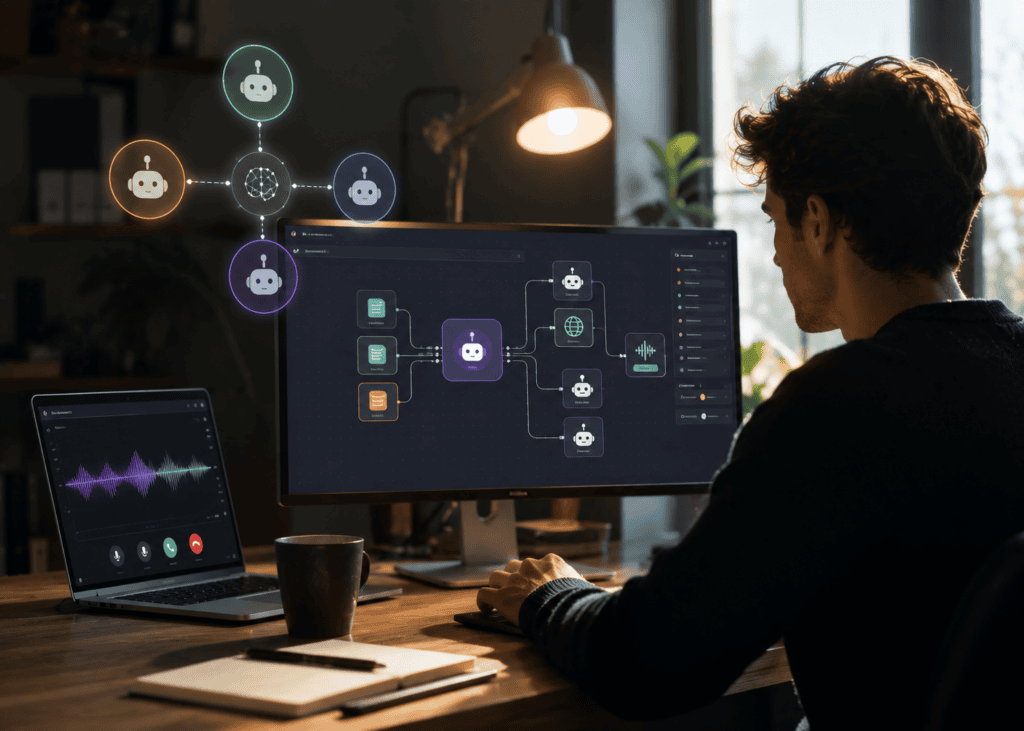
A labeled n8n canvas showing AI Agent Tool in the center, with HTTP Request, Vector DB, Webhook, and STT/TTS nodes branching.
When Should You Use n8n AI Agent Node Tools Instead of Subworkflows?
Use n8n AI agent node tools when you want layered agent logic, tool calling, and approvals on a single canvas for easy testing. Subworkflows still help for reusable utilities, but the AI Agent Tool node wins for visibility, step-through debugging, and quick edits to prompts or tool definitions.
I reviewed n8n’s tutorial video announcing the node and community use-case demos; a single canvas reduced context-switching and made agent loop control clearer.
How Do n8n AI Agent Node Tools Coordinate a Planner-Executor Build?
The AI Agent Tool node registers tools, chooses a plan, calls tools, and loops until done. Here’s a compact build you can replicate:
1. Define your tools
- Add AI Agent Tool node.
- Register tools like: Web search (HTTP Request), Knowledge lookup (Vector DB), and Notifier (HTTP Request or Email).
- Give each tool a plain-English description and input/output schema.
2. Set a planner-executor prompt
- In the AI Agent Tool node, add a system prompt that instructs: plan first, then execute one tool at a time, cite sources, and stop on success.
- Add guardrails: budget tokens, max tool calls, and a stop condition.
3. Provide context and memory
- Attach prior messages or a small memory store via input data.
- Optionally write interim results to a DB or file node for auditing.
4. Add routing for success or failure
- Use node outputs to branch: success path → notifier; error path → log and retry queue.
5. Test and verify
- Trigger with a simple query.
- Inspect the agent’s chosen tool, inputs, outputs, and the final message.
- Confirm the stop condition triggers correctly.
| Stage | Recommended n8n nodes | Why |
|---|---|---|
| Planner | AI Agent Tool | Plans steps, enforces guardrails |
| Execution | AI Agent Tool + HTTP Request | Calls APIs as tools |
| Knowledge | Vector database + embeddings | RAG answers and citations |
| Orchestration | Switch/IF + Set | Clean routing and data shaping |
| Logging | Write file/DB | Traceability and audits |
| Notify | HTTP Request/Email | Send summaries or alerts |
Key takeaways
- Register tools with clear descriptions and inputs.
- Add stop conditions to prevent loops.
- Log steps for audit and troubleshooting.
How Do You Add Human-in-the-Loop Approvals in n8n?
Route draft actions to a reviewer before execution.
- Draft step: Agent proposes an email or task with reasoning.
- Approval gate: Send a review link to a Webhook node; store pending items in queues or schedulers.
- On approve: Execute the tool call; on reject: send revision feedback back to the agent.
Test and verify
Submit a sample draft, open the Webhook URL, approve, and confirm only the approved branch runs. Then reject and confirm the agent revises rather than executes.
How Do You Add RAG and Data Tools to Your Agent?
Use a vector database to ground responses in your documents.
- Ingest: Split text, create embeddings, and upsert to the vector database.
- Retrieve: Add a RAG tool that accepts a question, fetches top-k chunks, and returns context.
- Answer: The agent composes an answer citing chunk sources. Use HTTP Request to call your DB API.
Test and verify
Ask a document-specific question the base model cannot know. Confirm cited chunk IDs and that answers change when you remove the context.
How Do You Build an n8n AI Voice Agent End to End?
A minimal n8n AI voice agent uses STT → LLM → tool calls → TTS with retries and timeouts.
1. Capture audio
- Receive WAV/OGG via Webhook or telephony handoff.
- Store the file path on the item for downstream nodes.
2. STT (speech-to-text)
- Call your STT service via HTTP Request.
- Return transcript and confidence scores; add a retry node on low confidence.
3. LLM reasoning and tool calls
- Feed transcript into the AI Agent Tool node with your registered tools.
- Map user intent to actions; include guardrails for sensitive operations.
4. TTS (text-to-speech)
- Convert the agent’s reply to audio via TTS.
- Return an audio URL or stream; add fallback voice if TTS fails.
5. Wrap up and logging
- Save transcript, chosen tools, and final audio link.
- Send a summary to Slack or email for monitoring.
Test and verify
Say a short command, confirm STT text, check the agent’s selected tool and output, then listen to the TTS response. Induce a failure, such as a bad STT key, to verify retries and fallbacks.
Mid-workflow tools
If you need natural voices for the TTS step or want to turn agent outputs into short videos, try these tools:
- High-quality voices: VidAU Text to Speech
- Turn results into videos: Text to Video and VidAU AI Video
- Convert links to videos: URL to Video
- Extract audio from calls: Video to Audio
- Repurpose clips: VidAU Vid Remix
How Do You Test, Log, and Handle Errors Reliably?
Start small and make every step observable.
- Add Set nodes to label inputs and outputs.
- Use IF/Switch for clear success and failure paths.
- Add retries with backoff on HTTP nodes; send errors to a queue for reprocessing.
- Keep a run log: user prompt, tools called, tokens used, and final outputs.
Test and verify
Run the workflow with tracing enabled. Confirm each failure path logs context, retries up to your limit, and eventually alerts a human if unresolved.
What Are Practical n8n AI Agent Use Cases?
- Customer support grounded by RAG documents
- Lead research and enrichment with approvals
- Internal data analyst that explains SQL outputs
- Inbox triage with suggested replies for review
- Content summarization and structured note drafting
- Appointment setter with a voice front end
I reviewed recent community videos showcasing RAG, research, and voice agents; the strongest wins pair tool access with human-in-the-loop for quality control.
Try an Agent Workflow with VidAU
Turn voice-agent responses, automated research, and workflow outputs into natural audio or ready-to-publish video content.
VidAU workflow support
Extend agent outputs into voice and video
🎙️
Text to Speech
Create natural responses for an n8n AI voice agent’s TTS step.
🎬
Text to Video
Turn agent summaries and generated responses into short videos.
🔗
URL to Video
Convert links gathered by an agent into reusable video content.
🔁
VidAU Vid Remix
Repurpose workflow-generated clips for different channels and formats.
Key takeaway
Final Thoughts
The AI Agent Tool node makes multi-agent builds easier to see, test, and trust, especially with planner-executor logic, RAG, and a voice loop. Start with a minimal plan, add tools one by one, and verify each checkpoint before scaling.
If you want natural responses for a voice agent or to present agent outputs as videos, explore VidAU Text to Speech, Text to Video, and URL to Video.
Frequently asked questions
n8n AI Agent Node Tools FAQ
These answers cover the most common questions about n8n AI agents, tool nodes, voice workflows, RAG, approvals, and failure handling.
What is n8n AI agent?
An n8n AI agent is a workflow where an LLM plans and executes tasks through registered tools in n8n. Using the AI Agent Tool node, you define tools, set prompts and guardrails, and let the agent pick and call tools, loop on tasks, and stop when the goal is reached.
How do n8n AI agent node tools differ from subworkflows?
The AI Agent Tool node keeps planning, execution, and tool definitions on one canvas, improving visibility and debugging. Subworkflows remain useful for reusable utilities, but the node approach reduces tab-hopping, helps trace agent loops, and speeds prompt or tool-schema changes.
How do I build an n8n AI voice agent?
Connect STT to transcribe audio, pass the transcript to the AI Agent Tool node for reasoning and tool calls, then convert the reply to audio with TTS. Add retries for STT/TTS, guardrails for sensitive actions, and logging for transcripts, tool calls, and final audio links. Test with short commands first.
Do I need a vector database for RAG in n8n?
You only need a vector database when answers must reference your documents. Create embeddings, upsert chunks, retrieve top-k context via HTTP Request, and have the agent cite sources. For open-domain or non-factual tasks, a vector database may be unnecessary.
What are good n8n AI agent use cases?
High-value use cases include RAG-backed support, research and enrichment with approvals, internal data analysis summaries, inbox triage with suggested replies, content summarization, and appointment setting with a voice interface. Each benefits from clear tool schemas, stop conditions, and human-in-the-loop steps.
How do I add human-in-the-loop approvals?
Have the agent draft an action, then pause and send a review link to a Webhook node. Store pending items in a queue or use schedulers to retry. On approval, execute the tool; on rejection, return feedback to the agent for revision. Log decisions for traceability.
How do I handle rate limits and failures?
Use retries with exponential backoff on HTTP nodes, cap tool calls per run, and route errors to a queue for reprocessing. Add IF/Switch branches for explicit failure handling, and notify a human after repeated failures. Keep a run log of requests, responses, and errors.
When should I still use subworkflows with agents?
Use subworkflows for stable, reusable utilities like formatting, validation, or a shared API wrapper. Keep agent logic—planning, tool definitions, and routing—on the main canvas for transparency. This hybrid keeps maintenance low while preserving observability.






