TikTok Growth · Posting Times & Analytics
Best Time to Post on TikTok (and How to Find Yours)
Find the best time to post on TikTok and learn to use TikTok analytics to spot when your audience is most active, so you can boost views and engagement.
By the Sarah Iruoje · TikTok posting guide · Analytics-based scheduling workflow
The best time to post on TikTok is whenever your specific followers are awake, scrolling, and ready to engage, which you find through your own analytics rather than a generic chart.
The best time to post on TikTok is whenever your specific followers are most active, which you confirm inside your own TikTok analytics, not by copying a generic time chart. General windows like late mornings and early evenings give you a starting point, but the algorithm rewards videos that get strong early engagement from your real audience. Timing helps; it does not replace good content.
This guide is for TikTok creators in the US who want a data-driven posting schedule. We cover broad best times, Saturday-specific timing, and the exact steps to read follower activity in TikTok analytics. We also explain why consistency and content quality matter more than chasing a perfect minute.
Featured image placeholder for best time to post on TikTok, TikTok analytics, follower activity by hour, Saturday posting windows, US posting times, consistent posting, VidAU AI Video, Text to Video, URL to Video, and Video Enhancer workflows.
Quick Summary
- The best time to post on TikTok is when your own follower activity peaks, found inside TikTok analytics with a free Pro account.
- General US time windows like 9-11 AM, 2-4 PM, and 7-10 PM work as a starting point until your analytics gives clearer data.
- TikTok analytics requires switching to a free Business or Creator (Pro) account, then checking the Followers tab for active hours.
- Creators posting 3-5 times per week with consistent quality benefit most, since the algorithm favors strong early engagement over any single time slot.
In This Guide
- What the best time to post on TikTok actually means
- Why posting times matter for reach and the algorithm
- General best times to post on TikTok today
- Best time to post on TikTok Saturday and weekends
- Step-by-step: how to find your own times in TikTok analytics
- Why consistency and quality beat perfect timing
- Common mistakes creators make with TikTok posting times
- Final Thoughts
- FAQ
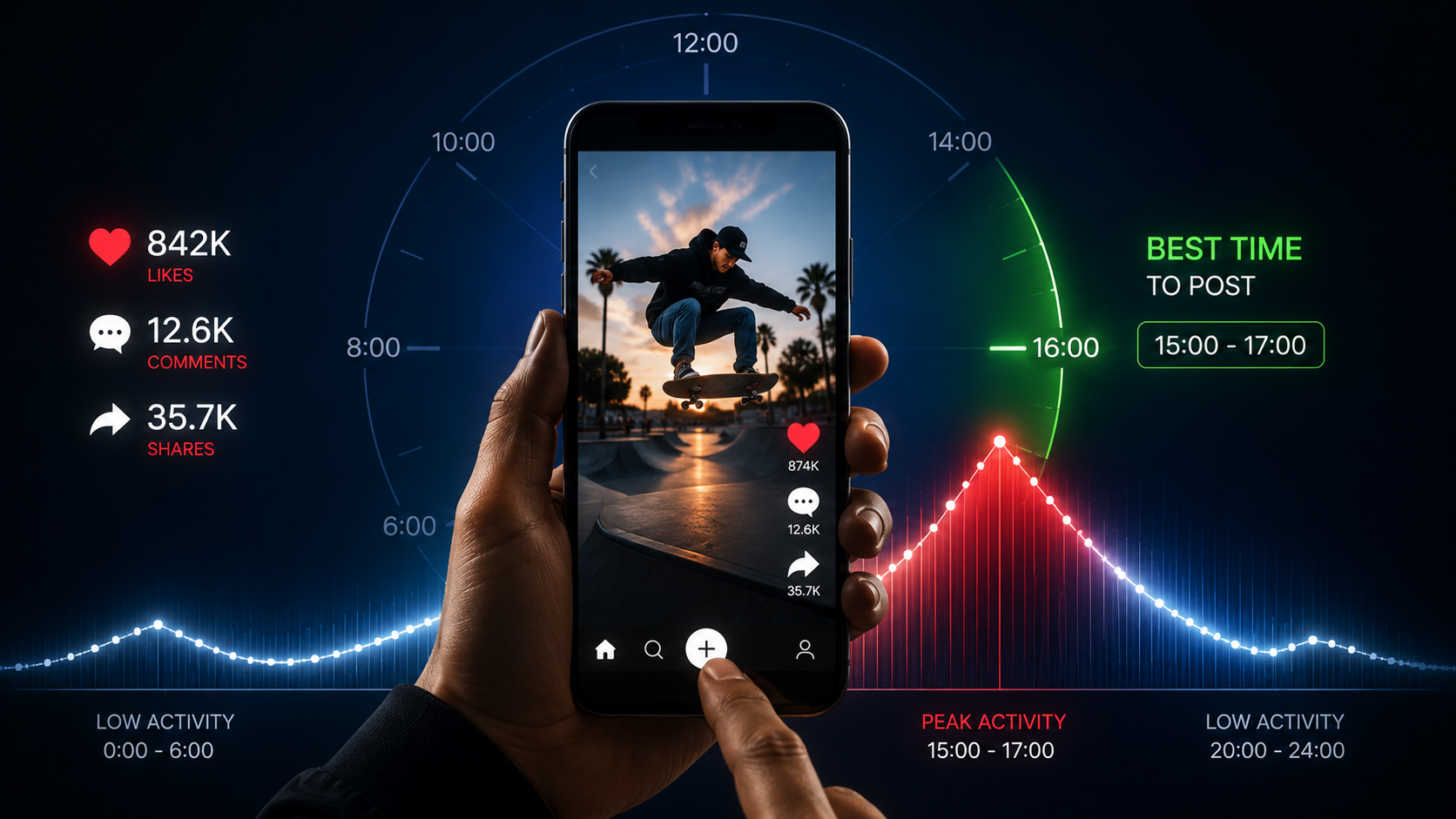
What Is the Best Time to Post on TikTok?
The best time to post on TikTok is the window when your followers are online and likely to watch, like, comment, and share within the first hour. There is no single universal slot. The right time depends on your audience demographics, time zone, and content style.
The shift in recent advice is clear. Instead of prescribing one magic time, creators now learn to read their own follower activity. I reviewed the available short-form posting guides and the pattern was consistent: every credible source pushed people toward their own analytics rather than a fixed schedule.
Definition
The best time to post on TikTok is the window when your followers are online and likely to engage within the first hour. There is no single universal slot.
Why Do TikTok Posting Times Matter?
Posting times matter because the TikTok algorithm uses early engagement to decide how widely to push a video. If you post when your followers are asleep, your first hour of views can stall, and the algorithm has less signal to work with.
Think of the post time as the launch window. A strong launch gives your video its best chance to gather likes, comments, and watch time quickly. That early momentum can lead to broader content reach through the For You feed.
That said, timing is one input, not the whole formula. A weak video posted at the perfect minute still underperforms. A strong video posted slightly off-peak can still climb.
Key Takeaways
- Early engagement in the first hour tells the algorithm whether to expand reach.
- Posting when followers are active improves your engagement rate.
- Timing supports good content; it cannot rescue weak content.
General Best Times to Post on TikTok Today
If you have no data yet, use general US time windows as a starting point. These are common active periods, not guarantees. Test them, then refine using your own analytics.
| Day Group | Common Active Windows (US) | Notes |
|---|---|---|
| Weekday mornings | 6-10 AM | Commute and early scroll time |
| Weekday midday | 11 AM-2 PM | Lunch break browsing |
| Weekday evenings | 7-10 PM | Highest general activity |
These times to post on TikTok give you a baseline schedule. After two to three weeks of posting, your follower activity data will be far more reliable than any chart. Treat the table as training wheels.
For planning the best time to post on TikTok today, check the current day in your analytics rather than assuming every day behaves the same. Activity can vary between a Monday and a Friday for the same account.
Timing caveat
General US time windows are only a starting point. After two to three weeks of posting, your own follower activity data is far more reliable than any chart.
Best Time to Post on TikTok Saturday and Weekends
The best time to post on TikTok Saturday is usually later in the morning through early evening, since many viewers wake up later and scroll in longer sessions on weekends. Common Saturday windows fall around 9-11 AM and 7-9 PM in the US.
Weekend behavior often differs from weekdays. People have more free time, so sessions can be longer, but competition for attention also rises. This is why Saturday timing deserves its own check in your analytics rather than reusing your weekday schedule.
If your audience is global, Saturday windows blur because followers sit across multiple time zones. In that case, lean even harder on your follower activity data instead of a single recommended slot.
Suggested Visual: Annotated screenshot of the TikTok Followers tab highlighting the follower-activity-by-hour graph. Filename idea: tiktok-analytics-follower-activity-hours.png
Saturday tip
Saturday timing deserves its own check in your analytics. Weekend sessions can be longer, but competition for attention also rises.
How to Find Your Own Best TikTok Posting Times
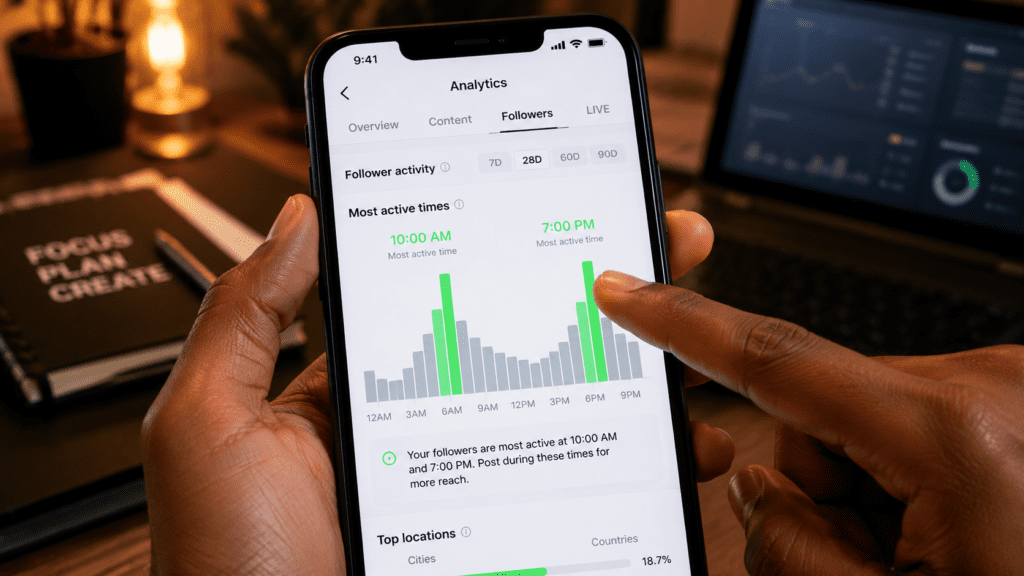
Finding your own best posting times takes about five minutes once you have a free Pro account. Here is the step-by-step process.
Step 1: Switch to a Business or Creator account
Go to Settings and privacy, then Account, then switch to a Business or Creator account. This is free and unlocks TikTok analytics. Without it, you cannot see follower activity data.
Step 2: Open your analytics dashboard
Tap the three-line menu, open Creator tools or Business suite, then select Analytics. Give it a few days of posting so the numbers reflect real behavior.
Step 3: Check the Followers tab
Inside Analytics, open the Followers tab. Look for the section showing follower activity by hour and by day. This is the single most useful screen for finding your peak times.
Step 4: Match your active hours to a posting schedule
Note the hours and days with the highest follower activity. Aim to post 30 to 60 minutes before those peaks so your video is already gaining momentum when most followers come online.
Step 5: Test, track, and adjust
Post at your chosen windows for two to three weeks. Compare views and engagement across slots. Keep what works, drop what does not, and recheck monthly because audiences shift.
If you batch-produce content to fill those windows, AI tools can help you keep up. Platforms like VidAU AI Video and Text to Video let you turn scripts into short clips quickly, and a URL to Video workflow helps eCommerce creators produce posts at scale. VidAU is an AI video ad platform that generates video ads from product URLs, images, or scripts in 49 languages.
Analytics tip
Aim to post 30 to 60 minutes before your follower activity peaks so your video is already gaining momentum when most followers come online.
Create TikTok Videos Faster With VidAU
Use VidAU AI Video, Text to Video, URL to Video, and Video Enhancer to batch-create short-form clips, prepare content for your peak posting windows, and keep a consistent TikTok schedule.
VidAU workflow
Where VidAU fits in a TikTok posting schedule
- Find your peak windows first: Use TikTok analytics to identify follower activity by hour and day.
- Batch scripts before the week starts: Plan 3 to 5 posts around your best time windows so consistency does not depend on last-minute ideas.
- Use Text to Video for fast short clips: Turn scripts into TikTok-ready videos quickly when you need to keep up with your posting rhythm.
- Use URL to Video for eCommerce content: Create posts from product pages when your content calendar needs frequent product-led videos.
- Then Use Video Enhancer before posting: Improve soft footage where possible so TikTok compression has a cleaner source to work with.
Why Consistency and Quality Beat Perfect Timing
Consistency and content quality matter more than hitting a perfect minute. Posting 3 to 5 times per week trains both the algorithm and your audience to expect you. A steady rhythm usually outperforms occasional posts timed to the second.
In our review of creator guidance, the strongest recurring advice was to post consistently and improve the hook, not to obsess over the exact clock time. The same lesson appears across creator communities about other tools: people often chase a hidden setting when the real lever is the work itself.
Quality also includes how the video looks after upload. Social platforms compress footage, and one practical tip echoed in creator threads is to export at high resolution and bitrate so your clip survives compression. If your existing footage looks soft, a Video Enhancer can help before you post.
Key Takeaways
- Posting 3 to 5 times per week trains both the algorithm and your audience to expect you.
- Improving the hook matters more than obsessing over the exact clock time.
- Export quality still matters because social platforms compress footage after upload.
Common Mistakes With TikTok Posting Times
Creators often make the same timing errors. Avoiding these will do more for your reach than any chart.
- Copying a generic time slot without checking your own follower activity.
- Posting at peak times but ignoring weak hooks and low watch time.
- Reusing weekday timing for weekends, especially Saturday.
- Posting inconsistently, then blaming the time of day for low views.
- Forgetting that audience activity shifts, so monthly rechecks are needed.
A quick honest note: if your account is brand new with few followers, analytics data will be thin. In that case, generic windows and frequent posting matter more, since you are still teaching the algorithm who your audience is.
Mistake to avoid
Do not copy a generic time slot without checking your own follower activity. Your audience, time zone, and content style decide the real best window.
New account note
If your account is brand new with few followers, analytics data will be thin. Generic windows and frequent posting matter more until you have enough follower activity data.
Key takeaway
Final Thoughts
The best time to post on TikTok is the time your specific followers are active, and the only reliable way to find it is your own TikTok analytics. Start with general windows, then switch to a free Pro account, read the Followers tab, and adjust based on real results. Saturday and weekends usually need their own check.
Timing gives your video a strong launch, but consistency and quality decide whether it keeps climbing. If you want to post more often without burning out, tools like VidAU AI Video can help you produce short-form clips quickly so you always have something ready for your peak windows.
FAQ
Here are answers to common questions about the best time to post on TikTok, Saturday posting windows, TikTok analytics, Pro accounts, posting frequency, timing tests, and using AI tools to post consistently at peak times.
What is the overall best time to post on TikTok?
There is no single best time for everyone. Common US windows are weekday mornings around 9-11 AM, midday around 2-4 PM, and evenings around 7-10 PM. The most reliable approach is checking your own follower activity in TikTok analytics, since timing depends on your audience and time zone.
What is the best time to post on TikTok Saturday?
The best time to post on TikTok Saturday is usually later morning through early evening, often around 9-11 AM and 7-9 PM in the US. Weekend viewers wake later and scroll in longer sessions. Always confirm with your analytics, because Saturday activity can differ from your weekday posting times.
How do I find the best time to post on TikTok today?
Open TikTok analytics, switch to a free Business or Creator account, and check the Followers tab for activity by hour and day. Look at the current day specifically, since activity varies. Post 30 to 60 minutes before your peak so your video gains momentum as followers come online.
Do I need a TikTok Pro account to see posting times?
Yes. To see follower activity and posting time data, you need a free Business or Creator (Pro) account. Switch in Settings and privacy under Account. Once enabled, your analytics dashboard shows follower activity, content reach, and engagement metrics that reveal your personalized best windows.
Does posting at the right time guarantee my video goes viral?
No. Posting time improves your video’s early engagement window, but it does not guarantee virality. The TikTok algorithm rewards strong hooks, watch time, and shares. Good timing helps a strong video succeed faster, but it cannot make a weak video perform well on its own.
How often should I post on TikTok?
Many creators see steady results posting 3 to 5 times per week. Consistency trains both the algorithm and your audience to expect content. Frequent, quality posts usually outperform rare posts dropped at a supposedly perfect time, especially for newer accounts still building follower data.
Why do my TikTok posting times stop working over time?
Audience behavior shifts as you gain new followers across different time zones and habits. A window that worked last month may fade as your audience changes. Recheck your follower activity in analytics roughly once a month and adjust your posting schedule based on the latest data.
What matters more, timing or content quality?
Content quality matters more. A strong hook and good watch time drive reach far more than a perfect post time. Timing gives your video its best launch, but consistency and quality determine long-term growth. Treat timing as one supporting input, not the main strategy for TikTok success.
How long should I test a posting time before changing it?
Test each posting window for about two to three weeks. That gives enough data across multiple videos to compare views and engagement fairly. Avoid changing times after a single post, since one video’s performance reflects content and luck as much as the time you posted it.
Can AI tools help me post consistently at peak times?
Yes. AI video tools help you batch-create short clips so you always have content ready for your active windows. Platforms like VidAU AI can turn scripts, images, or product URLs into videos quickly, making it easier to maintain a consistent posting schedule without producing every clip manually.