VidAU Editorial · AI Search
AI Video Automation: How to Create, Scale, and Publish Videos Automatically
Learn how to create AI storyboards and turn ideas into videos.
By the VidAU Editorial Team · Reviewed before publishing
Video production takes time. You need ideas, scripts, visuals, voiceovers, editing, captions, and distribution. For businesses and content creators producing videos regularly, handling every step manually creates delays and limits how much content they publish.
AI video automation changes this process by connecting AI tools and automated workflows to handle repetitive production tasks. Instead of creating every video from scratch, you build a system that generates scripts, produces visuals, adds voiceovers, edits clips, and prepares content for publishing.
This approach helps marketers produce more advertising creatives, social media managers maintain consistent posting schedules, and agencies handle multiple client campaigns.
Tools such as Higgsfield AI, n8n, InVideo AI, Vivideo, and AutoClips offer different ways to automate video production. Some focus on generating realistic AI videos, while others connect several services to manage the entire content pipeline.
In this guide, you will learn how AI video automation works, which tools support automated production, how to scale UGC advertisements, and how to build a workflow that saves production time.
Quick Summary
• AI video automation connects AI models and workflow tools to automate scripts, visuals, voiceovers, editing, and publishing.
• AI video tools for scaling ugc ads help marketers create multiple advertising variations using AI presenters, product visuals, and automated editing.
• Higgsfield AI offers image generation, video creation, cinematic tools, Ads Studio, and UGC features for creative production.
• Higgsfield ai free provides limited access, with no recurring monthly credit allowance and restrictions on certain premium features.
• Tools such as n8n, Vivideo, InVideo AI, and AutoClips support different levels of video production and distribution automation.
What Is AI Video Automation?
AI video automation uses artificial intelligence and workflow automation software to create, edit, organise, and distribute videos with minimal manual intervention.
Traditional video production requires you to manage each stage separately. AI video automation connects these stages so one action triggers the next.
For example, adding a new product to a spreadsheet might trigger an automated workflow that:
- Generates a video concept and script.
- Creates product visuals using AI.
- Converts images into video clips.
- Generates a voiceover.
- Adds subtitles, music, and transitions.
- Combines the assets into a finished video.
- Prepares platform-specific captions.
- Publishes or schedules the video.
The level of automation depends on the tools and integrations you choose. Some systems automate production and publishing, while others require you to review and approve videos before distribution.
How AI Video Automation Works
An automated video production system typically has five stages.
1. Content Input
You provide a topic, product description, script, URL, image, or content idea. A spreadsheet, form, website, or content management system might serve as the starting point.
2. AI Content Generation
An AI model converts your input into scripts, visual prompts, scenes, and voiceover instructions.
3. Video Production
An image or video generation model creates the visual assets. Other tools add narration, music, subtitles, and transitions.
4. Editing and Assembly
An editing tool combines the generated assets into a complete video. Templates help maintain consistent branding across multiple outputs.
5. Distribution and Tracking
The workflow sends the finished video to your preferred social media platforms or content management system. You can also record publishing status, links, and production costs.
Why Businesses Are Adopting AI Video Automation
Businesses need more video content for advertising, product education, customer acquisition, and social media engagement.
AI video automation helps address several production challenges:
- Reduces repetitive editing and content preparation.
- Supports bulk video generation.
- Makes it easier to maintain consistent branding.
- Helps teams produce multiple creative variations.
- Simplifies content distribution across platforms.
- Creates repeatable production workflows.
However, automation does not remove the need for creative direction. You still need to review accuracy, messaging, video quality, and brand consistency.ancial Management: Project budgets, costs, billing.
AI Video Tools for Scaling UGC Ads – AI Video Automation
User-generated content (UGC) ads use creator-style videos to present products, share experiences, demonstrate features, and communicate customer benefits.
Brands use UGC-style advertising because conversational presentations often fit naturally into social media feeds. However, producing multiple variations requires scripts, presenters, filming, editing, and approvals.
AI video tools for scaling ugc ads help marketers produce more creative variations without arranging a separate filming session for every concept.
What Makes AI Video Tools Useful for UGC Ads?
AI video tools support several parts of the UGC production process.
- AI avatars: Present products and promotional messages.
- AI voiceovers: Generate narration in different voices and languages.
- Script generation: Produce multiple advertising angles.
- Image-to-video: Turn product photographs into moving visuals.
- Video editing: Add captions, music, and branded elements.
- Video translation: Adapt advertisements for different markets.
For example, an e-commerce brand selling skincare products might create several UGC-style advertisements around different customer concerns.
One video might focus on product ingredients, another on application instructions, and a third on the product’s packaging and presentation.
Instead of manually producing each concept, an automated workflow generates the scripts and assets from a shared product brief.
Best AI Video Tools for Scaling UGC Ads
The following tools support different stages of automated video production.
1. Higgsfield AI
Higgsfield AI provides AI image and video generation tools for creating cinematic scenes, character-driven videos, and advertising content.
Its creative suite includes video generation, AI characters, editing tools, and Ads Studio. Its UGC Builder also supports creator-style advertising workflows on eligible paid plans.
2. InVideo AI
InVideo AI turns text prompts into videos with generated scripts, visuals, voiceovers, subtitles, and music. You can also edit generated videos through text instructions.
Its support for voiceovers in more than 50 languages makes the platform useful for creating advertising and promotional content for different audiences.
3. Vivideo
Vivideo focuses on automated video generation and distribution. Its automation feature connects triggers such as spreadsheets, forms, schedules, and webhooks to video production workflows.
It also supports bulk generation, brand kits, multiple video models, and automatic delivery to connected destinations.
4. AutoClips
AutoClips focuses on automated short-form video production and publishing. Its advertised workflow handles scripts, voiceovers, visuals, video rendering, and scheduled distribution to TikTok, YouTube, Instagram, and Facebook.
How to Scale UGC Ads With an Automated Workflow
A repeatable UGC advertising workflow starts with one product brief and produces several creative variations.
For example, consider a brand selling a wireless earbud product.
| Production stage | Automated task |
| Product input | Import product details and images |
| Script generation | Create five advertising concepts |
| Presenter | Generate AI avatar presentations |
| Video generation | Produce different product scenes |
| Voiceover | Add conversational narration |
| Editing | Add captions, branding, and music |
| Distribution | Prepare versions for TikTok and Instagram |
| Performance tracking | Record views, clicks, and conversions |
Five UGC Ad Variations Worth Testing
Rather than producing five identical advertisements, change the message and creative angle.
- Problem and solution: Show a common customer problem and introduce your product.
- Product demonstration: Explain how the product works.
- Feature breakdown: Highlight three important product features.
- Lifestyle presentation: Show how the product fits into everyday life.
- Offer-focused advertisement: Communicate a promotion or special offer.
Use real customer testimonials only with permission. Label synthetic presenters appropriately where required, and avoid presenting fictional experiences as genuine customer reviews.
Higgsfield AI – AI Video Automation
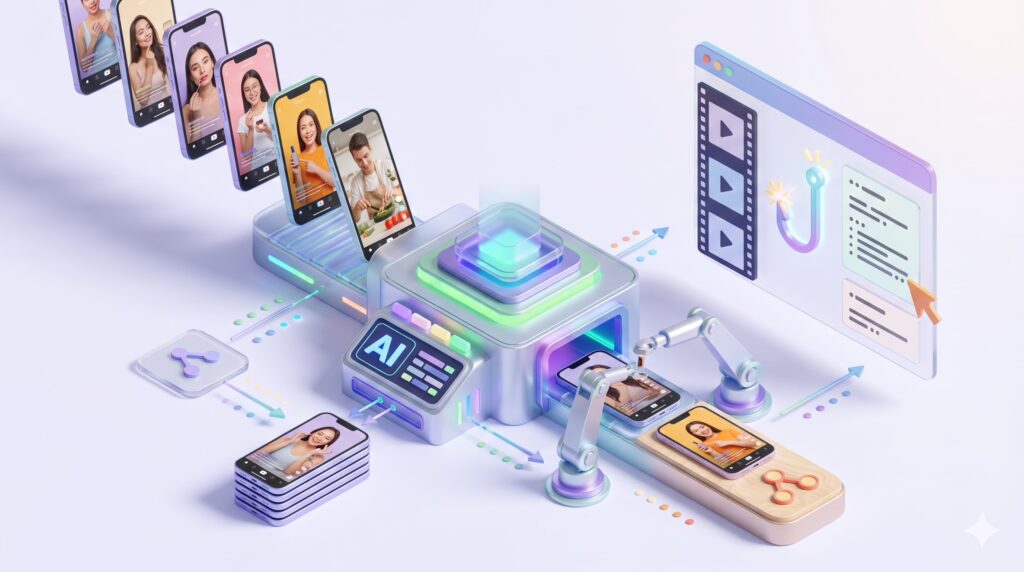
Higgsfield AI is an AI-powered creative platform designed for generating and editing images and videos. It brings several creative tools into one environment, helping creators develop visual concepts, produce cinematic clips, and create advertising content.
Unlike workflow automation platforms that connect several applications, Higgsfield AI focuses primarily on creative production.
Its features support different stages of AI-assisted video creation.
Key Higgsfield AI Features
AI Video Generation
Higgsfield provides access to different video generation models. Creators use these models to turn prompts and reference images into moving scenes.
You can use this feature for:
- Product advertisements.
- Cinematic social media clips.
- Character-based videos.
- Promotional campaigns.
- Short-form storytelling.
Cinema Studio
Cinema Studio gives creators additional control over cinematic video production. Its tools support camera movements, shot composition, and visual direction.
This helps when you want more control over how a scene looks rather than relying on a basic text prompt.
AI Ads Studio
Ads Studio supports advertising creative production. Marketers use AI-generated visuals and creative concepts to develop promotional content.
This makes the feature relevant to businesses testing different advertising angles and visual presentations.
UGC Builder
Higgsfield’s UGC Builder supports creator-style advertising. It helps marketers develop videos featuring AI-generated presenters and product-focused content.
According to Higgsfield’s free-plan documentation, UGC Builder requires a paid subscription.
AI Character Creation
Higgsfield also offers character-focused tools for creators who want to develop recognizable AI personalities and recurring visual identities.
These features support storytelling, promotional videos, and character-led social media campaigns.
How to Use Higgsfield AI for Video Creation
Follow this workflow to create an AI-generated promotional video.
- Visit the Higgsfield website.
- Create an account and explore the available models.
- Select a video generation or advertising feature.
- Upload a reference image or enter your prompt.
- Describe the subject, action, setting, and camera movement.
- Generate your video.
- Review the result and make adjustments.
- Export the finished video for editing or publishing.
For better results, use clear reference images and specific prompts. Also, check product details, character consistency, and visual quality before publishing.
Higgsfield AI free
Higgsfield AI offers a free entry-level plan, allowing new users to explore selected creative features without paying for a subscription.
However, free access has restrictions. According to Higgsfield’s official help center, the free plan costs $0, provides limited model access, allows one generation at a time, and does not include a recurring monthly credit allowance. Some generations also carry a visible watermark.
What Does the Higgsfield AI Free Plan Include?
The free plan provides an introduction to the platform, but you should understand its limitations before using it for regular production.
| Feature | Free plan |
| Account creation | Free |
| Model access | Limited selection |
| Monthly credits | Not included |
| Concurrent generations | One at a time |
| Watermark-free output | Not guaranteed |
| UGC Builder | Not included |
| Commercial use | Check current plan terms |
Higgsfield’s documentation states that free-plan generations require available credits or free generation allowances. You should check the generation cost before starting a project.
How to Access Higgsfield AI for Free
You can start with the free plan by following these steps:
- Open Higgsfield AI.
- Select the option to get started.
- Create your account.
- Explore the models available on the free plan.
- Check the credit requirement for your chosen generation.
- Generate a test image or video if your account has an available allowance.
Higgsfield AI Free vs Paid Plans
The main difference between free and paid access involves credits, model availability, generation limits, and commercial usage rights.
| Feature | Free | Paid |
| Price | $0 | Subscription |
| Monthly credits | No recurring allowance | Included |
| Model selection | Limited | More models |
| Parallel generation | One at a time | Depends on plan |
| Watermark | Might appear | Removed from new generations |
| Commercial use | Not included | Included on eligible plans |
| UGC Builder | No | Available on eligible plans |
Is Higgsfield AI Free Enough for UGC Ads?
The free plan works for exploring the platform and testing selected creative features. However, it does not provide the recurring credits, full model access, or UGC Builder access needed for a consistent advertising production workflow.
If you plan to produce UGC ads regularly, compare paid plans based on generation costs, commercial rights, available models, and monthly production requirements.
Best AI Video Automation Workflows for Content Creators and Businesses
Choosing an AI video generator is only one part of building an automated production system. You also need a way to connect content inputs, generation tools, editing software, and publishing platforms.
The following workflows show how different tools fit into a complete production process.
Workflow 1: Automating Video Production With n8n
n8n is a workflow automation platform that connects applications and AI services through configurable nodes.
Its published template, “Fully automated AI video generation and multi-platform publishing,” demonstrates how creators can automate short-form video production from a Google Sheet.
n8n workflow template
The workflow connects several services:
- Google Sheets for video ideas and input data.
- OpenAI for captions, scripts, and image prompts.
- PiAPI with Flux for image generation.
- PiAPI with Kling for image-to-video generation.
- ElevenLabs for voiceover production.
- Creatomate for video assembly.
- Upload-Post for social media distribution.
- Google Drive for storing finished videos.
- Discord for completion notifications.
How the n8n Workflow Operates
The process begins when a new video idea appears in a connected Google Sheet.
The automation then generates captions, images, video clips, and narration. Next, it combines the assets into a finished video and creates a platform-specific description.
Finally, the workflow distributes the content to TikTok, Instagram, YouTube, Facebook, and LinkedIn. It also updates the original spreadsheet with video links, production costs, and processing details.
Workflow 2: Automating Bulk Videos With Vivideo
Vivideo takes a more direct approach to automated video production. Its automation feature connects triggers to video generation, allowing teams to produce videos from spreadsheets, forms, schedules, and webhooks.
Its workflow follows four main stages:
- Pick a trigger.
- Map your content and brand information.
- Generate videos in bulk.
- Deliver finished videos to a folder, CMS, application, or social scheduler.
Vivideo also advertises access to more than 30 video models, automatic brand-kit application, and bulk production.
This approach suits e-commerce teams generating videos for product catalogs, agencies producing client content, and social media teams working with scheduled content calendars.
Workflow 3: Automated Video Production With InVideo AI
InVideo AI combines several video production tasks in one platform.
You enter a video idea, and the system generates a script, visuals, voiceovers, subtitles, and music. You can then edit the output through text instructions.
For example, you might request a 30-second product advertisement and specify the target platform, voiceover accent, and preferred video style.
You can also request changes to individual scenes or narration without manually rebuilding the entire project.
This makes InVideo useful for creators who want a simpler production process without building a complex automation system.
Workflow 4: Automated Daily Publishing With AutoClips
AutoClips focuses on recurring short-form video production.
Its advertised system generates scripts, voiceovers, visuals, and finished videos before publishing them to connected social platforms.
The platform supports TikTok, Instagram, YouTube, and Facebook distribution. It also offers different video formats, including faceless, character explainer, and 3D animation videos.
Which Automation Workflow Should You Choose?
| Tool | Main strength | Suitable for |
| n8n | Connecting multiple AI services | Custom automated pipelines |
| Vivideo | Bulk, branded video generation | Agencies and e-commerce |
| InVideo AI | Prompt-based video production | Marketers and creators |
| AutoClips | Recurring video creation and publishing | Faceless channels and social media |
Your choice depends on how much control you need.
If you want to connect several services and customize every stage, consider n8n. If you prefer a more integrated production environment, explore Vivideo or InVideo AI. For recurring short-form publishing, evaluate AutoClips.
How to Build Your Own AI Video Automation System
You do not need a large production team to build an automated video pipeline. Start with a simple workflow and add more integrations as your content requirements grow.
Step 1: Choose Your Content Format
Decide what type of videos you want to produce.
Examples include:
- UGC-style advertisements.
- Faceless YouTube videos.
- Product demonstrations.
- Educational videos.
- Social media promotional clips.
- AI-generated storytelling videos.
Step 2: Select Your AI Tools
Choose tools based on the tasks you want to automate.
For example:
- Scriptwriting: ChatGPT.
- Image generation: Higgsfield AI.
- Video generation: Higgsfield AI or another video model.
- Voiceovers: ElevenLabs.
- Video assembly: Creatomate.
- Workflow automation: n8n.
- Publishing: Upload-Post or a connected social scheduler.
Step 3: Connect Your Tools
Use an automation platform to connect your selected applications.
For example, configure a Google Sheets trigger to start video production whenever you add a new content idea.
The workflow should pass the required information between each application without requiring you to copy and paste every instruction manually.
Step 4: Create Templates
Templates help maintain consistency across your videos.
Create reusable templates for:
- Introductory scenes.
- Product presentations.
- Voiceover placement.
- Captions and subtitles.
- Brand logos and colors.
- Calls to action.
Step 5: Review and Publish
Before publishing, review the generated videos for visual errors, incorrect product information, misleading claims, and poor audio.
You should also check platform-specific aspect ratios, captions, and advertising requirements.
Start with an approval step before enabling automatic publishing. Once your workflow produces consistent results, automate more of the distribution process.
Common Challenges of AI Video Automation and How to Solve Them
AI video automation saves production time, but poorly configured workflows create new problems.
Inconsistent Video Quality
AI models might produce different results from similar prompts.
Solution: Use consistent reference images, detailed prompts, and reusable templates. Review a sample batch before generating content at scale.
Repetitive Advertising Creatives
Generating dozens of videos from one generic script often produces repetitive content.
Solution: Develop different hooks, product benefits, storylines, and calls to action. Give every creative variation a distinct purpose.
High Generation Costs
Video generation models often charge according to credits, resolution, duration, or processing requirements.
Solution: Test low-cost drafts first, track generation expenses, and reserve expensive models for final production.
Automation Errors
A broken API connection or incorrect workflow setting might interrupt production.
Solution: Add error notifications, retry conditions, output checks, and production logs. Keep a record of failed jobs so you can identify and correct problems.
Platform and Advertising Compliance
Automated publishing does not guarantee that every video meets platform rules.
Solution: Review disclosure requirements, copyright permissions, music licenses, product claims, and synthetic media policies before distribution.
Create With VidAU
Turn scripts, product URLs, and creative ideas into ad-ready video assets with a structured AI workflow.
Key takeaway
Final Thoughts
AI video automation gives businesses, marketers, and content creators a more efficient way to produce and distribute video content. By connecting tools for scripting, image generation, video production, editing, and publishing, you can build a repeatable content production system.
Higgsfield AI provides creative tools for generating advertising visuals and videos, while n8n, Vivideo, InVideo AI, and AutoClips support different automation requirements.
Start with one workflow, test the output, and track your production costs. Once the system delivers consistent results, expand your automation to more products, campaigns, and social media channels.
For marketers looking to turn product information and creative ideas into promotional videos, explore VidAU AI. Its URL-to-video, AI video ads, and AI avatar tools support different stages of marketing video production.
Frequently asked questions
What is AI video automation?
AI video automation uses artificial intelligence and connected software to generate scripts, create visuals, produce voiceovers, edit videos, and distribute content. Depending on your setup, the process runs automatically from a trigger such as a spreadsheet entry or scheduled event.
What are the best AI video tools for scaling UGC ads?
Higgsfield AI, InVideo AI, and Vivideo offer useful features for producing advertising content. Higgsfield focuses on AI-generated creative assets and UGC-style content, InVideo combines scripts and video editing, while Vivideo supports automated bulk generation.
Is Higgsfield AI free?
Yes. Higgsfield AI offers a free plan with limited model access. However, the plan does not include recurring monthly credits, and some generations might carry watermarks. Features such as UGC Builder require paid access.
Can AI video automation publish videos automatically?
Yes. Platforms and workflows such as n8n and AutoClips support automated video distribution to connected social media accounts. You need to configure the necessary integrations, permissions, and publishing settings first.
Can I use AI video automation for e-commerce marketing?
Yes. E-commerce businesses use AI video automation to create product demonstrations, promotional videos, UGC-style advertisements, and social media creatives. You can connect product information and images to an automated workflow that generates multiple video variations.