VidAU Editorial · AI Search
Top-Rated UGC Video Creation Software Compared: Key Features for High-Converting Content
Looking for the best UGC video creation software? Compare top-rated categories, must-have features (hooks, captions, vertical exports), and step-by-step workflows to create high-converting user-generated content for organic and paid campaigns.
By the VidAU Editorial Team · Reviewed before publishing
This guide puts top-rated UGC video creation software compared side-by-side by how well each category supports a direct-response workflow, hook → script → visuals → captions → export. See which options speed hook-first scripting, on-screen text planning, auto-captions, and vertical exports for faster wins in organic and paid placements.
Direct-response UGC wins when your tools speed the work that actually moves conversion: writing a strong hook, planning on-screen text, capturing clean voiceover, burning readable captions, and exporting vertical versions fast. This feature-by-workflow guide helps UGC creators, freelancers, and brand-side marketers choose the right stack for faster publishing and better results.
Quick Summary
• Direct-response UGC workflow selection beats hype: choose software that accelerates hook, script, captions, and export.
• A modular stack of script builder plus teleprompter plus mobile or desktop editor is the strongest alternative to all-in-one suites.
• Exports must cover 9:16, 1:1, and 16:9 with safe-area guides, accurate auto-captions, and SRT options for compliance.
• UGC creators, freelancers, and brand-side marketers benefit most when tools enable rapid A/B testing and clear on-screen CTAs.
What Is UGC Video Creation Software?
UGC video creation software is any tool or stack that helps plan, record, edit, caption, and export user-generated style videos for social feeds and ads. The best options support direct response marketing: hook-first scripting, on-screen text planning, auto-captions with SRT files, timeline control, templates, and export presets for 9:16, 1:1, and 16:9.
UGC Video Software vs. Direct-Response Workflows
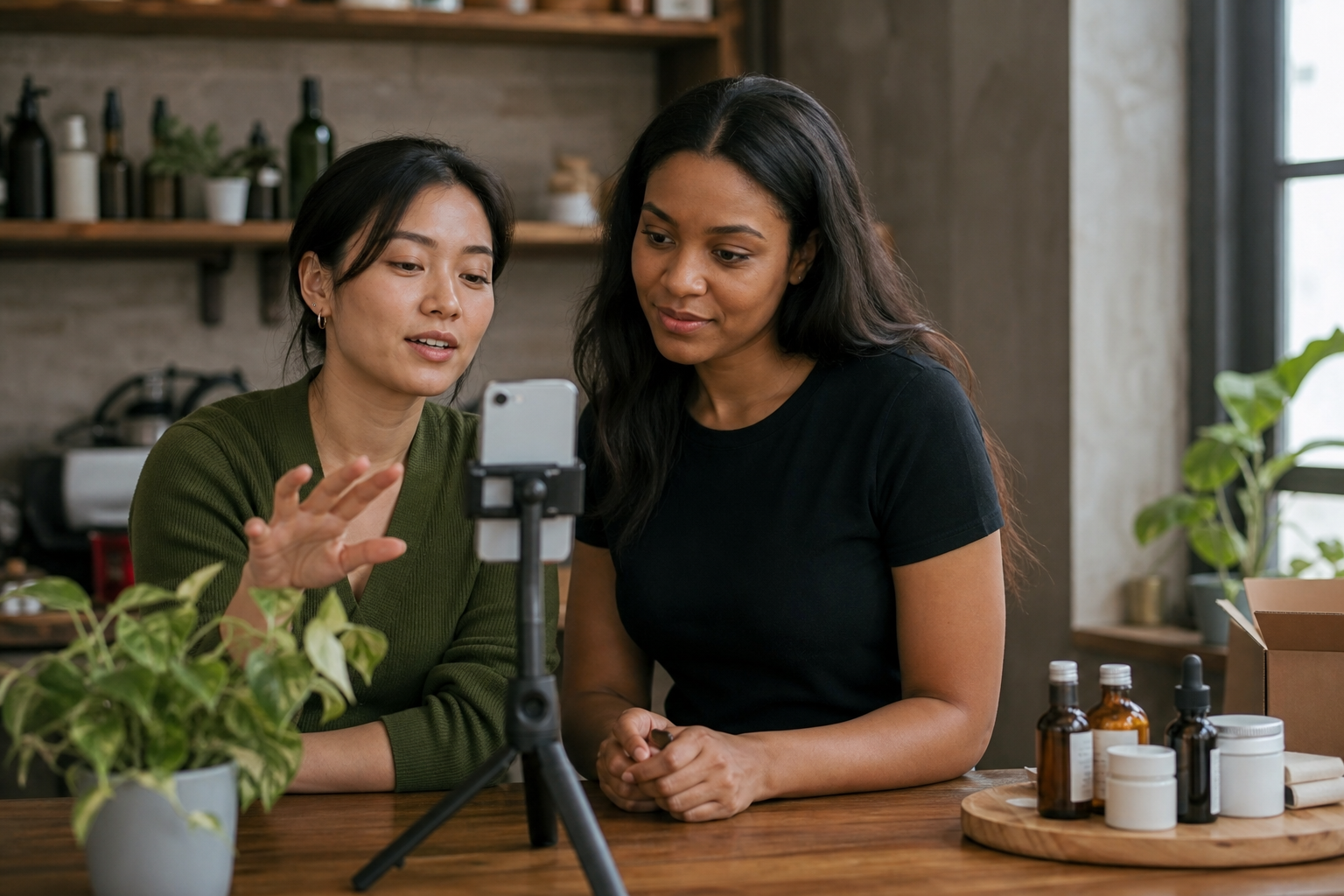
Instead of comparing brand names, this guide compares software categories by how well they serve the five-stage UGC flow:
1) Hook and script
• Needs: hook templates, script builder, teleprompter, CTA prompts, beat markers.
• Outcome: a tight, 20–45 second script with a clear call to action.
2) Visuals planning
• Needs: shot list, b‑roll prompts, on-screen text beats, template overlays.
• Outcome: a simple plan connecting each line to a visual or text overlay.
3) Captions and audio
• Needs: accurate auto-captions, fast cleanup, SRT export, burned-in subtitles, voiceover clarity.
• Outcome: readable captions styled for brand and accessibility.
4) Edit and timeline control
• Needs: ripple edits, markers, track-level control, presets, templates, quick versioning.
• Outcome: a cut that lands hooks early and keeps energy up.
5) Export and iteration
• Needs: export presets for 9:16, 1:1, 16:9, safe-area guides, batch versioning, A/B labels.
• Outcome: fast variants for organic vs paid, ready for testing.
Hook and Script: features that create scroll-stopping starts
Your first 2–3 seconds decide the watch. Prioritize categories that make scripting and delivery effortless.
Must-have features
• Hook templates and prompts: pain-agitate-solve, pattern interrupt, or bold benefit.
• Script builder with beat markers: break lines into 2–4 second chunks.
• Teleprompter or line-by-line cueing: adjustable speed, pause on tap, mirroring if needed.
• CTA generator: includes discount, timeframe, and action verb.
• Versioning: duplicate scripts for A/B testing different hooks.
Mini workflow
• Draft three hooks against the same benefit and CTA.
• Add beat markers and planned b‑roll per line.
• Load into a teleprompter; record three takes per hook.
• Tag takes by hook variant to speed selection later.
Checklist
• Hook under 3 seconds; CTA phrased in 6–10 words.
• Script length 20–45 seconds unless a step-by-step demo.
• Keep one benefit per line; avoid run-on sentences.
Visuals and On-Screen Text Planning for UGC
Editing is faster when visuals are planned up front.
Key features
• Shot list builder: primary shot plus b‑roll suggestions.
• On-screen text timeline: attach text overlays to beats.
• Templates and brand kits: fonts, colors, CTA bars, and lower thirds.
• Safe-area guides: keep text away from UI chrome in 9:16.
Shot and text plan example
• Hook line: bold claim overlay, tight selfie shot.
• Proof line: product close-up b‑roll with short overlay.
• Benefit line: before/after overlay, screen recording b‑roll.
• CTA line: branded end card with clear action.
Readability rules
• Font size large enough to read on 5–6 inch screens.
• High-contrast combinations; avoid thin scripts.
• Keep overlays under two lines; 4–7 words per line.
Captions and Audio: accuracy, SRT files, and voiceover clarity
Captions are non-negotiable for reach and comprehension.
Caption workflow features to prioritize
• Auto-captions with high word-level accuracy and punctuation.
• Fast cleanup UI: keyboard shortcuts, search and replace for brand terms.
• Export options: SRT file for platforms, burned-in for creative control.
• Style controls: font, size, background, and alignment.
Voiceover and loudness
• Clear mic input with noise reduction controls.
• Practical target loudness: aim around the typical social range so voiceover remains intelligible against music.
• Ducking: auto-lower music under voice.
Compliance and accessibility
• Include SRT files for platforms that prefer sidecar captions.
• Ensure contrast ratios are readable for accessibility and brand safety.
Editing and Timeline Control for Speed-to-Publish

Direct-response cuts need precise pacing.
Editor category must-haves
• Ripple edits and trim-by-frame for snappy pacing.
• Markers aligned to script beats and on-screen text.
• Multitrack timeline for voiceover, music, and captions.
• Templates and presets for recurring formats like UGC talking-head demos.
• One-click reframing for 9:16 from landscape sources when applicable.
Speed tips
• Place markers at hook, proof, benefit, CTA.
• Use nested sequences or compound clips for repeatable elements.
• Color-label clips by hook variant to streamline A/B testing.
Export and Iteration: aspect ratios, presets, and A/B testing
High-converting UGC is iterated, not guessed.
Export features to look for
• Presets: 9:16 vertical, 1:1 square, 16:9 landscape.
• Platform-safe areas: guides to avoid UI overlays.
• Captions: SRT export plus burned-in options.
• Versioning: batch export with clear filenames for variants A, B, C.
• Watermark toggles for creator portfolios versus brand deliveries.
A/B testing workflow
• Create three versions changing only the hook or first line of text.
• Keep pacing, music, and CTA constant.
• Label files with hook keywords and timestamps.
• Track watch-through and click metrics to pick the winner, then iterate the benefit line next.
Where VidAU AI fits
• Reader input: drop a product URL, images, or a short script.
• Relevant capability: VidAU AI can generate UGC-style ad drafts with vertical framing, auto-captions, and editable on-screen text beats.
• Expected workflow: paste the URL or script, select an aspect ratio preset (9:16 for social), review auto-captions, adjust overlays and CTA, then export two or three variants for rapid A/B testing.
• When it fits: brand-side marketers and freelancers who need fast concept-to-draft turnarounds for TikTok, Meta, or YouTube Shorts without starting from a blank timeline.
Suggested Visual: A simple matrix showing three exported 9:16 variants labeled Hook A, Hook B, Hook C with captions and CTA bars.
Key Takeaways
• Export presets, safe-area guides, and SRT support are essential for cross-platform delivery.
• Batch versioning and clear file labels accelerate A/B testing and learning.
• An AI-assisted URL or script-to-video workflow can shorten draft time meaningfully.
Tool stack patterns by creator type
Solo mobile creator
• Script builder plus teleprompter app for hooks and beats.
• Mobile editor with auto-captions and brand templates.
• Quick 9:16 exports and sidecar SRT when needed.
Freelance editor serving multiple brands
• Desktop editor with timeline markers, templates, and color-labeling.
• Caption tool with SRT plus burned-in styling.
• Batch exports for A/B variants and brand folders.
Brand-side marketer
• AI-assisted concept-to-draft for speed, then internal review.
• Centralized brand kits for fonts, colors, and CTA bars.
• Preset exports for 9:16 organic and paid placements with safe-area guides.
Feature comparison by category
• Stage: Hook and scripting
Recommended Tools: Script builder, teleprompter
Why: Strong hooks, clear delivery
• Stage: Visuals planning
Recommended Tools: Shot list, text-beat planner
Why: Faster edits, on-message text
• Stage: Captions and audio
Recommended Tools: Auto-captions, SRT tool
Why: Accessibility, compliance, clarity
• Stage: Editing
Recommended Tools: Timeline editor, templates
Why: Precise pacing, repeatable layouts
• Stage: Export and testing
Recommended Tools: Presets, batch versioning
Why: 9:16 output, rapid A/B runs
Best practices when using top-rated ugc video creation software compared

• Start with three hooks; test variants before reshooting everything.
• Align each script beat to a visual or text overlay to reduce edits.
• Keep on-screen text ultra-concise; let captions carry longer phrasing.
• Use high-contrast caption styles; verify legibility on a small phone.
• Export 9:16 first; derive 1:1 and 16:9 only if needed.
• Name files with variant, platform, and date for clean A/B data.
• Keep SRT files alongside masters for reuse and localization.
Create With VidAU
Turn scripts, product URLs, and creative ideas into ad-ready video assets with a structured AI workflow.
Key takeaway
Final Thoughts
High-converting UGC comes from disciplined iteration, not guesswork. Choose software by how well it supports hook-first scripting, on-screen text planning, accurate captions with SRT, and rapid 9:16 exports. A modular stack often beats all-in-one tools when speed-to-publish matters.
If you need draft-ready, vertical, captioned variants from a product URL, images, or a short script, consider using VidAU AI to generate UGC-style concepts, refine overlays and CTA, and batch-export variants for immediate A/B testing.
Frequently asked questions
What features matter most when comparing UGC video creation software?
Prioritize direct-response features: hook-first script tools, teleprompter support, on-screen text planning, accurate auto-captions with SRT export, multitrack timeline control, brand-safe templates, and export presets for 9:16, 1:1, and 16:9. Batch versioning and safe-area guides are critical for fast A/B testing across social platforms.
Should I choose an all-in-one tool or a modular stack for UGC?
A modular stack is often faster. Pair a script builder and teleprompter with a mobile or desktop editor that has strong captioning and export presets. All-in-ones can work if they deliver the same speed for hooks, captions, and 9:16 exports, but avoid suites that slow you with unnecessary steps.
How should I plan on-screen text for direct-response UGC?
Attach each script beat to specific overlays in a text-beat planner or directly on a timeline. Keep overlays under two lines, use high-contrast fonts, and position within safe areas for 9:16. Place the clearest benefit within the first 3–5 seconds, then reinforce with proof and a concise CTA at the end.
What is the best captions workflow for UGC creators?
Use auto-captions to draft, then clean with keyboard shortcuts. Export both an SRT file for platforms and a burned-in version for design control. Maintain a brand kit for fonts and backgrounds, ensure readability on small screens, and keep punctuation natural for voiceover rhythm and comprehension.
Which aspect ratios should I export for UGC videos?
Export 9:16 first for vertical feeds. Create 1:1 for select placements and 16:9 only when the platform requires it. Use presets and safe-area guides to prevent UI overlays from covering text and CTAs, and keep file naming consistent for organized A/B testing.
How do I structure A/B tests for UGC videos?
Change one variable at a time. Start with hook variants and keep music, pacing, and CTA constant. Export labeled files for each variant, publish to the same audience segment or placement window, then pick the winner based on watch-through and click metrics before iterating the benefit or proof lines.
What timeline features speed up direct-response editing?
Look for ripple edits, frame-level trims, marker-based navigation, and track separation for voiceover, music, and captions. Templates for recurring formats, one-click reframing to 9:16, and color labels for hook variants significantly reduce time-to-export and simplify collaboration.
How do I keep voiceover clear and consistent across exports?
Record with a clean mic, reduce room noise, and balance music using ducking. Aim for intelligible loudness that remains clear on mobile speakers. Always preview on a phone speaker, not just headphones, and verify that captions match the final spoken words for accuracy and rhythm.
When does an AI-assisted tool make sense in my UGC stack?
Use AI when you need concept-to-draft speed from product URLs, images, or short scripts, especially for UGC-style ads. Ensure the tool supports vertical presets, editable overlays, reliable auto-captions, and batch exports so you can immediately generate variants for A/B testing without rebuilding timelines from scratch.