18+ Best Uncensored AI Video Generator Tools Better Than Grok
No watermarks, no prompt rewrites, no clip length caps. The tools that give you genuine creative freedom — compared and ranked for 2026.
Start Creating AI Videos Free →No credit card required · Free tier available
If you’ve ever had an AI video tool quietly rewrite your prompt or slap a watermark on your export, you already know why creators are switching to an uncensored AI video generator. This guide breaks down the 18+ best options in 2026 — no restrictions, no watermarks, and no creative compromises.

What “Uncensored” Actually Means for AI Video Generators
An uncensored AI video generator is a tool that creates video content without rewriting your prompts, adding watermarks, or capping your clip length. In 2026, more creators are looking for these tools. The reason is simple: mainstream platforms like Grok, Veo 3, and Sora 2 tend to soften bold creative prompts into safer, blander outputs.
The Three Main Creative Restrictions to Avoid
There are three key restrictions that frustrate creators most. First, silent prompt rewrites — where the AI changes your input without telling you. Second, forced watermarks on every export. Third, arbitrary clip length caps that cut your story short. The best uncensored tools eliminate all three.
Specifically, a good uncensored tool respects your prompt as written. It also exports without branding overlays and supports long-form video without artificial limits. Additionally, it handles stylistic choices like dark themes, surreal imagery, and unconventional narratives without refusing or filtering them.
This guide compares 18+ tools that deliver that freedom in 2026. It also explains exactly where Grok, Veo 3, and Sora 2 fall short for independent creators. If you’re also looking for image to video AI tools or want to understand how VidAU’s AI video platform fits into your workflow, those pages cover the full feature set.
Each tool was assessed on: prompt fidelity (does it honour your input or rewrite it?), watermark policy on free/paid tiers, maximum clip duration, style flexibility, and export quality. Tools were tested with complex, stylistically bold prompts. For a broader overview of AI video tools, see VidAU’s Learning Center.
Why Grok, Veo 3, and Sora 2 Frustrate Creative Professionals
The major platforms are excellent at generating safe, polished content. However, for creators working with dark storytelling, surreal aesthetics, or experimental visuals, they have real limitations. Essentially, these tools were designed with enterprise moderation as the default — not creative freedom.
Where the Big Platforms Fall Short
For example, Grok often softens prompts that involve emotional intensity or unconventional framing. Similarly, Veo 3 applies conservative filters that compress dynamic storytelling. As a result, the output rarely matches what an independent creator originally envisioned. Furthermore, Sora 2 caps clip length at around 20 seconds, which makes it impractical for longer narrative content without stitching multiple clips together.
In contrast, the tools listed below prioritise your creative intent. They honour your prompt, export without branding, and support long-form workflows. The table below shows how they compare on the metrics that matter most:
| Platform | Prompt fidelity | Watermark-free | Max clip length | Style flexibility |
|---|---|---|---|---|
| Grok (xAI) | Moderate | Paid only | ~10 sec | Limited |
| Veo 3 (Google) | Moderate | Paid only | 60 sec | Conservative |
| Sora 2 (OpenAI) | Moderate | No free tier | 20 sec/clip | Conservative |
| Best alternatives below | High | Yes (paid) | Up to unlimited | High |
18+ Best Uncensored AI Video Generator Tools (2026)
Best for: Faceless content, storytelling, ads, and YouTube
VidAU gives creators genuine prompt fidelity — what you write is what gets generated, without silent rewrites or style sanitisation. It handles dark aesthetics, experimental motion, and emotionally complex narratives without defaulting to corporate-safe visuals. Fast scene generation from a single image and voice input makes it ideal for high-volume content creators. Watermark-free exports available on paid plans, with long-form duration support across YouTube, TikTok, and Instagram formats. Explore VidAU’s UGC Avatars for character-driven content, or VidRemix to repurpose existing footage with AI.
Best for: Emotional expression and character-driven storytelling
Higgsfield is built for character realism — micro-expressions, natural blinking, emotional lip sync, and body language that mainstream tools sanitise out. Ideal for dramatic narratives, character-focused short films, and content that requires genuine emotional depth rather than stock-safe avatars. Individual clips cap at ~30 seconds but at a quality level that justifies using it as a scene generator within a larger edit.
Best for: Stylised transitions, surreal edits, and creative effects
Pika 2.5 is strong for stylistically bold content — surreal scene transformations, dynamic camera effects, and creative visual experiments that mainstream tools would flatten. Its Pikaffects suite adds motion types (Crush It, Melt It, Explode It) that give content a distinctive feel. Prompt fidelity is generally solid for creative prompts; free tier includes 80 credits per month. Standard plan at $8/month unlocks higher resolution and 700 credits.
Best for: Cinematic composition and high-definition creative editing
Runway Gen-4 is the industry benchmark for photorealistic motion. It accepts stylistically complex prompts — dystopian, eerie, dark cinematic — with notably less sanitisation than Google or OpenAI tools. The Aleph video editor allows precise post-generation editing: remove objects, change lighting, adjust scene elements via text commands. Clips max at ~16 seconds on Gen-4 but at exceptional quality. See full details on Runway ML’s official pricing page — Standard at $12/month (625 credits/month).
Best for: Music-synced visuals and moody atmospheric storytelling
Kaiber excels at audio-reactive visual generation — music syncs to visual motion, making it the tool of choice for artists, musicians, and creators producing atmospheric or mood-driven content. Strong for dark, surreal, or experimental aesthetics that pair with sound design. Outputs feel distinctly non-corporate. Supports up to 5-minute exports. Starting at ~$10/month.
Best for: Full creative control with zero prompt restrictions
AnimateDiff is the most genuinely unrestricted tool on this list — it’s open source, self-hosted, and has no platform-level content filtering whatsoever. Every generation parameter is accessible. It’s the go-to for artists, researchers, and technical creators who want complete control over seed, model, motion intensity, and style. Find installation instructions and model weights on AnimateDiff’s GitHub repository. No credits, no subscriptions, no caps.
Best for: Node-based workflow with maximum parameter control
ComfyUI is a node-based interface for Stable Diffusion that gives advanced users complete control over every generation step — sampling method, seed, model weights, LoRAs, and motion modules. No prompt filtering, no style sanitisation, no server-side restrictions. Steep learning curve but unmatched flexibility for creators who need pixel-perfect control over their outputs. Self-hosted; requires technical setup.
Best for: Long scene animations with precision prompt control
Stability AI’s Stable Video Diffusion allows detailed scene animation from still images with fine prompt control and no platform-level filtering. Best used via Stability’s API or local deployment. Strong for consistent character motion across longer sequences. The open-source nature means no company middleman deciding what your creative vision is allowed to look like.
Best for: Realistic long scenes with stable frame consistency
PixVerse maintains visual consistency across multi-scene outputs better than most — backgrounds, lighting, and character positioning stay stable between frames. Accepts stylistically bold prompts with less rewriting than Sora or Veo. Supports up to 5-minute exports. Free tier gives 100 credits; paid plans from ~$8/month.
Best for: Natural body motion capture and performance animation
DeepMotion’s AI motion capture translates video or image input into natural 3D character body movement without the stiff, sanitised motion of stock avatar tools. Strong for dance, performance, action sequences, and physical storytelling. No content filtering on motion style — the AI captures what it sees, not what a moderation layer deems appropriate. Paid plans from ~$12/month.
Best for: 3D parallax animation from still photography
LeiaPix converts flat photos into 3D depth-mapped parallax animations — adding cinematic movement and atmosphere to any still image without AI content filtering. No prompts, no moderation, no restrictions — just depth inference applied to your image. Excellent for portraits, landscapes, and stylised photography that needs a dynamic dimension. Free tier available; paid plans from ~$10/month.
Best for: Experimental motion graphics and psychedelic visuals
Deforum generates AI animations with frame-by-frame control over motion, zoom, rotation, and style transitions. Originally built for Stable Diffusion, it produces the kind of fluid, morphing visual sequences that no corporate AI tool would generate. Completely open source, no content filtering, unlimited output. Steep learning curve but beloved by experimental video artists and music visualisers.
Best for: Post-processing and finishing with AI-assisted editing
CapCut Pro is best positioned as a finishing layer — it takes AI-generated content from other tools and polishes it with auto-captions, music sync, transitions, and platform-optimised exports. Its AI features (background removal, motion tracking, auto-cut) work without style restrictions. For creators who want a fully integrated workflow, VidAU’s platform covers generation through export in one tool without switching apps. Free tier is genuinely useful; Pro at $9.99/month (web price) unlocks 4K and AI credit features. Note: ByteDance ownership raises availability questions in some markets.
Best for: Stylised animation and illustrated video storytelling
Genmo outputs stylised, illustrated animations rather than photorealism — making it strong for content with a distinctive visual identity that doesn’t look like generic AI. Fewer style restrictions than mainstream tools for creative and artistic content. Starting at ~$10/month with limited free credits.
Best for: Realistic voice generation for narrative and character content
ElevenLabs produces the most realistic AI voice generation available in 2026 — emotional range, accent control, pacing, and multilingual support are all best-in-class. Essential for any creator building video with narration, character dialogue, or voiceover. Pairs powerfully with VidAU’s AI video tools or VidAU UGC Avatars for complete audio-visual content. Free tier includes 10,000 characters/month; paid plans from $5/month. Visit ElevenLabs pricing for current plan details.
Best for: Generating high-quality source images for animation
Midjourney doesn’t generate video directly but produces the highest quality source images for animation. Its stylistic range — cinematic, painterly, surreal, dark, experimental — exceeds most text-to-image tools, and it accepts stylistically complex prompts with strong fidelity. Use Midjourney to create source frames, then animate in Runway, Pika, or VidAU. Paid plans from $10/month.
Best for: Script-driven editing and voice clone finishing
Descript treats video editing like document editing — you edit the transcript and the video follows. No content filtering on dialogue or narrative content. Its voice clone feature (Overdub) lets you fix or extend voiceovers without re-recording. Excellent for podcast-to-video workflows, long-form narrative content, and creators who write-first. Free tier available; paid plans from $12/month.
Best for: Long continuous clips with strong motion physics
Kling AI 2.0 from Kuaishou delivers the longest continuous clip duration of any mainstream tool — up to 2 minutes per generation — making it genuinely useful for long-form content without stitching. Strong motion physics and prompt fidelity, with fewer creative restrictions than Sora or Veo. Rated highly for motion realism at $10/month — making it more cost-effective than Runway for duration-focused workflows.
Best for: Desktop editing with AI scene suggestions and unlimited output
Filmora AI runs locally on your desktop (Windows/Mac), giving you full control over your project files without cloud-based content scanning. AI scene suggestions, auto-reframe, and background removal work without style restrictions. The annual plan at ~$49/year is among the best value for unlimited long-form exports. The free version adds a watermark; remove it with any paid plan.
Full Comparison: All 19 Tools at a Glance
| Tool | Prompt fidelity | Watermark-free | Max duration | Free tier | Price from |
|---|---|---|---|---|---|
| VidAU Pick | High | Paid | 10+ min | Yes | Free / Paid |
| Higgsfield | High | Paid | 30 sec/clip | Trial | ~$12/mo |
| Pika Labs 2.5 | Good | Paid | 10 sec/clip | 80 credits | $8/mo |
| Runway ML Gen-4 | High | Paid | 16 sec/clip | 125 credits | $12/mo |
| Kaiber | Good | Paid | 5 min | Trial | ~$10/mo |
| AnimateDiff | Complete | Always | Unlimited | Free | Free |
| ComfyUI | Complete | Always | Unlimited | Free | Free |
| Stable Video Diffusion | High | Always | Unlimited | Free | Free/API |
| PixVerse | Good | Paid | 5 min | 100 credits | ~$8/mo |
| DeepMotion | High (motion) | Paid | 5 min | Trial | ~$12/mo |
| LeiaPix | N/A | Paid | 2 min | Basic | ~$10/mo |
| Deforum | Complete | Always | Unlimited | Free | Free |
| CapCut Pro | Good | Paid | 15 min | Yes | $9.99/mo |
| Genmo | Good | Paid | 3 min | Limited | ~$10/mo |
| ElevenLabs | High (voice) | Always | N/A | 10k chars | $5/mo |
| Midjourney | High (images) | Paid | Images only | No | $10/mo |
| Descript | High | Paid | Unlimited | Yes | $12/mo |
| Kling AI 2.0 | High | Paid | 2 min/clip | Yes | ~$10/mo |
| Filmora AI | Good | Paid | Unlimited | Watermarked | ~$49/yr |
How to Build a Creative Freedom Workflow
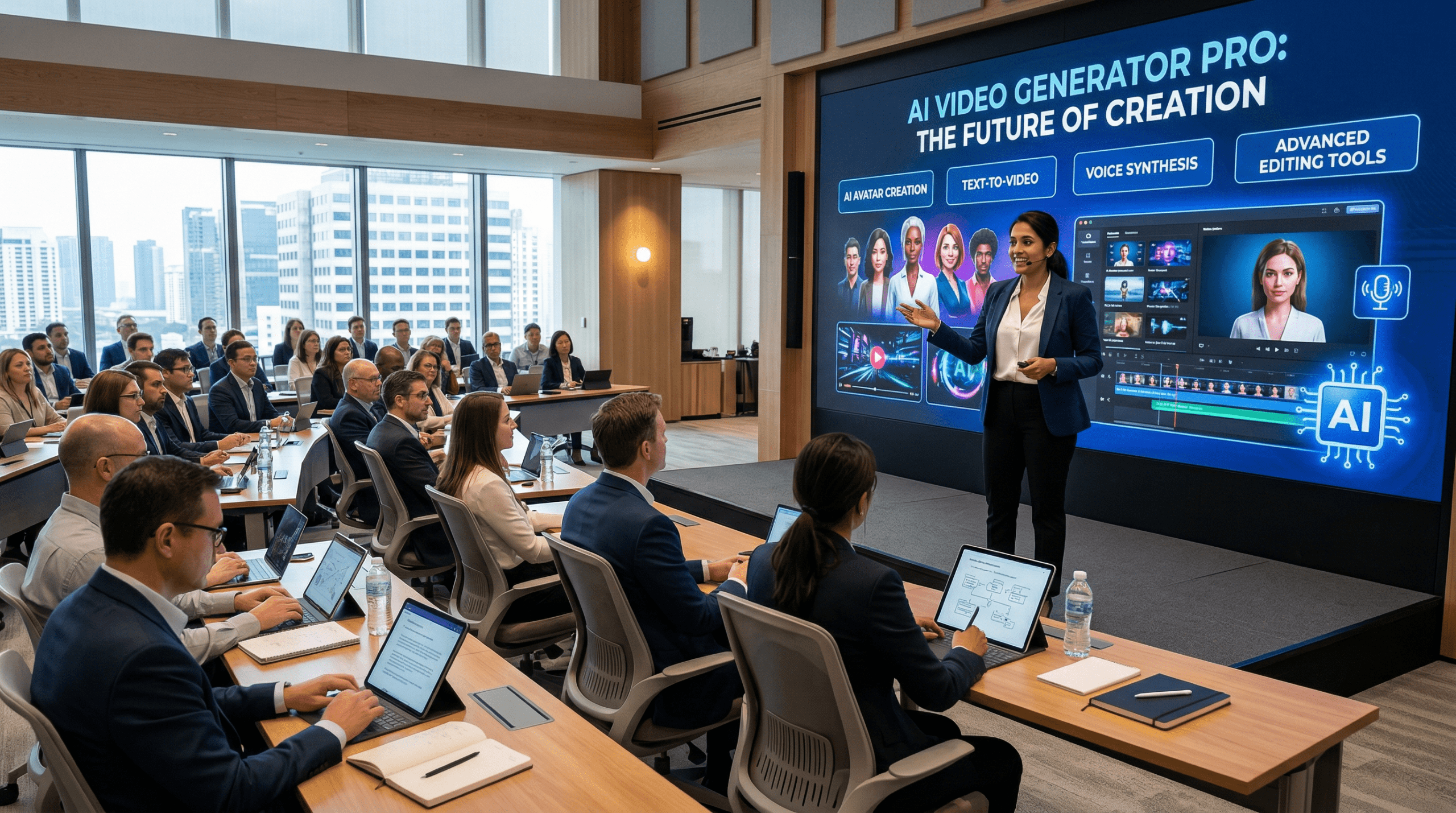
The best uncensored creative output usually comes from combining tools. Specifically, you need one tool for generation, one for voice, and one for finishing. Below are three proven workflows based on your content goals and budget.
Workflow 1: Fast Social Content (TikTok / Reels)
First, generate your scenes in VidAU or Pika 2.5. Then add a voiceover using ElevenLabs. Finally, finish and caption everything in CapCut Pro. Total time is around 20–40 minutes per video. Overall cost is free to ~$15/month combined. Additionally, see VidAU’s TikTok video guides for platform-specific tips.
Workflow 2: Cinematic / Film-Quality Content
Start by generating source frames in Midjourney. Next, animate them in Runway Gen-4 or Higgsfield. Then edit and score the result in Filmora AI. Alternatively, VidAU VidRemake can transform existing footage into cinematic output without the multi-tool setup. Total time is 1–3 hours per video, at around $30/month combined.
Workflow 3: Full Control / No Restrictions (Technical)
For maximum control, generate and animate locally using ComfyUI + AnimateDiff. After that, post-process in Deforum and export clean. However, if you prefer a cloud-based option, VidAU’s image to video tool offers strong prompt fidelity without any local GPU requirement. This workflow is effectively free — hardware aside.
For most creators, pairing VidAU (generation and lip sync) with ElevenLabs (voice) and CapCut (finishing) gives the best balance of creative freedom, output quality, and speed — at under $20/month total. Check out VidAU’s pricing plans to find the right tier for your content volume.
Frequently Asked Questions
What does “uncensored AI video generator” actually mean?
It refers to tools that don’t silently rewrite your prompts. Additionally, they don’t watermark your exports or cap your clip length arbitrarily. In short, it’s about creative freedom — not a specific content category.
Why do Grok, Veo 3, and Sora 2 fall short for creative freedom?
These platforms were built with enterprise safety as the default priority. As a result, prompts get sanitised toward corporate-safe outputs and clip lengths are capped. They’re excellent for polished mainstream content. However, they’re frustrating for independent creative workflows that require bold, unconventional output.
Which tool gives the most complete creative control?
AnimateDiff and ComfyUI are the most technically unrestricted — both are open source, self-hosted, and have no platform filtering. For cloud-based tools, however, Runway Gen-4, Higgsfield, and VidAU are the strongest options in 2026.
Which tool is best for long-form content without clip caps?
Kling AI 2.0 generates up to 2 minutes per continuous clip — the longest of any mainstream tool. Furthermore, VidAU’s image to video supports 10+ minute exports. AnimateDiff and Filmora AI are both unlimited for self-hosted or desktop workflows.
Is there a free uncensored AI video generator?
Yes — AnimateDiff, ComfyUI, Deforum, and Stable Video Diffusion are all free and open source. For cloud-based free tiers, Pika Labs (80 credits/month), PixVerse (100 credits), and Runway ML (125 one-time credits) are solid starting points. Additionally, VidAU offers a free tier to test before committing to a paid plan.
Can I use these tools to generate content for YouTube and TikTok?
Yes — all tools listed here can produce content publishable on YouTube and TikTok, subject to each platform’s own content policies. For instance, VidAU and CapCut Pro both include platform-specific aspect ratio and export templates. Moreover, see VidAU’s YouTube content guides for additional best practices.
Conclusion
The best uncensored AI video generator in 2026 isn’t a single tool. Instead, it’s a workflow built from the right combination of tools for your needs. For most creators, VidAU covers the broadest range of use cases with genuine prompt fidelity and watermark-free output. For pure technical control, however, AnimateDiff and ComfyUI remain unmatched. For cinematic quality specifically, Runway Gen-4 and Higgsfield set the benchmark.
If you’re building a content operation at scale, it’s worth exploring VidAU’s full suite. For example, you can use UGC Avatars for character content, image to video for animated scenes, AI video translation for global reach, and VidRemix to repurpose existing footage. As a result, you can run an entire creative operation from one platform. The days of your creative vision being quietly sanitised are over — as long as you choose the right tools.