AI Reel Maker · Instagram Reels Workflow
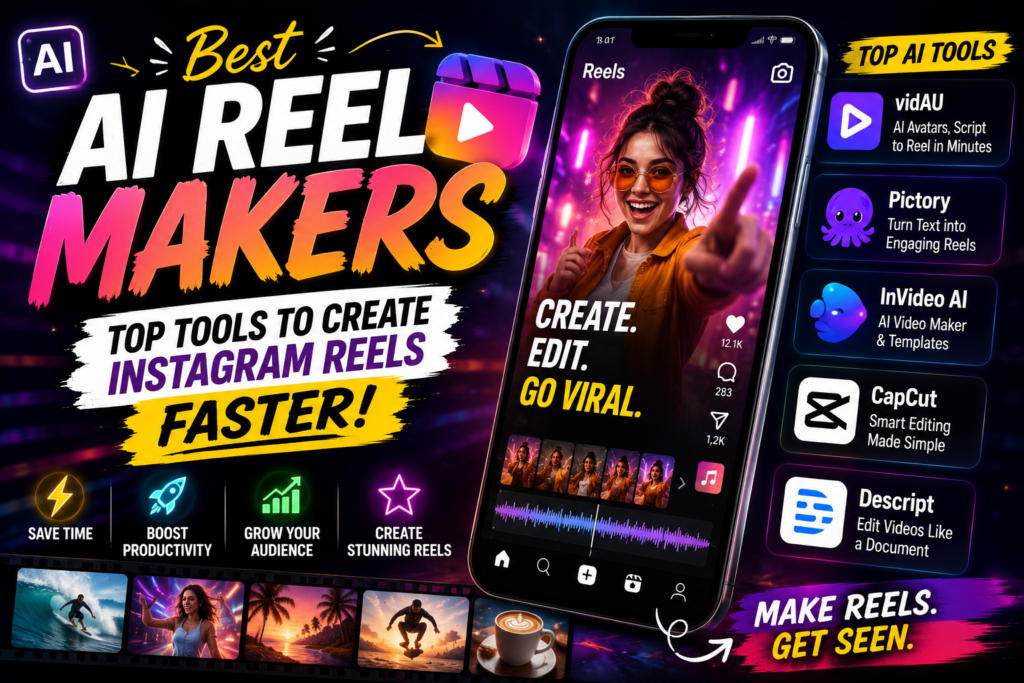
Best AI Reel Maker: Top Tools to Create Instagram Reels Faster
Compare AI reel maker tools that automate clip selection, captions, effects, layouts, templates, and Instagram Reels production so you can publish faster without burning out.
By the VidAU Editorial Team · Instagram Reels guide · 14 min read
Are you tired of spending countless hours on manual video edits for Instagram Reels? AI reel maker can automate most of that process, from captions and effects to clip selection and layouts, so you can post more without burning out.
Spending two hours editing a 30-second Reel is not a content strategy, it’s a bottleneck. Most creators and small business owners don’t have a dedicated video editor on standby, and that gap shows up in inconsistent posting schedules and missed growth windows.
An AI reel maker solves this by automating the parts that eat your time: trimming clips, generating captions, matching music, and applying layouts. You still direct the content, but the tool handles the repetitive production work. The result is faster output without sacrificing quality.
This guide covers the best ai reel maker tools currently available, how to use them effectively, what to watch out for, and how to optimize your videos on ig for maximum reach.
Quick Summary
- AI reel makers automate clip selection, captions, effects, and layouts so you can produce Reels faster with less manual editing.
- The best tools balance ease of use with enough control to keep your content on-brand.
- Instagram Reels support videos up to 90 seconds, and the 9:16 vertical format at 1080x1920px performs best.
- AI-generated Reels still need a quick human review before publishing, automated tools can miss context or brand tone.
In This Guide
What Is an AI Reel Maker?
An AI reel maker is a software tool that uses artificial intelligence to automate the creation of short-form vertical videos, specifically designed for platforms like Instagram Reels. These tools can generate clips from text prompts, repurpose longer footage, add AI captions, apply effects and transitions, and match content to pre-built video templates, all with minimal manual input.
The category sits at the intersection of AI video generation and social media automation, making it relevant for anyone who needs to publish videos on ig consistently without a full production team.
Key definition
An AI reel maker automates short-form vertical video creation by helping generate clips, repurpose footage, add AI captions, apply effects and transitions, and match content to video templates for Instagram Reels and other vertical platforms.
Why AI Reel Makers Matter for Instagram Growth
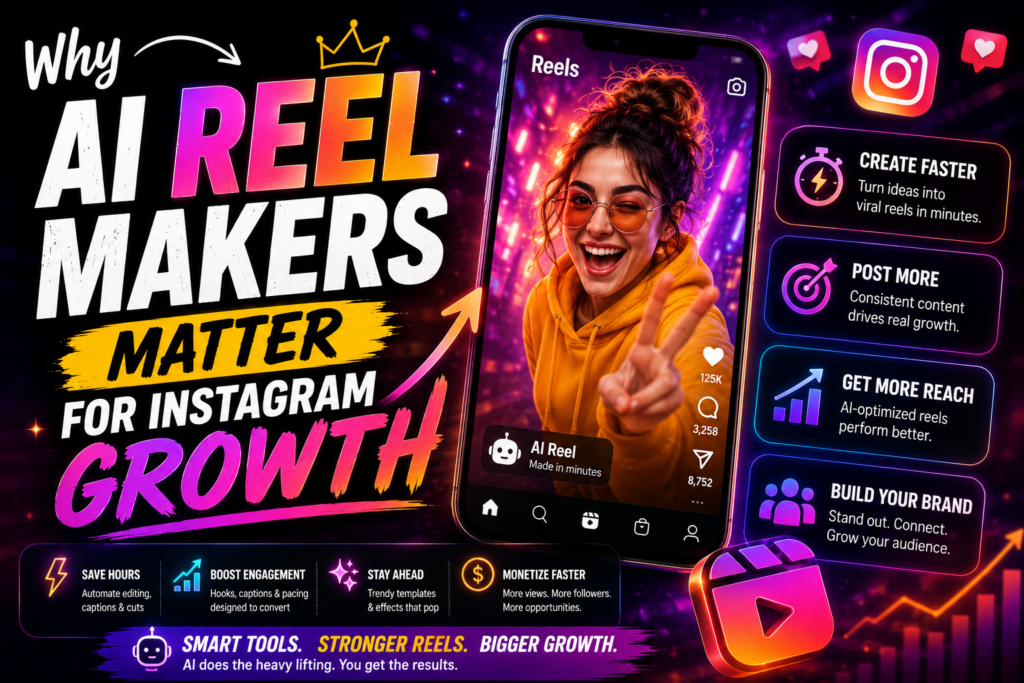
Posting frequency directly affects reach on Instagram. The algorithm rewards accounts that publish consistently, but creating Reels manually, filming, editing, captioning, exporting, can take anywhere from one to three hours per video. That timeline makes a daily or even three-times-weekly schedule unrealistic for most solo creators and small teams.
This is where most brands fall behind. They have the ideas but not the bandwidth.
AI reel maker tools compress that production time significantly. Some platforms can take a script or URL and produce a publish-ready Reel in under ten minutes. Others help you repurpose existing content, turning a blog post, product page, or long-form video into a short-form clip without starting from scratch.
For influencers and brands trying to maintain a consistent posting schedule, the productivity gain is real. It’s not magic, but it’s genuinely useful.
Key Takeaways
- Consistent posting frequency drives Instagram reach.
- Manual Reel creation is the main bottleneck for most creators.
- AI tools can reduce production time from hours to minutes.
- Output still needs human review before publishing.
Step-by-Step Workflow for Creating Reels With an AI Reel Maker
Most AI reel maker platforms follow a similar workflow. Here’s what a typical session looks like:
Step 1: Choose your input format
Most tools accept a text prompt, a URL, an uploaded video clip, or a product image. If you’re promoting a product, tools like Product Sample to Video can turn visual assets directly into short video content.
Step 2: Select a video template or style
AI reel makers usually offer style presets or instagram post template-style layouts. Pick one that matches your brand look, clean and minimal, bold and energetic, or lifestyle-oriented.
Step 3: Let the AI generate the draft
The tool assembles clips, applies transitions, overlays AI captions, and syncs the audio. This is the core automation step.
Step 4: Review and adjust
This is non-negotiable. AI tools can misread context, use the wrong tone, or apply captions that don’t match your brand voice. Spend a few minutes reviewing the output before publishing.
Step 5: Export in the correct format
For Reels, export at 1080x1920px (9:16 aspect ratio), MP4 format, at least 30fps. Keep file size under 4GB.
Step 6: Publish with a strong caption and hashtags
The AI handles the video, but your caption and hashtag strategy still drive discoverability.
Best AI Reel Maker Tools Compared
The ai reel maker category has grown quickly. Here’s a practical comparison of the most relevant tool types based on use case and feature set:
| Tool Type | Best For | Key Automation Features |
|---|---|---|
| Text-to-video AI | Scripted Reels from prompts | Script-to-clip, voiceover, captions |
| URL-to-video AI | Repurposing web content | Auto clip selection, layout, audio |
| UGC avatar tools | Spokesperson-style Reels | AI avatar, script delivery, lip-sync |
| Video remixing tools | Repurposing existing footage | Auto-trim, reformat, captions |
| Template-based AI editors | Fast branded content | Preset layouts, drag-and-drop, AI fill |
Text-to-video tools are ideal when you have a script or a content brief. You type in what you want to say, and the AI builds a video around it. Tools in this category, including Text to Video are useful for educational content, product explainers, and story-driven Reels.
URL-to-video tools work well for repurposing blog posts or product pages. You drop in a link, and the AI pulls relevant content to build a Reel. URL to Video is a practical option here for e-commerce teams and content marketers.
UGC avatar tools generate spokesperson-style videos using AI avatars. These are increasingly popular for brand accounts that want human-facing content without filming. UGC Avatars from VidAU AI supports this format with customizable avatars and script delivery.
Video remixing tools take your existing footage and reformat it automatically for Reels. If you already have YouTube videos, webinar recordings, or longer clips, tools like VidAU Vid Remix can extract short-form highlights and reformat them for vertical display.
Template-based AI editors are the fastest entry point for beginners. Canva, CapCut, and similar tools now incorporate AI features that assist with clip selection, auto-captioning, and layout filling based on your uploads.
The right choice depends on your content type. Brands running product ads will lean toward product-to-video and avatar tools. Creators repurposing existing content will get more value from remix and URL-based tools.
Create Instagram Reels Faster With VidAU
Use VidAU to create Reels from prompts, URLs, product visuals, UGC avatars, existing clips, captions, and remix-ready video assets without building every short-form video manually.
VidAU workflow
From idea to publish-ready Instagram Reel
- Start with the content source: Use a text prompt, URL, uploaded video clip, product image, blog post, product page, or long-form video as the input.
- Choose the right AI workflow: Use Text to Video for scripted Reels, URL to Video for web content, UGC Avatars for spokesperson-style videos, or VidAU Vid Remix for existing footage.
- Generate the draft: Let the tool assemble clips, captions, layouts, transitions, and audio so the first version is created quickly.
- Review with human judgment: Check context, brand tone, caption accuracy, hook strength, pacing, and whether the Reel matches the intended audience.
- Export and optimize: Use 9:16 vertical format at 1080x1920px, MP4 format, at least 30fps, then publish with a strong caption and hashtags.
Platform-Specific Optimization for Instagram Reels
Even the best ai reel maker output can underperform if it’s not optimized for Instagram’s format requirements.
Video format: 9:16 vertical, 1080x1920px. This is non-negotiable for full-screen Reels display.
How long can a video be on Instagram: Reels currently support up to 90 seconds. Most high-performing Reels run between 15 and 45 seconds, though educational and storytelling content can do well at the 60 to 90 second range.
File format: MP4 or MOV. H.264 encoding is standard and widely compatible.
AI captions: Always add captions. A significant share of videos on ig are watched without sound. Most AI reel makers include auto-captioning, but verify accuracy, especially for product names, technical terms, or brand-specific language. If you need standalone voiceover or caption generation, Text to Speech can help with narration tracks.
Hook in the first 2 seconds: Instagram’s algorithm measures initial watch time closely. Your AI-generated Reel needs a strong visual or text hook in the first two seconds or viewers scroll past.
Audio: Trending audio drives discovery on Reels. If your AI tool lets you add or swap music, prioritize tracks that are currently popular on the platform. If you need to extract audio from existing content, Video to Audio can isolate tracks for reuse.
| Optimization area | Recommended setup |
|---|---|
| Video format | 9:16 vertical, 1080x1920px for full-screen Reels display. |
| Length | Up to 90 seconds supported; most high-performing Reels run 15 to 45 seconds, with educational and storytelling content sometimes working at 60 to 90 seconds. |
| File format | MP4 or MOV with H.264 encoding. |
| Captions | Use AI captions, but verify accuracy for product names, technical terms, and brand-specific language. |
| Hook | Use a strong visual or text hook in the first two seconds. |
| Audio | Use trending audio when relevant, and extract or repurpose audio when it supports the content. |
Tip
Do not treat export settings as a final technical detail. Reels need vertical 9:16 formatting, accurate captions, a fast hook, and platform-aware audio from the start.
Common Mistakes When Using an AI Reel Maker
Publishing without reviewing the output. AI tools can produce clips that look polished but say something slightly off, misalign captions, or use generic visuals that don’t fit your brand. Always watch the full draft before publishing.
Ignoring brand consistency. AI reel maker tools generate content fast, but fast content that looks nothing like your other posts confuses your audience. Set brand colors, fonts, and tone preferences in the tool settings when available.
Skipping the hook. Many creators let AI generate the full Reel but don’t think critically about whether the opening two seconds actually stops a scroll. This is where human judgment still matters most.
Using the wrong aspect ratio. If your AI tool exports at 16:9 or square format by default, Reels will display with black bars or get cropped. Always verify 9:16 before exporting.
Over-relying on templates without customization. Instagram post template defaults are a starting point, not a finished product. Edit colors, fonts, and pacing to match your brand before publishing.
Ignoring video quality. If your source footage is low resolution, even a good AI tool can’t fully compensate. For existing footage that needs a quality boost, Video Enhancer can upscale and sharpen before you run it through your reel maker.
Watch out
AI-generated Reels can look finished before they are strategically ready. Review captions, brand tone, hook strength, pacing, aspect ratio, and source video quality before publishing.
Advanced Strategies for Consistent Reel Output
Build a content batch workflow. Instead of creating one Reel at a time, batch-produce five to ten at once using your AI reel maker. Set aside two hours weekly to generate a full week’s worth of content. This approach is more efficient and keeps your posting schedule consistent without daily effort.
Repurpose across formats. A single long-form video or blog post can generate three to five Reels using different angles, key points, or clips. Tools like VidAU Vid Remake can help reformat content into different lengths and styles without starting from scratch.
Use AI for the draft, human judgment for the final edit. The best workflow isn’t fully automated, it’s AI-assisted. Let the tool handle clip assembly, captions, and layout, then spend five to ten minutes adjusting pacing, reviewing captions, and confirming the hook is strong. This combination produces results faster than fully manual editing while maintaining quality control.
Test formats systematically. Try the same content in different Reel lengths, 15 seconds, 30 seconds, 60 seconds, and compare performance. AI tools make it easy to produce multiple versions, so use that speed to run real format experiments.
Tip
The strongest workflow is AI-assisted, not fully automated. Let the AI build the draft, then use human judgment to refine pacing, captions, hooks, brand fit, and publish timing.
Key takeaway
Final Thoughts
The best ai reel maker isn’t the one with the most features, it’s the one that fits your actual workflow. If you’re repurposing existing content, a remix or URL-based tool will save the most time. If you’re creating from scratch, text-to-video or avatar-based tools give you the most flexibility. Either way, the goal is the same: spend less time on manual editing and more time on strategy and engagement.
Start with one tool, test it across five to ten Reels, and measure what performs. VidAU AI offers several relevant tools, from Text to Video and UGC Avatars to URL to Video, that can fit into a practical Reels production workflow without requiring advanced editing skills.
FAQ
Here are answers to common questions about AI reel maker tools, Instagram Reels workflows, videos on IG, AI captions, Instagram post template layouts, Reel length, vertical video export settings, and VidAU short-form video production.
What is an AI reel maker?
An AI reel maker is a tool that uses artificial intelligence to automate the creation of short-form vertical videos for Instagram Reels, handling tasks like clip selection, captions, effects, and layout.
How long can a video be on Instagram Reels?
Instagram Reels currently support videos up to 90 seconds long.
Do I need video editing skills to use an AI reel maker?
No — most AI reel maker tools are designed for users with little to no editing experience, using automated workflows and templates.
Can AI reel makers create videos directly from text or scripts?
Yes, text-to-video AI tools can generate a Reel from a written prompt or script without requiring any source footage.
Are AI-generated Reels good enough to publish without editing?
Most AI-generated drafts need a quick human review to check captions, pacing, and brand alignment before publishing.
What format should I use for videos on Instagram Reels?
Use 9:16 vertical format at 1080x1920px resolution, exported as MP4 with H.264 encoding for best results.