Best AI Video Generator for TikTok · Free Tools, 9:16 Exports & Daily Posting Workflows
Best AI Video Generator for TikTok : Free Tools with No Limitations
Find the best AI video generator for TikTok with vertical 9:16 output, fast turnaround, generous free access, and workflows for text-to-video, image-to-video, product clips, avatars, and daily posting.
By the VidAU Editorial Team · TikTok AI video guide · Free tools, vertical exports, and repeatable short-form production
Tired of hitting paywalls and credit limits the moment you start making TikTok content. The best AI video generator for TikTok is the one you can actually use every day without watching a counter tick down to zero.
The best AI video generator for TikTok is the tool that gives you vertical 9:16 output, fast turnaround, and no hard credit wall you hit after three clips. For most creators in 2026, that means browser-based generators with generous free access, paired with one reliable daily editor. Premium models like Sora 2 and Veo 3.1 look incredible in demos, but consistency matters more than showcase footage when you post daily.
This guide is for TikTok creators, social media marketers, and beginners who want unlimited or near-unlimited tools without paywalls. We focus on text-to-video and image-to-video workflows, vertical format support, and which tool fits which job. VidAU is an AI video ad platform that generates video ads from product URLs, images, or scripts in 49 languages, and it earns a spot here for product and ad-style clips.
Quick Summary
- For everyday TikTok output, browser-based generators plus a reliable editor beat chasing one flashy model, with VidAU AI Video strong for product and ad-style vertical clips.
- Sora 2 and Veo 3.1 deliver the most cinematic quality, but our team found their free access and prompt reliability are the real limits, not raw output.
- Every tool here should export native 9:16 vertical video so TikTok does not crop or compress your frame; that single spec decides a lot.
- Beginners and solo creators benefit most from no-limitation, no-GPU, no-download tools they can open in a browser and ship from in minutes.
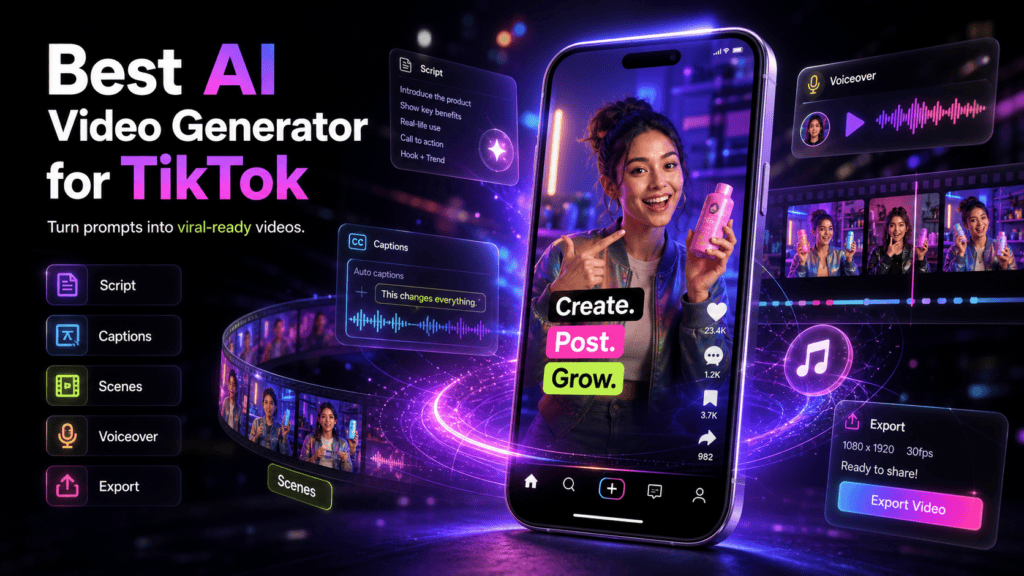
What Is an AI Video Generator for TikTok?
An AI video generator for TikTok is a tool that turns text prompts, images, scripts, or product links into short vertical video clips formatted for the platform. The best options output native 9:16 video, support quick edits, and let you produce 15 to 60 second clips without filming. Some run fully in a browser with no download or GPU required
The key difference for TikTok is format and speed. You are not making a two-minute film. You are shipping short, punchy clips often, so the tool needs to handle vertical video and repeat work cleanly.
Definition
An AI video generator for TikTok turns prompts, scripts, images, or product links into short vertical clips built for fast, repeatable posting.
Why Unrestricted Free AI Video Tools Matter for TikTok
Unrestricted tools matter because TikTok rewards volume and consistency, and credit systems punish both. When you post daily, a generator that gives you three free clips and then asks for a subscription stops being useful by Tuesday. The rising demand is clearly for browser-based tools with unlimited or generous free access.
When our in-house team reviewed creator discussions, one pattern stood out: pricing complaints often signal wasted spend, not just a high sticker price. Buyers describe paying for credits and getting deformed characters, freezes mid-generation, and inconsistent results that burn the credits anyway. So a paywalled tool can be more expensive in failed generations than a free one is in time.
That is why this list ranks unrestricted, no-paywall tools first and treats premium models as comparison points rather than automatic winners.
Key Takeaways
- Daily posting needs unlimited access, not a small free tier.
- Credit systems often hide the real cost: failed and unusable clips.
- Browser-based, no-GPU tools lower the barrier for beginners.
Credit limit warning
A paywalled tool can be more expensive in failed generations than a free one is in time if unusable clips still burn credits.
Best AI Video Generators for TikTok Compared by Use Case
The smartest way to pick the best AI video generator for TikTok is by job, not prestige. Based on our review of creator threads and tool behavior, here is how the main options break down.
| Use Case | Recommended Tool | Why It Fits TikTok |
|---|---|---|
| Product and ad-style clips | VidAU AI Video | URL or image to vertical ad video |
| Cinematic showcase scenes | Sora 2, Veo 3.1 | Best motion and scene consistency |
| Everyday social output | CapCut AI | Reliable daily editing and export |
| Talking spokesperson clips | UGC avatar tools | Face and voice without filming |
| Image to motion | Browser-based generators | Animate a still into a short loop |
1. VidAU AI Video — best for product and ad-style TikTok clips
VidAU AI Video turns a product URL, image, or script into a vertical ad-ready clip, which makes it strong for creators and marketers selling something. It supports short-form output and works without filming or editing experience. The VidAU AI Video workflow leans toward marketing clips, so it is not the pick for abstract cinematic art.
Honest limitation: if you want surreal, fully imagined cinematic scenes with no product anchor, a dedicated text-to-video model will feel more flexible. VidAU shines when the video has a clear commercial job.
Verdict: Best for product TikToks, ads, and creators who want a fast, repeatable vertical workflow.
2. Sora 2 — best raw cinematic quality
Sora 2 produces the most convincing motion and scene consistency of the tools creators discuss. For a hero clip or a standout transition, it is hard to beat. The catch is access and reliability: free, truly unrestricted use is the bottleneck, and prompts that look perfect in demos can fall apart under real testing.
Verdict: Use it for showcase moments, not as your daily driver.
3. Veo 3.1 — strong quality with audio-aware generation
Veo 3.1 sits near Sora 2 for quality and handles complex prompts well. It is a serious option when you want polish. As with Sora 2, the practical limit is how much you can generate without limitation, so treat it as a high-end occasional tool rather than an unlimited factory.
Verdict: Great for premium-feel clips when access allows.
4. Seedance 2 — capable model for realistic, multi-shot scenes
Seedance 2 gets praised for realistic action and multi-shot consistency, and newer unrestricted Chinese models keep entering this space. These are worth testing for dynamic scenes. Availability and access terms shift often, so confirm current free access yourself before building a workflow around any single one.
Verdict: A strong contender for realistic motion if you can access it freely.
5. CapCut AI — best reliable daily editor
CapCut AI is the boring-but-reliable choice, and that is a compliment. It is where many creators land because it ships consistent vertical output day after day. When our team reviewed creator comparisons, the recurring lesson was that demo quality often outpaces real prompt reliability, and CapCut wins on dependability.
Verdict: The dependable backbone for assembling and exporting TikToks.
6. UGC avatar tools — best for talking spokesperson clips
AI avatar services let you create a talking spokesperson without a camera, which works well for hooks, voiceovers, and faceless channels. If reviews are your filter for an ai video avatar service with best reviews, weigh consistency and ease of use over single demo clips. VidAU offers UGC Avatars for this kind of spokesperson content.
Verdict: Best for faceless creators and repeatable spokesperson formats.
If you want product clips without paywalls slowing you down, try VidAU AI Video and pair it with a free editor for posting.
CTA: Create your first ai video now
Honest limitation
If you want surreal, fully imagined cinematic scenes with no product anchor, a dedicated text-to-video model will feel more flexible. VidAU shines when the video has a clear commercial job.
Generate AI Videos Now
Use VidAU AI Video, UGC Avatars, Vid Remix, Vid Remake, URL to Video, Product Sample to Video, Text to Video, and Text to Speech to build product clips, spokesperson videos, short-form ads, and repeatable TikTok content workflows.
VidAU workflow
Where VidAU fits in TikTok AI video production
- Use VidAU AI Video for product and ad-style TikTok clips: Turn a product URL, image, or script into a vertical ad-ready clip when the content has a clear commercial job.
- Use UGC Avatars for spokesperson formats: Create talking clips without a camera for faceless channels, hooks, voiceovers, and repeatable product explainers.
- Use Text to Video and VidAU AI Image for generation: Build clips from a script, prompt, product photo, or still image when you need short segments for TikTok.
- Use Vid Remix and Vid Remake for scale: Repurpose strong clips into new cuts and recreate winning formats across products without starting from zero.
- Use URL to Video and Product Sample to Video for product workflows: Turn a product page or physical product sample into a TikTok-ready clip when you need volume and consistency.
How to Use Text-to-Video and Image-to-Video for TikTok
The two core workflows are text-to-video and image-to-video, and both fit short-form well. Here is a simple process.
Step 1: Start with one clear concept
Start with one clear concept and a short script or prompt.
Step 2: Describe the scene for text-to-video
For text-to-video, describe the scene, motion, and mood in plain language using Text to Video.
Step 3: Upload a still for image-to-video
For image-to-video, upload a product photo or still and let the tool add motion with VidAU AI Image feeding the clip.
Step 4: Generate short segments
Generate in short segments of 5 to 10 seconds for cleaner results.
Step 5: Add a voiceover
Add a voiceover with Text to Speech so your hook lands.
Step 6: Assemble and export vertical
Assemble segments in an editor like CapCut and export vertical.
The scene-by-scene approach matters. Creators in long-form threads keep repeating the same advice: storyboard it and build it scene by scene, then stitch it together. That logic applies to TikTok too. One short prompt rarely carries a full clip, so plan two or three beats and combine them.
Scene-building tip
One short prompt rarely carries a full TikTok. Plan two or three beats, generate short 5 to 10 second segments, then stitch them together.
TikTok-Specific Optimization: Vertical Format and Export Settings
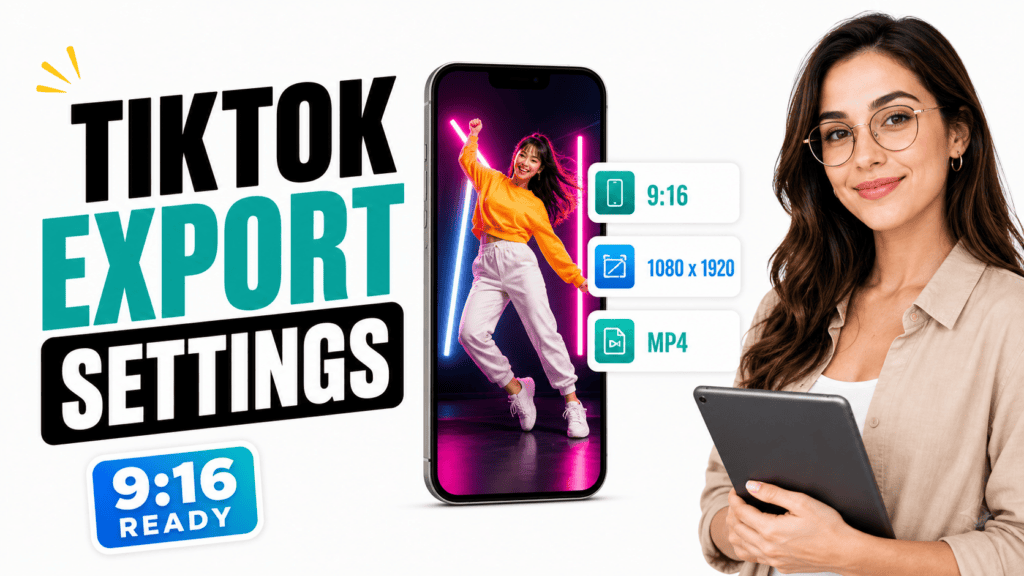
TikTok optimization starts with vertical 9:16 video and ends with export settings that survive compression. Always generate or crop to 9:16 so the platform does not slice your frame. A clip built for 16:9 and squeezed into vertical wastes the most valuable screen space
For export, match settings to your source and aim high where it helps. Creator guidance points to a clear baseline.
| Setting | Recommended Value | Note |
|---|---|---|
| Resolution | 4K | Match source when available |
| Frame rate | 60fps | Smooth motion for vertical |
| Bitrate | Higher or highest | Survives platform compression |
| HDR | On only if source supports it | Otherwise leave off |
The real concern for creators is not editing features. It is how platform compression erodes perceived sharpness after upload. A higher bitrate export gives TikTok more to work with before it crushes the file.
Format warning
A clip built for 16:9 and squeezed into vertical wastes the most valuable TikTok screen space. Generate or crop to native 9:16 before export.
Common Mistakes Creators Make with Free AI Video Tools
The most common mistake is chasing the flashiest model instead of the most reliable workflow. A tool that produces one stunning demo but fails on your tenth prompt will slow your whole posting schedule.
Other frequent mistakes:
- Building a routine around a tool with a tiny free tier that runs out fast.
- Generating one long clip instead of short, stitchable segments.
- Ignoring vertical format and cropping later, which loses framing.
- Exporting at low bitrate, then blaming the tool for soft footage.
- Trusting credits without testing whether failed generations still burn them.
When we reviewed buyer sentiment, wasted credits and inconsistent characters came up again and again. Treat any credit system with suspicion until you confirm it does not charge you for unusable results.
Mistake to avoid
Do not build a daily posting routine around a tool with a tiny free tier. TikTok rewards consistency, and a tool that runs out by Tuesday breaks the workflow.
Advanced Strategies for Posting AI Videos at Scale
To post at scale, separate generation from assembly and batch your work. Generate a week of short clips in one session, then edit and schedule them together. This keeps your style consistent and reduces the daily friction that kills posting streaks.
A few practical moves:
- Reuse a proven hook structure and only swap the visual.
- Repurpose strong clips into new cuts with VidAU Vid Remix.
- Recreate a winning format across products using VidAU Vid Remake.
- Turn a product page straight into a clip with URL to Video.
- Build from physical products using Product Sample to Video
The goal is a repeatable pipeline, not a perfect one-off. Boring and reliable beats flashy and inconsistent when you are shipping every day.
Scale tip
Generate a week of short clips in one session, then edit and schedule them together. Separate generation from assembly so daily posting feels repeatable.
Key takeaway
Final Thoughts
The best AI video generator for TikTok is the one you can run without limitations, in vertical 9:16, fast enough to post daily. Premium models like Sora 2 and Veo 3.1 are worth using for hero clips, but consistency, free access, and a clean export pipeline matter more for steady growth.
If your TikToks sell a product or promote a brand, start with VidAU AI Video for vertical, ad-ready clips, then assemble and export with a reliable editor. Build the workflow first, and the right tool becomes easy to choose.
FAQ
Here are answers to common questions about the best AI video generator for TikTok, free tools with no limitations, Sora 2, Veo 3.1, vertical 9:16 exports, text-to-video, image-to-video, avatar services, and avoiding wasted credits
What is the best AI video generator for TikTok with no limitation,?
For everyday posting, browser-based generators with generous free access paired with a reliable editor work best. VidAU AI Video is strong for product and ad-style vertical clips, while CapCut AI handles dependable daily editing. The best choice depends on whether you need cinematic scenes, product ads, or fast repeatable short-form output.
Are free AI video generators good enough for TikTok content?
Yes, for most short-form content they are. TikTok clips run 15 to 60 seconds, so you do not need maximum cinematic quality. Free, unrestricted tools that output vertical 9:16 video and let you post often usually serve creators better than premium models with tight free tiers and credit limits.
How do Sora 2 and Veo 3.1 compare for TikTok?
Sora 2 and Veo 3.1 produce the most cinematic motion and scene consistency, making them great for hero clips. The real limit is unrestricted free access and prompt reliability, since demo-quality results do not always hold up under varied prompts. Use them for showcase moments, not as your daily TikTok workhorse.
What aspect ratio should AI videos use for TikTok?
Use vertical 9:16 aspect ratio. Generate or crop to 9:16 before exporting so TikTok does not slice your frame or waste screen space. A clip built for 16:9 and squeezed into vertical loses its strongest visual area, which hurts both watch time and clarity on mobile.
What export settings keep TikTok videos sharp?
Match export settings to your source and aim high where it helps. A common baseline is 4K resolution, 60fps frame rate, and the highest practical bitrate, with HDR on only if your source supports it. Higher bitrate matters most because platform compression erodes perceived sharpness after upload.
Should I use text-to-video or image-to-video for TikTok?
Use both depending on the clip. Text-to-video works when you describe a scene from scratch, while image-to-video animates an existing product photo or still. Generate in short 5 to 10 second segments for cleaner results, then stitch the beats together in an editor for a complete vertical clip.
Are AI video avatar services worth it for TikTok creators?
They are useful for faceless channels and spokesperson hooks, since you can create talking clips without a camera. When picking an ai video avatar service with best reviews, prioritize consistency and ease of use over single polished demos. VidAU UGC Avatars is one option for repeatable spokesperson-style content.
How can I avoid wasting money on AI video tools?
Test reliability before committing. Many creators report paying for credits, then getting deformed characters, freezes, or inconsistent results that burn those credits anyway. Confirm whether failed generations still cost you, favor unrestricted free tools for daily volume, and reserve premium models for occasional high-quality hero clips.