VidAU Editorial · AI Search
Vidu Q4 Preview : Features, AI Video Generation, and What Creators Need to Know
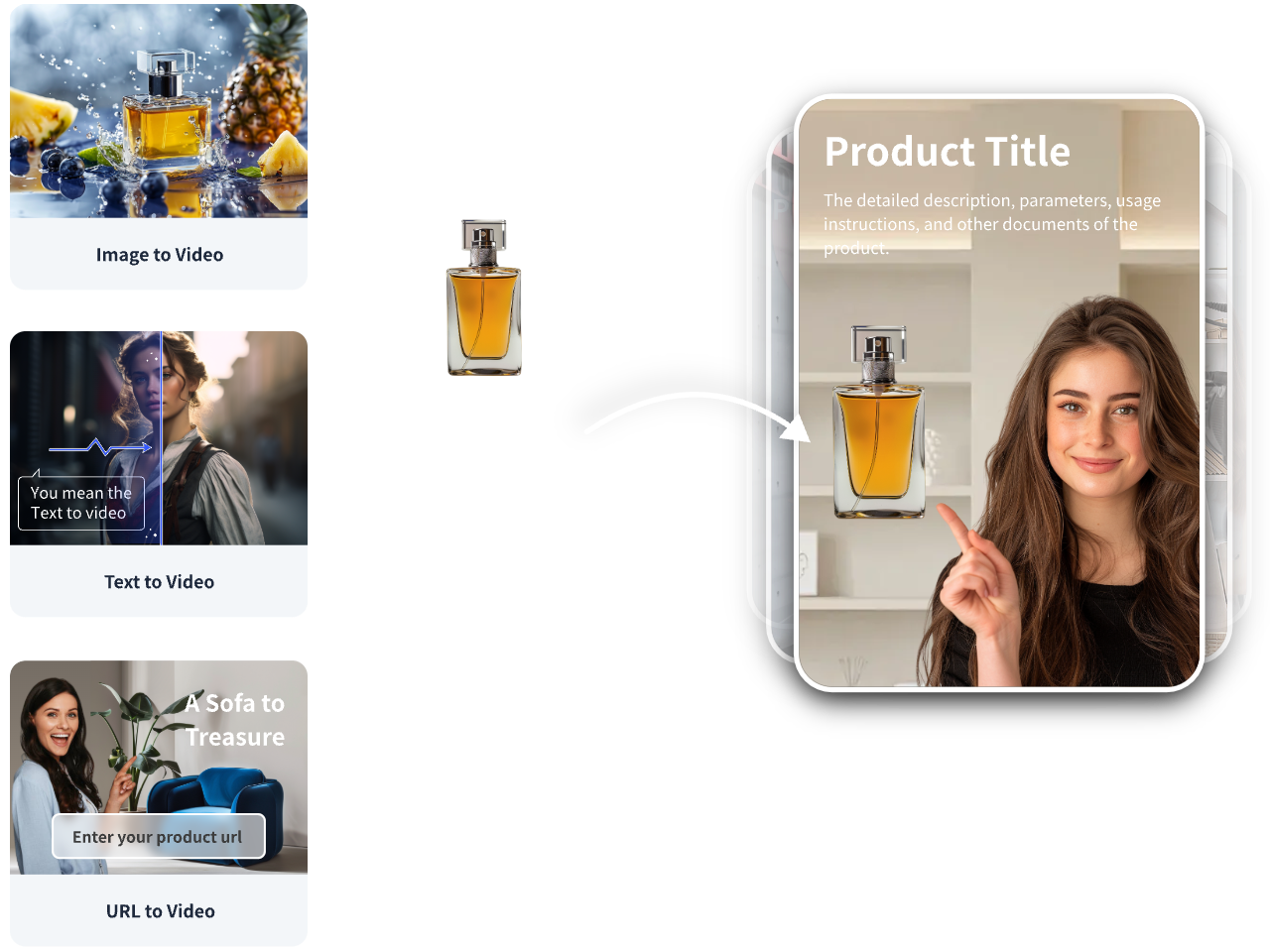
Use VidAU’s Product-to-Video feature to turn product ideas and visuals into promotional videos for your next campaign.
By the VidAU Editorial Team · Reviewed before publishing
AI video generation continues to change how creators produce marketing videos, cinematic clips, product demonstrations, and social media content. Vidu Q4 is a model worth exploring for creators who want to turn text prompts and visual references into engaging video content.
For marketers, filmmakers, and content creators, understanding Vidu Q4 means looking beyond the model name. You need to know its capabilities, how it compares with earlier versions, and how to fit it into your video production workflow.
This guide examines Vidu Q4, the available model information, potential creative applications, and practical ways to use AI-generated video in content marketing. It also explores how a Vidu AI video generator fits into a broader workflow for producing videos for TikTok, Instagram, YouTube, and other platforms.
Quick Summary
• Vidu Q4 Preview launched on October 7, 2026, with a focus on expressive performances, cinematic camera work, and visual effects.
• It supports image-to-video and reference-to-video workflows, with up to 15 image references and three audio references.
• The model supports synchronized audio and video, alongside 2K and 4K output on supported modes.
• Compared with vidu q3, Q4 emphasizes reference-guided storytelling, character expression, and intelligent camera switching.
• Marketers and creators should test the model with real projects, review output quality, and combine AI generation with editing tools such as VidAU for campaign-ready content.
What Is Vidu Q4?
Vidu Q4 is the latest flagship video generation model in the Vidu family, developed by ShengShu Technology. The company announced Vidu Q4 Preview on October 7, 2026, with a focus on expressive character performances, cinematic camera work, visual effects, and synchronized audio and video.
Unlike basic video tools that focus on animating a single image, Vidu Q4 supports reference-based workflows. Creators use multiple images to guide the appearance of characters, clothing, products, and environments. They also add audio references to guide voice consistency and emotional delivery.
Key Features of Vidu Q4
The official Vidu website highlights several features for creators and production teams.
- Multi-image references: Use up to 15 images to guide visual consistency.
- Audio references: Supply up to three audio references to guide character voices.
- Synchronized audio and video: Generate sound and visuals together.
- Cinematic camera work: Create scenes with automatic camera switching and coordinated shots.
- High-resolution output: Produce videos at 2K or 4K resolution.
- Short-form storytelling: Generate clips lasting up to 16 seconds, depending on the generation mode.
Who Should Use Vidu Q4?
Vidu Q4 suits creators who need more control over visual storytelling.
- Content creators producing short-form videos and serialized stories.
- Digital marketers developing product campaigns and social media ads.
- Filmmakers exploring storyboards, character performances, and cinematic scenes.
- E-commerce businesses creating product demonstrations and promotional clips.
- Creative agencies testing multiple concepts before committing to full production.
For these users, the main benefit is the ability to guide a video with visual and audio references instead of relying entirely on text descriptions.
Vidu AI video generator: How Vidu Q4 Works
A Vidu AI video generator turns creative instructions and visual inputs into video content. Vidu Q4 focuses on image-to-video and reference-to-video generation, giving creators two distinct ways to develop their ideas.
Image-to-Video Generation
Image-to-video starts with a single image. You upload a photograph, product image, illustration, or character portrait, then describe the movement and camera action you want.
For example, an e-commerce marketer might upload a photograph of a perfume bottle and enter this prompt:
Animate the perfume bottle with a slow cinematic camera push-in. Add soft reflections across the glass, gentle mist in the background, and warm studio lighting. Keep the bottle label, shape, and colors consistent. Use elegant luxury-advertising visuals and smooth motion.
The model uses the image and prompt to create a moving scene. According to Vidu’s official product page, image-to-video supports clips from 3 to 16 seconds and preserves the original image’s aspect ratio.
Best Uses for Image-to-Video
- Product advertisements and launch videos.
- Animated portraits and character clips.
- Cinematic social media posts.
- Visual storytelling based on existing artwork.
- Short promotional videos for online stores.
Reference-to-Video Generation
Reference-to-video offers more control when a project needs consistent characters, products, or visual styles across a scene.
You provide reference images and describe how the subjects should behave. You also supply audio references when voice consistency matters. Vidu Q4 then uses these inputs to guide the generated video.
For example, a creator producing a fashion campaign might provide images of a model, a specific outfit, a handbag, and a studio environment. The prompt can then describe how the model walks toward the camera, turns, and displays the handbag.
Best Uses for Reference-to-Video
- Fashion and beauty campaigns.
- Recurring characters in episodic videos.
- Branded content with consistent products and styling.
- Short films with multiple camera angles.
- Story-driven advertisements with dialogue.
The choice between these two modes depends on your project. Image-to-video works well when you already have a strong starting image. Reference-to-video offers more guidance when you need several visual elements to remain consistent.
Vidu Q4 Features That Matter to Content Creators
Vidu Q4’s key selling points extend beyond image animation. The model targets areas where creators often need more control, including character expression, camera movement, sound, and visual effects.
More Expressive Character Performances
Character performance matters in advertisements, short dramas, and narrative videos. Facial expressions, body movement, and emotional delivery help audiences understand a scene without relying on narration alone.
Vidu Q4 Preview focuses on coordinating these elements to produce more natural-looking performances. Creators should still review generated faces, hands, dialogue, and movements before publishing their work.
Synchronized Audio and Video
Audio plays a central role in video engagement. Music, environmental sounds, sound effects, and dialogue help establish mood and clarify what happens in a scene.
Vidu Q4 supports synchronised audio and video generation, while audio references help guide voice consistency. This approach gives creators a starting point for scenes that combine character action and sound in one generation workflow.
Cinematic Camera Movement and Visual Effects
Camera movement helps direct attention. A slow push-in suits a luxury product reveal, while a tracking shot suits a character walking through a busy street.
Vidu Q4 highlights automatic camera switching, smoother motion, and richer visual effects. These features support concepts involving movement, atmosphere, and multiple shots.
2K and 4K Video Output
Vidu Q4 supports 2K and 4K output, giving production teams more resolution options for their projects. Higher resolution helps preserve visual detail, especially in product-focused and cinematic content.
However, resolution alone does not guarantee a production-ready result. Review motion, image quality, subject consistency, and platform requirements before publishing.
Vidu q3 vs Vidu Q4: What Has Changed?
Vidu Q3 and Vidu Q4 belong to the same AI video generation family, but Vidu Q4 Preview places particular emphasis on expressive performances, reference-guided consistency, synchronised audio and video, and cinematic camera work.
The table below compares their documented capabilities without assuming every Q3 workflow works identically in Q4.
| Feature | Vidu Q3 | Vidu Q4 Preview |
| Main focus | Flagship video generation and subject consistency | Expressive performances and cinematic storytelling |
| Image references | Depends on the Q3 model and mode | Up to 15 images |
| Audio references | Depends on the Q3 model and mode | Up to 3 audio references |
| Audio and video | Supported by the Q3 family | Synchronized audio and video generation |
| Camera work | Varies by model and workflow | Intelligent camera switching |
| Resolution | Depends on model and settings | 2K and 4K output |
| Maximum duration | Depends on model and generation mode | Up to 16 seconds on supported modes |
Sources: Vidu’s official model catalogue, Q4 product page, and Q4 Preview announcement.
Which Model Should You Choose?
Choose Vidu Q3 when your existing workflow depends on a specific Q3 variant, such as Q3-Turbo for faster drafts or Q3-Ad for advertising-oriented content. Check the available settings and output requirements for your selected model.
Choose Vidu Q4 Preview when you want to experiment with multiple visual references, expressive character performances, synchronized sound, and cinematic camera changes.
Before switching models, test both on the same prompt and reference images. Compare subject consistency, motion quality, audio, generation time, and total cost. This gives you a more useful result than relying on feature lists alone.
Choose Nano Banana 2.1 when you need to generate multiple visual concepts, refine images through conversational instructions, maintain character consistency, or produce campaign assets efficiently.
It suits creators who regularly produce social media content and businesses that need to test multiple visual directions.
How to Use Vidu Q4 to Create AI Videos
A structured workflow helps you get more consistent results from Vidu Q4. Follow these steps to move from an initial concept to a finished video.
Step 1: Define Your Video Concept
Start by deciding what the video needs to achieve. A product advertisement, short film, character animation, and social media clip each require different visual choices.
Write down your subject, setting, action, mood, camera movement, and intended audience. Keep the concept focused on one clear scene.
Step 2: Prepare Your Reference Images
For image-to-video, select one clear starting image. For reference-to-video, prepare images showing the key subjects and visual details you want to maintain.
Use consistent references for:
- Character appearance and clothing.
- Product shape, colors, and packaging.
- Backgrounds and locations.
- Lighting and visual style.
Use images you own or have permission to use.
Step 3: Write a Detailed Prompt
A strong prompt describes what moves, how the camera behaves, and what the scene should look and sound like.
Use this reusable prompt structure:
Subject: [Describe the person, product, or object]
Setting: [Describe the location and background]
Action: [Explain the movement in sequence]
Camera: [Specify the camera angle and movement]
Lighting: [Describe the light, shadows, and color palette]
Audio: [Describe dialogue, ambience, or sound effects]
Consistency: Preserve the subject’s identity, clothing, product details, and visual style throughout the clip.
Output: Create a coherent, cinematic video with smooth movement and natural transitions.
Step 4: Generate and Review the Video
Submit your prompt and references through an available Vidu Q4 interface. Review the output for distorted details, unnatural movement, inconsistent subjects, and audio mismatches.
If the result misses your target, change one element at a time. For example, simplify the action, reduce unnecessary camera movements, or provide clearer reference images.
Step 5: Edit and Publish
After generation, trim the clip, add captions, insert branding, and adjust the pacing. Check the aspect ratio and resolution for your target platform.
For short-form social media, prepare a vertical version. For YouTube videos and conventional presentations, use a landscape format where appropriate.
Vidu Q4 for Marketing, Advertising, and Social Media
Vidu Q4 offers practical possibilities for marketers who need multiple creative concepts without filming every scene from scratch.
E-Commerce Product Videos
Online sellers need clear visuals that show product details and encourage shoppers to learn more. Vidu Q4’s reference-based workflow helps creators guide the appearance of products and surrounding scenes.
For example, a skincare brand might produce a short clip showing a bottle on a clean studio surface, followed by a close-up with soft lighting and subtle camera movement.
Review the generated packaging carefully. AI-generated text, labels, and logos might contain errors, so replace inaccurate details during editing.
Social Media Campaigns
Creators often need several versions of a video for different audiences and platforms. Vidu Q4 provides a way to test alternative scenes, camera movements, and visual styles.
You might develop three versions of a campaign:
- A product-focused opening for Instagram Reels.
- A fast-paced demonstration for TikTok.
- A cinematic product reveal for YouTube Shorts.
Compare watch time, engagement, clicks, and conversions to identify which version performs best.
Short Dramas and Storytelling
Vidu Q4’s image and audio reference features suit creators developing recurring characters or short narrative scenes.
Prepare character references, establish the setting, and describe the action clearly. Generate short scenes, review continuity, and assemble the strongest clips into a longer story.
Since each generated clip has a limited duration, longer productions require planning, editing, and continuity checks.
How VidAU Fits Into Your AI Video Workflow
Vidu Q4 focuses on video generation, while VidAU.ai supports marketing-oriented video production. VidAU’s product-to-video and AI video ad tools help marketers turn product information into promotional content.
A practical workflow is to use Vidu Q4 to explore cinematic scenes and character-based concepts, then use a marketing video workflow to add product messaging, captions, branding, and campaign variations.
Explore VidAU AI to see how its video creation tools fit your content production process.
Vidu Q4 Pricing, Access, and Availability
Vidu Q4 Preview launched publicly on October 7, 2026. The launch announcement listed pricing starting at $0.014 per second. Actual costs depend on the access method, generation settings, and current pricing terms.
You should check the official website before budgeting for a project.
- Official model page: Vidu Q4
- API access and model documentation: Vidu API Platform
- Third-party preview information: CometAPI Vidu Q4 Preview
- Additional model listing: APIMart Vidu Q4
The official Vidu platform provides model information and access options. Third-party platforms might have different availability, pricing, and integration requirements, so check each provider’s current terms before purchasing credits.
Create With VidAU
Turn scripts, product URLs, and creative ideas into ad-ready video assets with a structured AI workflow.
Key takeaway
Final Thoughts
Vidu Q4 expands AI video generation with reference-guided storytelling, synchronized audio and video, expressive character performances, and high-resolution output. These features offer useful options for marketers, filmmakers, and social media creators who want more control over short video production.
To get the best results, start with clear references, write specific prompts, and test different versions before publishing. Pair AI generation with a reliable editing workflow to turn promising clips into polished marketing content.
For marketers who want to move from video concepts to promotional assets, explore VidAU.ai and its AI video creation tools.
Frequently Asked Questions
What is Vidu Q4?
Vidu Q4 is a flagship AI video generation model from ShengShu Technology. Its Preview release focuses on image animation, reference-guided video generation, synchronised audio, expressive characters, and cinematic camera work.
Is Vidu Q4 better than Vidu Q3?
Vidu Q4 introduces a stronger focus on expressive performances, multiple visual references, and synchronized audio and video. The better choice depends on your project, required features, output quality, and budget.
Does Vidu Q4 support 4K video?
Yes. Vidu’s official product information lists 2K and 4K output. Available resolutions depend on the generation mode and settings.
How long are Vidu Q4 videos?
Supported generation modes produce clips of up to 16 seconds. Image-to-video supports durations from 3 to 16 seconds, while reference-to-video supports up to 16 seconds.
How do you use Vidu Q4 for marketing videos?
Start with a product image or a set of visual references. Write a prompt describing the subject, action, camera movement, lighting, and audio. Generate the clip, review the output, and edit it for your target platform. You can then use VidAU to support your wider promotional video workflow.