Best AI Content Creation Tools for Social Media Growth in 2026

Content creation is the process of planning, producing, editing, and publishing media such as videos, images, blogs, captions, and social posts for a specific audience. AI content creation tools help creators and brands speed up this workflow by generating ideas, scripts, visuals, videos, captions, and repurposed content.
Content creation drives marketing today. Brands need videos, graphics, and posts that grab attention. But daily content is tough to make. AI content creation makes it simple. With smart apps like VidAU, you create faster. Ensure to stay consistent and scale campaigns without stress.
How To Use AI For Content Creation?
You use AI for content creation by automating editing, writing, and design tasks. AI apps save time, suggest ideas, and polish content for social media.
AI for Video Editing
CapCut Mobile and VN Video Editor auto-cut and enhance clips in minutes.
AI for Graphic Design
Canva Mobile Video creates branded graphics that stay consistent across platforms.
AI for Content Ideas
TikTok Creative Assistant tools suggest trending posts that match your audience.
What Are AI Content Creation Tools?
AI content creation tools are apps that use artificial intelligence to help creators and businesses produce content faster. They can generate post ideas, write captions, create scripts, edit videos, design graphics, add subtitles, translate content, repurpose long videos into short clips, and schedule posts across platforms.
The best AI content creation stack usually includes:
| Tool type | What it helps with | Example use case |
|---|---|---|
| AI video tool | Social videos, product videos, ads | Turn a product idea into a short video. |
| AI writing tool | Captions, hooks, scripts, blog outlines | Generate 10 Instagram caption ideas. |
| AI design tool | Thumbnails, carousels, branded graphics | Create a LinkedIn carousel. |
| AI scheduler | Publishing and content calendar | Schedule posts for the week. |
| AI repurposing tool | Turn long content into short clips | Convert a webinar into TikToks or Shorts. |
| Analytics tool | Performance tracking | Find which posts drive engagement. |
Best AI Content Creation Tools by Use Case
| Use case | Best tool type | Recommended tools to include | Best for |
|---|---|---|---|
| Short-form video creation | AI video generator | VidAU, CapCut, Descript, OpusClip | TikTok, Reels, YouTube Shorts |
| Product video ads | AI product video tool | VidAU | E-commerce, Shopify, social ads |
| Captions and scripts | AI writing assistant | ChatGPT, Claude, Jasper, Grammarly | Hooks, captions, post ideas |
| Visual design | AI design tool | Canva, Adobe Express | Carousels, thumbnails, brand graphics |
| Scheduling | Social media scheduler | Buffer, Hootsuite, Publer | Publishing consistency |
| Content recycling | Repurposing tool | FeedHive, OpusClip, Descript | Turning old content into new posts |
| Multi-channel campaigns | Social media management suite | StoryChief, Hootsuite, ContentStudio | Teams and brands |
| Analytics | Reporting tool | Metricool, Sprout Social, ContentStudio | Tracking performance |
7-Day AI Content Creation Plan for Social Media
| Day | Task | AI tool support | Output |
|---|
| Day 1 | Research your audience and competitors | AI research/writing tool | 10 content ideas |
| Day 2 | Choose 3 content pillars | AI writing tool | Weekly topic plan |
| Day 3 | Write hooks and scripts | AI writing tool | 5 short video scripts |
| Day 4 | Create videos and visuals | VidAU / design tool | 3–5 social assets |
| Day 5 | Add captions, subtitles, and CTAs | AI video/caption tool | Finished posts |
| Day 6 | Schedule posts | Social media scheduler | 1-week content calendar |
| Day 7 | Review analytics and repurpose winners | Analytics + repurposing tool | New clips, captions, and post ideas |
Start with one platform and one repeatable format. Once you know what performs, repurpose the same idea into videos, carousels, captions, blog snippets, and ads.
How To Start Content Creation?
You start content creation by setting goals, picking platforms, and using simple AI tools. Beginners can start small, post often, and scale with templates.
Choosing a Platform
Select Instagram, TikTok, or YouTube based on your audience.
Picking the Right Tool
Use InShot or Clips by Apple for easy first edits.
Building a Routine
Stay consistent with Mojo App templates for stories and reels.
How to Keep AI Content Original and On-Brand
AI tools can speed up content creation, but the best results still need human editing. Before publishing AI-assisted content, review the message, tone, facts, visuals, brand voice, and call to action. Avoid publishing generic AI output without adding your own examples, product details, customer insights, or unique point of view.
| Quality check | What to review |
|---|---|
| Audience fit | Does the content answer a real audience need? |
| Brand voice | Does it sound like your brand or creator style? |
| Accuracy | Are claims, numbers, and product details correct? |
| Originality | Did you add examples, opinions, or real experience? |
| Visual quality | Are images, videos, captions, and branding clear? |
| CTA | Does the post tell users what to do next? |
| Platform fit | Is the format right for TikTok, Instagram, YouTube, LinkedIn, or Facebook? |
What Are The Best AI Tools for Content Creation?
The best AI tools for content creation combine speed with creativity. Apps make editing quick, posts professional, and campaigns scalable.
Best for Beginners
InShot and VivaVideo are simple and effective for new creators.
Best for Professionals
Adobe Premiere Rush Mobile and KineMaster provide pro-level features.
Best for Social Media
CapCut Mobile, Mojo App, and Funimate focus on reels and stories.
How VidAU Helps Create Social Media Videos Faster
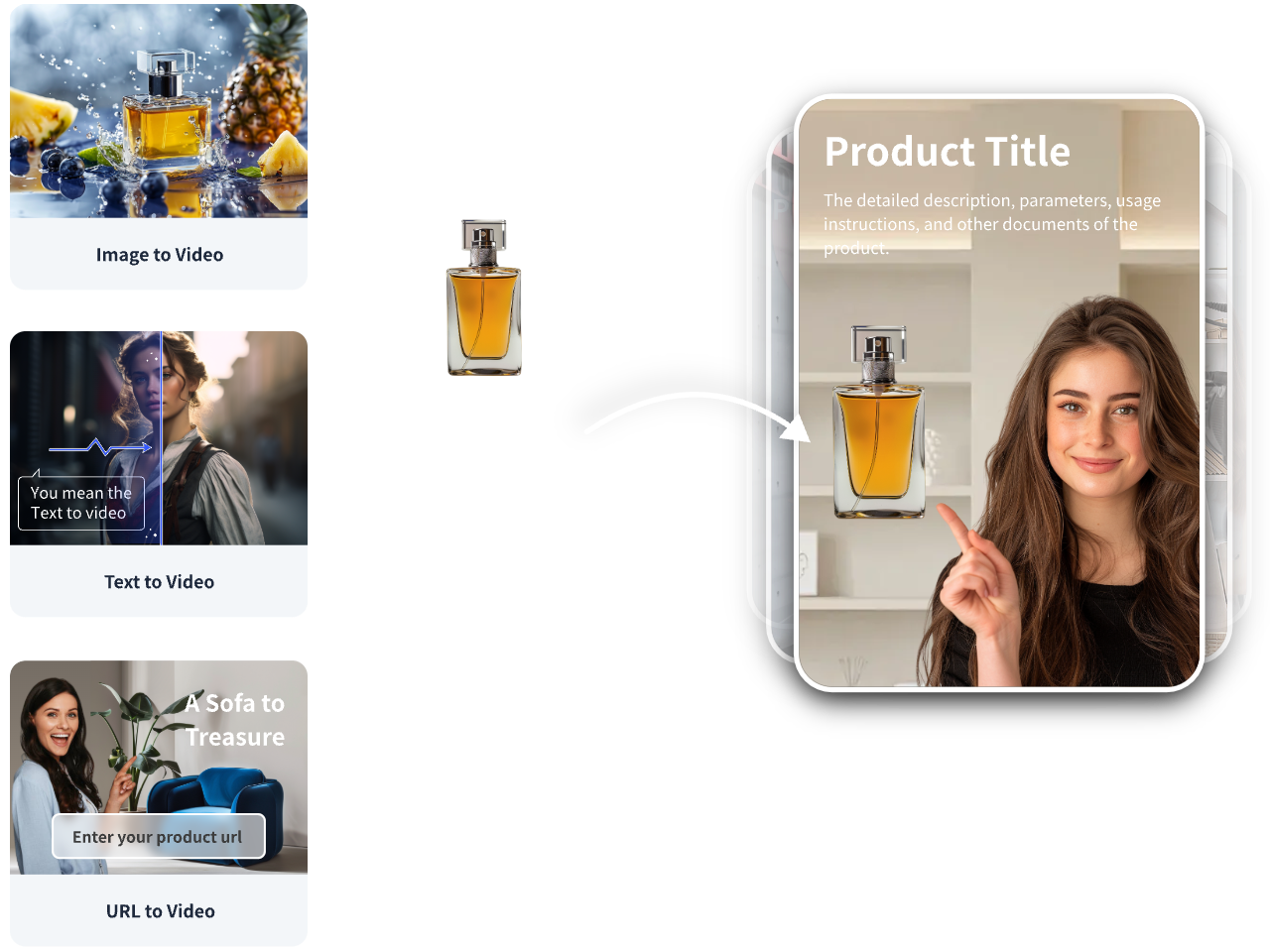
VidAU helps creators, marketers, and e-commerce teams turn ideas, product information, and visuals into short-form videos for social media. Instead of starting every post from scratch, users can create product videos, social ads, avatar videos, translated videos, and short promotional clips for platforms like TikTok, Instagram, YouTube Shorts, Facebook, and LinkedIn.
| VidAU use case | Best for | Content output |
|---|---|---|
| Product-to-video | E-commerce sellers | Product promo videos |
| URL-to-video ads | Brands and marketers | Social ad creatives |
| AI avatar videos | Explainers and tutorials | Presenter-style videos |
| Subtitle/translation | Global audiences | Localized video content |
| Short-form video creation | Social media growth | Reels, Shorts, TikToks |
Top 20 AI Content Creation Generators for Social Media
These 20 apps power AI content creation and support modern content creation services. They help brands, creators, and businesses design, edit, and publish content faster.
1. Adobe Premiere Rush Mobile
Adobe’s mobile version brings professional editing to smartphones. It’s fast, reliable, and perfect for creating polished social media videos on the go.
2. Alight Motion
This animation app is loved by marketers. It offers motion graphics, dynamic effects, and professional transitions for branded campaigns.
3. Beatleap by Lightricks
Beatleap uses AI to sync videos with music. It is ideal for creating reels, promos, and fast-paced social ads.
4. Canva Mobile Video
With drag-and-drop editing and built-in brand kits, Canva Mobile Video is perfect for social media content creation. It’s simple but powerful for teams.
5. CapCut Desktop Mobile Sync
This tool lets you start video editing on your phone and finish on desktop. It’s excellent for teams running content calendars.
6. CapCut Mobile
CapCut Mobile is one of the best AI apps for reels. It has templates, effects, and AI auto-editing.
7. Clips by Apple
Exclusive to iOS, Clips makes quick edits with filters and captions. It’s a smart choice for personal branding and influencer content.
8. FilmoraGo
FilmoraGo offers templates and creative effects for small businesses. It’s easy to use and great for engaging posts.
9. Funimate
Funimate is built for fun and trendy content. Its AI filters, transitions, and effects make it popular among TikTok creators.
10. GoPro Quik
GoPro Quik turns clips into highlight reels automatically. It’s perfect for lifestyle content and showcasing products in action.
11. InShot
InShot makes trimming, text overlays, and collages simple. It works well for eCommerce and small business promo videos.
12. KineMaster
KineMaster offers advanced multi-layer editing. Professional marketers use it for campaigns that need more control.
13. Mojo App
Mojo App specializes in animated reels and stories. It’s designed for brands looking to tell engaging visual stories.
14. Motionleap by Lightricks
Motionleap adds animation and motion to static photos. It’s a creative way to grab attention with ads.
15. PowerDirector Mobile
This editor comes with AI voiceovers, sound effects, and pro editing tools. It’s a strong option for advanced creators.
16. Splice
Splice offers quick timeline editing with music sync. It’s perfect for fast campaigns that need smooth delivery.
17. TikTok Creative Assistant Tools
TikTok’s own AI editing tools help creators follow trends. It also suggests music, hashtags, and content styles for growth.
18. VN Video Editor
VN is free yet powerful. Startups and solo creators use it for professional editing without cost.
19. Videoleap by Lightricks
Videoleap supports blending, layering, and creative effects. It’s ideal for brands building unique visual content.
20. VivaVideo
VivaVideo makes daily posting easy with templates and quick edits. It’s designed for fast-paced content creation.
Comparison Table: Top AI Content Creation Tools
| Tool category | Best for | Example tools to mention | Why it matters |
|---|
| AI video creation | Short-form video, ads, product videos | VidAU, CapCut, Descript, OpusClip | Video is central to social media growth. |
| Graphic design | Carousels, thumbnails, branded posts | Canva, Adobe Express | Visual consistency improves brand recognition. |
| Copywriting | Captions, hooks, scripts, post ideas | ChatGPT, Claude, Jasper | Helps creators move faster from idea to draft. |
| Scheduling | Publishing and calendar management | Buffer, Hootsuite, Publer | Competitors cover scheduling heavily. |
| Repurposing | Turning long content into short clips | OpusClip, Descript, Lumen5 | Strong 2026 AI content trend. |
| Analytics | Performance review and optimization | Sprout Social, ContentStudio | Adds business value beyond creation. |
Why AI Content Creation Matters
AI makes content creation services fast and affordable. Brands reach more people with less effort. Whether new or pro, AI scales social media content creation without losing quality.
Faster Workflows
AI tools handle edits, captions, and effects in minutes. This automation saves hours of manual work, letting creators focus on strategy and ideas..
Better Consistency
Consistency builds trust in content creation. With features like brand kits in Canva Mobile Video, every post stays aligned with a brand’s voice and style..
Scalable Campaigns
AI-powered apps let teams publish more content without hiring extra staff. This makes content creation services scalable for startups, agencies, and enterprise brands alike.
Conclusion
These 20 tools for AI content creation cover everything you need. From CapCut Mobile to VidAU, each supports content creation services at every level. Use them to stay on trend, grow faster, and connect with your audience.
Frequently Asked Questions About Content Creation
What is content creation?
Content creation is the process of planning, producing, editing, and publishing media for a specific audience. It can include videos, images, captions, blogs, podcasts, emails, ads, and social media posts.
What are AI content creation tools?
AI content creation tools use artificial intelligence to help generate ideas, write captions, create scripts, edit videos, design graphics, schedule posts, and repurpose content across different platforms.
What is the best AI tool for content creation?
The best tool depends on the content type. VidAU is useful for AI video creation and product videos, Canva and Adobe Express are useful for visuals, ChatGPT and Claude are useful for writing, and Buffer or Hootsuite are useful for scheduling.
How do beginners start content creation?
Beginners should choose a niche, define an audience, pick one or two platforms, create 3–5 content pillars, make a simple posting schedule, and track which posts perform best.
How can AI help with social media content creation?
AI can help brainstorm ideas, write hooks, generate captions, create scripts, edit videos, add subtitles, design visuals, translate content, and repurpose long-form content into short social posts.
What tools do content creators need?
Most creators need a writing tool, video editor, design tool, scheduling tool, and analytics tool. Advanced creators may also use AI avatar tools, subtitle tools, repurposing tools, and social listening tools.
Is AI content creation good for brands?
Yes, AI content creation can help brands produce content faster, but it should still include human review, brand guidelines, fact-checking, and original insights.
Can AI create content for TikTok, Instagram, and YouTube Shorts?
Yes. AI tools can help create short scripts, captions, subtitles, product videos, hooks, thumbnails, and repurposed clips for TikTok, Instagram Reels, and YouTube Shorts.
What is a content creation workflow?
A content creation workflow is the repeatable process used to create content. A simple workflow is: research, plan, write, create, edit, publish, repurpose, and measure.
How often should I create content?
The best posting frequency depends on your platform, audience, and capacity. For most creators and small teams, consistency matters more than posting every day. Start with a realistic schedule and improve quality over time.
What is the difference between content creation and content marketing?
Content creation is the act of producing media. Content marketing uses that content strategically to attract, educate, convert, or retain an audience.
How do I measure content creation success?
Track metrics such as reach, views, watch time, engagement rate, clicks, saves, shares, leads, conversions, and follower growth. The best metric depends on your goal.