VidAU Editorial · AI Search
GPT Image 2.5: Create Ultra Realistic AI Images With OpenAI’s Latest Image Model
GPT Image 2.5 explained: explore its image generation capabilities, ultra-realistic outputs, advanced editing, prompt techniques, creative workflows, and practical applications for marketers and content creators.
By the VidAU Editorial Team · Reviewed before publishing
AI image generation continues to change how creators produce photographs, advertisements, product visuals, portraits, and digital artwork. What once required professional photography equipment, advanced editing skills, and hours of design work now starts with a detailed text prompt and an AI image generation tool.
GPT Image 2.5 takes this process further with sharper image details, more natural lighting, richer textures, and improved editing accuracy. OpenAI introduced ChatGPT Images 2.5 on September 8, 2026, with improvements to image generation speed, reference-photo preservation, and multi-turn editing.
For content creators, designers, marketers, and businesses, these improvements offer more control over how images look and how they evolve during editing. You can create realistic portraits, commercial product photography, promotional graphics, and detailed visual concepts without starting every project from scratch.
This guide explores GPT Image 2.5, its ultra-realistic image generation capabilities, release information, comparisons with Fable 5, and practical ways to create better AI images.
Quick Summary
• GPT Image 2.5 is OpenAI’s updated image generation technology, officially announced on September 8, 2026.
• It produces ultra realistic ai images with improved lighting, textures, subject preservation, and editing accuracy.
• You can upload personal photographs and create new portraits, fashion images, product photographs, and lifestyle visuals while guiding the preservation of recognisable features.
• GPT Image 2.5 Flare prioritises speed, while Sunburst focuses on demanding image quality and editing requirements.
• The model improves on Images 2.0 with faster generation, multi-turn editing consistency, Sketch, templates, and image comments.
What Is GPT Image 2.5?
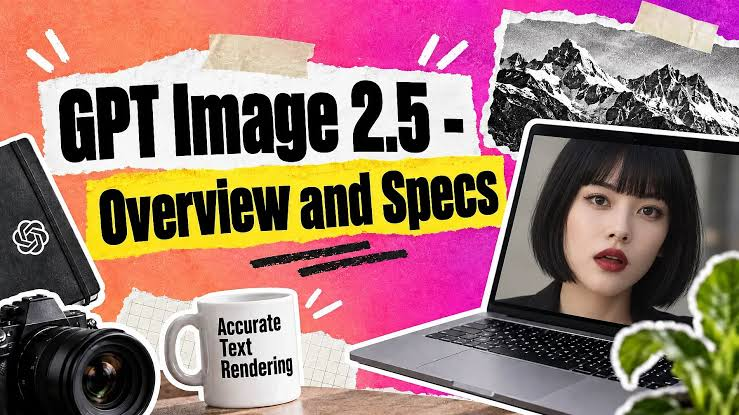
GPT Image 2.5 is OpenAI’s image generation and editing technology introduced through ChatGPT Images 2.5. It generates images from text instructions and edits existing images using reference inputs.
The model focuses on four major improvements:
- Sharper details and richer textures.
- More natural lighting and recognizable subjects.
- More accurate editing instructions.
- Faster image generation, with latency reduced by up to 50% compared with Images 2.0.
OpenAI
Unlike a basic text-to-image generator, GPT Image 2.5 supports iterative creative workflows. You generate an image, review the result, and request specific changes without rebuilding the entire composition.
Key Features of GPT Image 2.5
Improved Image Realism
GPT Image 2.5 produces more natural-looking lighting, textures, and subject details. These improvements help creators develop visuals that resemble professional photographs rather than conventional AI illustrations.
More Accurate Image Editing
You can request changes to specific parts of an existing image while preserving the surrounding composition.
For example, you might change a model’s outfit while retaining the face, pose, background, and lighting.
Better Reference Image Preservation
The model improves its ability to preserve recognizable features from uploaded reference photographs. This helps when creating different scenes featuring the same person, product, or visual subject.
Faster Image Generation
OpenAI reports up to a 50% reduction in generation latency compared with Images 2.0. This helps creators move through concept development and editing iterations faster.
More Control Over Creative Workflows
ChatGPT Images 2.5 introduces additional creative features:
- Sketch, which lets you draw directly in ChatGPT as an image reference.
- Templates for formats such as flyers and product photographs.
- Image comments for more focused editing.
- Shareable prompts that other users can adapt to their own images.
OpenAI
Who Should Use GPT Image 2.5?
GPT Image 2.5 supports several creative and commercial workflows.
- Photographers developing alternative visual concepts.
- Digital marketers producing campaign graphics.
- E-commerce businesses creating product photography.
- Content creators designing social media visuals.
- Graphic designers developing posters and promotional materials.
- Businesses producing branded images and advertising assets.
For these users, the combination of generation and editing offers a practical way to develop visual content through conversational instructions.
Ultra realistic AI Images: What Makes GPT Image 2.5 Different?
Ultra realistic AI images aim to reproduce the visual characteristics of real photographs. These include natural skin textures, accurate proportions, realistic lighting, detailed environments, and believable shadows.
GPT Image 2.5 focuses on improving these characteristics through better image fidelity and more reliable editing.
Realistic Skin Textures and Facial Details
Human portraits often expose weaknesses in AI-generated images. Artificial skin, inconsistent facial features, unnatural eyes, and excessive smoothing reduce realism.
GPT Image 2.5 improves reference-photo preservation and natural-looking details. This helps when generating portraits, fashion photographs, professional headshots, and lifestyle imagery.
For stronger results, describe visible characteristics such as:
- Natural skin texture and subtle pores.
- Realistic facial proportions.
- Natural eye reflections.
- Individual hair strands.
- Soft shadows around facial features.
- Balanced highlights and skin tones.
Natural Lighting and Realistic Shadows
Lighting plays an important role in photographic realism. A convincing image needs consistent light direction, believable shadows, and reflections that match the surrounding environment.
GPT Image 2.5 improves natural lighting and richer textures, making these details useful elements to specify in your prompts.
OpenAI
Realistic Materials and Product Textures
Product images require accurate materials and surface details. Glass should reflect light differently from plastic, while metal, leather, fabric, and wood each have distinctive textures.
For commercial product photography, describe the material, surface finish, lighting setup, and camera angle.
For example, a luxury watch prompt should specify polished metal, reflective glass, detailed watch hands, and controlled studio lighting.
Better Composition and Visual Consistency
Realistic images require more than detailed subjects. Background placement, object proportions, perspective, and depth also influence the final result.
GPT Image 2.5 improves its understanding of complex visual instructions and maintains details more reliably across successive edits.
This makes the model useful for producing a collection of related images with consistent visual direction.
Create Ultra Realistic AI Images Of Yourself (GPT Images 2.5)
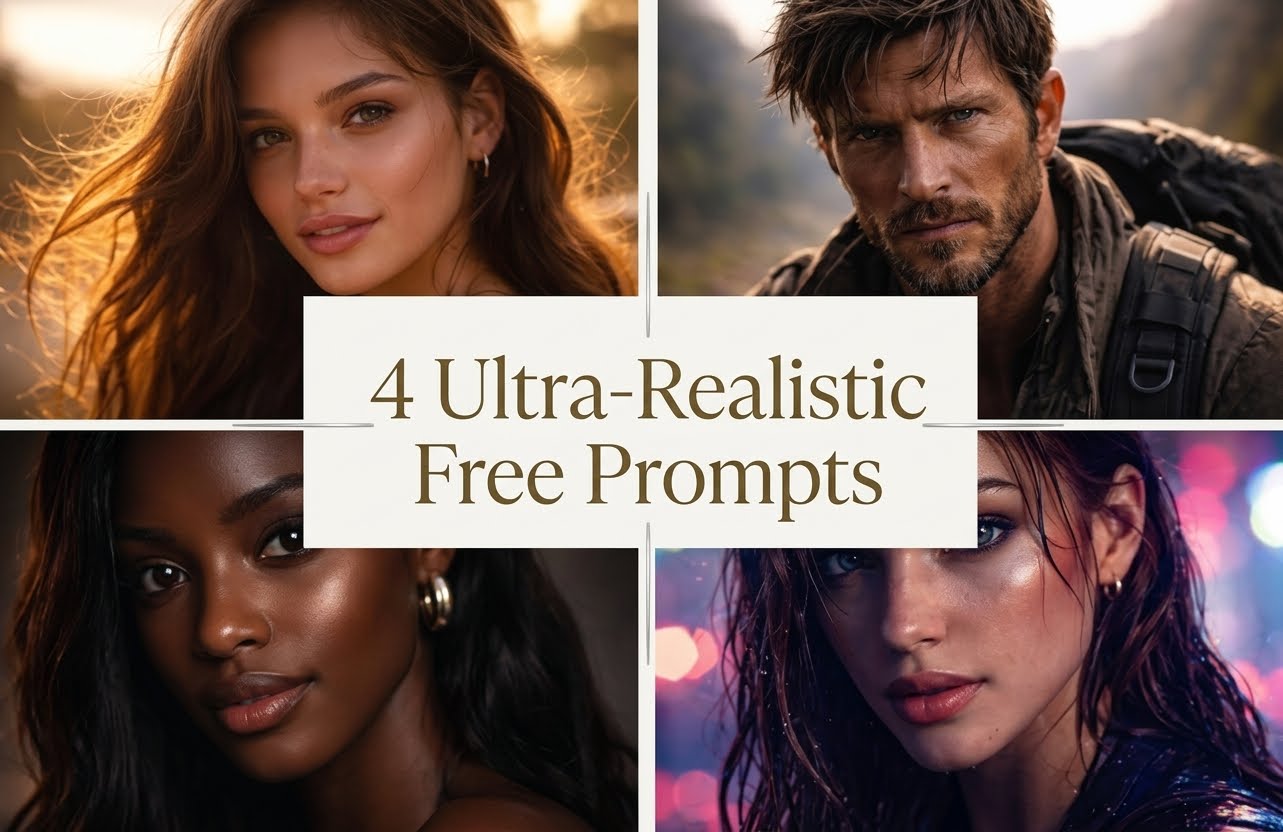
Follow these steps:
- Open ChatGPT and access the Images feature.
- Upload a clear photograph of yourself.
- Describe the new environment, outfit, pose, and photographic style.
- Specify which facial features and physical details must remain consistent.
- Generate the image and review the result.
- Request targeted edits if the image needs adjustments.
For the best results, use a clear reference photograph with good lighting and an unobstructed view of your face.
GPT Image 2.5 Prompts for Ultra Realistic Self-Portraits
Here are practical prompts to try with your reference photograph.
1. Luxury Fashion Editorial Portrait
Use my uploaded photograph as the primary identity reference. Preserve my exact facial features, skin tone, facial proportions, hairstyle, and recognizable identity.
Create an ultra-realistic luxury fashion editorial photograph of me wearing a tailored black designer suit, standing inside a sophisticated modern hotel lobby.
Use warm architectural lighting, realistic skin texture, natural facial details, professional fashion photography, subtle shadows, and a portrait-lens aesthetic.
The final image should look like a genuine photograph taken by a professional fashion photographer. Avoid artificial skin smoothing, exaggerated facial features, and cartoon-like details.
2. Professional Corporate Headshot
Use my uploaded photograph as the identity reference. Preserve my facial structure, skin tone, hairstyle, and natural appearance.
Create a professional corporate headshot of me wearing a fitted navy-blue business suit and a clean white shirt.
Place me in a modern executive office with a softly blurred background. Use natural window lighting, realistic skin texture, accurate facial details, and professional portrait photography.
Frame the image from the chest upward. Maintain a confident, approachable expression. Make the result look like a genuine corporate photography session.
3. Cinematic Street Photography
Use my uploaded photograph as the identity reference. Preserve my face, skin tone, hairstyle, and natural facial proportions.
Create an ultra-realistic street photograph of me walking through a busy modern city at night, wearing premium streetwear and fashionable sneakers.
Include wet pavement, realistic reflections from streetlights, distant traffic, natural shadows, and softly illuminated buildings.
Use documentary-style street photography, realistic camera depth, natural skin texture, and authentic environmental lighting.
The image should resemble an unedited professional street photograph.
4. Luxury Travel Photography
Use my uploaded photograph as the primary identity reference. Keep my facial features, skin tone, hairstyle, and identity consistent.
Create a realistic luxury travel photograph of me standing beside an infinity pool overlooking the Mediterranean coastline.
Dress me in elegant resort clothing. Include realistic sunlight, detailed water reflections, natural shadows, and a beautiful coastal background.
Use professional travel photography with realistic skin texture, balanced exposure, and natural colors.
Preserve my identity and make the photograph look authentic rather than AI-generated.
Tips for Getting More Realistic Results
- Upload clear, high-quality reference photographs.
- Describe the lighting and camera perspective.
- Specify the facial features you want preserved.
- Avoid combining too many unrelated actions in one prompt.
- Make one targeted edit at a time.
- Review facial details, hands, clothing, and background elements.
You should also use photographs you own or have permission to edit.
Ultra realism: How Far Can GPT Image 2.5 Go?
Ultra realism refers to the visual quality of an image that closely resembles a real photograph. However, realistic image generation requires consistency across several visual elements.
GPT Image 2.5 improves the relationship between subject details, lighting, textures, and composition.
Photorealistic Human Portraits
Human portraits require accurate facial proportions, skin texture, hair details, and realistic expressions.
GPT Image 2.5 improves reference-photo preservation, which helps creators generate variations while maintaining recognizable features.
Professional Product Photography
Brands and online sellers need product images that communicate quality and accurately represent their products.
GPT Image 2.5 supports detailed product scenes, background changes, and visual refinements.
For example, a skincare brand might generate:
- A minimalist studio product photograph.
- A luxury bathroom lifestyle scene.
- A seasonal promotional image.
- A close-up showing product packaging.
Always verify the actual packaging, labels, logos, and product appearance before using generated images in commercial listings.
Cinematic and Editorial Images
GPT Image 2.5 also supports complex artistic styles and compositions.
You can create editorial fashion photographs, cinematic environments, magazine covers, travel concepts, and promotional posters.
For better results, describe the composition, camera angle, color palette, lighting, and intended visual style.
Where Ultra Realism Still Needs Human Review
Even with improved image fidelity, you should inspect generated images before publishing.
Pay attention to:
- Incorrect text and spelling.
- Distorted fingers or accessories.
- Inconsistent facial features.
- Unrealistic reflections.
- Incorrect product labels.
- Background objects that do not match the scene.
A realistic-looking image still needs factual and visual quality checks.
Fable 5 Image Generation vs GPT 2
Comparing Fable 5 image generation vs gpt 2 requires looking at their intended applications, image quality, editing controls, and available model specifications.
GPT Image 2.5 has official documentation from OpenAI, including details about its Flare and Sunburst variants. However, the supplied Fable 5 references do not establish an independently verified technical specification or standardized benchmark against GPT Image 2.5.
Therefore, a direct performance ranking would be misleading. The following comparison identifies the areas you should test before choosing either platform.
Image Quality and Realism
GPT Image 2.5 emphasizes natural lighting, richer textures, reference-photo preservation, and precise editing.
For Fable 5, verify the specific model version and available image-generation features through its official provider before making a quality comparison.
Test both using the same portrait, product photograph, or landscape prompt.
Prompt Understanding
Prompt understanding determines how closely an image generator follows your instructions.
Test both models with prompts containing:
- Multiple objects and specific placements.
- Detailed facial characteristics.
- Exact text and typography.
- Complex backgrounds.
- Specific lighting directions.
Then compare the generated images against your original instructions.
Image Editing Capabilities
GPT Image 2.5 supports targeted editing and improved consistency across multiple editing turns.
For Fable 5, check whether the available version supports image references, local edits, background replacement, and preservation of existing visual details.
Which Should You Test for Your Creative Workflow?
Use GPT Image 2.5 when you need documented reference-image editing, conversational refinement, and OpenAI’s image generation ecosystem.
Evaluate Fable 5 against the same creative requirements before deciding whether its features suit your workflow.
A controlled test will give you more useful information than comparing promotional demonstrations created with different prompts and settings.
Gpt image 2.5 release date: When Did OpenAI Launch It?
OpenAI officially announced ChatGPT Images 2.5 on September 8, 2026. The announcement introduced improvements to image generation speed, visual fidelity, reference-photo preservation, and editing accuracy.
The release also introduced two API model variants:
- GPT-Image-2.5 Flare: A faster model designed for everyday image generation.
- GPT-Image-2.5 Sunburst: A quality-focused model designed for more demanding creative work and precise editing.
What Happened During the GPT Image 2.5 Launch?
OpenAI introduced several improvements:
- Sharper image details and more natural textures.
- Faster generation, with up to 50% lower latency compared with Images 2.0.
- Better preservation of reference-photo subjects.
- More reliable editing across multiple conversations and instructions.
- New ChatGPT creative features, including Sketch, templates, and image comments.
Where Is GPT Image 2.5 Available?
You can access ChatGPT Images 2.5 through ChatGPT on desktop, mobile, and web.
Developers also have access to GPT-Image-2.5 Flare and GPT-Image-2.5 Sunburst through the OpenAI API.
Useful resources:
- Official ChatGPT Images 2.5 announcement
- OpenAI image generation documentation
- GPT Image 2.5 prompting guide
Image 2 chatgpt vs GPT Image 2.5: What Has Changed?
ChatGPT Images 2.5 builds on the capabilities of the earlier Images 2.0 experience. OpenAI focused its update on image fidelity, editing precision, generation speed, and creative controls.
| Feature | ChatGPT Images 2.0 | ChatGPT Images 2.5 |
| Image generation | Text and image-based creation | Improved generation and editing |
| Image details | Previous image quality | Sharper details and richer textures |
| Lighting | Earlier rendering capabilities | More natural lighting |
| Reference preservation | Existing reference workflows | Improved subject preservation |
| Editing | Conversational editing | More precise multi-turn editing |
| Generation speed | Previous generation latency | Up to 50% lower latency |
| Creative tools | Existing image workflow | Sketch, templates, and image comments |
Source: OpenAI’s official launch announcement.
Improved Image Editing
One major improvement involves editing individual elements without unnecessarily changing the rest of an image.
For example, you might upload a photograph of a person standing in a studio and request a background change. Images 2.5 aims to preserve the person’s appearance, pose, and other details while making the requested adjustment.
Better Consistency Across Multiple Edits
Earlier image workflows sometimes required repeated corrections when users made several changes to the same image.
Images 2.5 improves multi-turn consistency, helping preserve previous changes as you refine an image through successive instructions.
OpenAI
More Creative Control
The introduction of Sketch, templates, and image comments gives users additional ways to communicate visual instructions.
Consequently, you have more options when developing an image from an initial concept to a finished creative asset.
GPT Image 2.5 Flare vs GPT Image 2.5 Sunburst
OpenAI offers two GPT Image 2.5 API variants. Both support image generation and editing, but they target different production requirements.
| Feature | Flare | Sunburst |
| Primary focus | Speed | Image quality and precision |
| Generation | Fast everyday generation | More detailed creative generation |
| Editing | Supported | Supported |
| Quality settings | Low to Max | Low to Max |
| Reference images | Supported | Supported |
| Best use | High-volume creative production | Detailed final assets |
When to Use GPT Image 2.5 Flare
Choose Flare for:
- Social media content variations.
- Quick visual concepts.
- Advertising experiments.
- Everyday product images.
- High-volume image production.
When to Use GPT Image 2.5 Sunburst
Choose Sunburst for:
- Detailed commercial photography.
- Complex image compositions.
- Precise image editing.
- High-quality promotional graphics.
- Visual assets requiring greater detail.
Both models support custom output dimensions up to 3,840 pixels on an edge, subject to the documented image-size restrictions. They also support transparent backgrounds and multiple quality settings.
Key Takeaways
• Ultra-realistic image generation with detailed textures, lighting, and natural-looking visuals.
• Advanced prompt understanding for more accurate image creation.
• Precise image editing and refinement while preserving key visual elements.Useful for product photography, marketing creatives, social media graphics, and digital campaigns.
• Useful for product photography, marketing creatives, social media graphics, and digital campaigns.
• Helps creators and businesses produce professional-quality visuals with AI.
Create With VidAU
Turn scripts, product URLs, and creative ideas into ad-ready image assets with a structured AI workflow.
Key takeaway
Final Thoughts
GPT Image 2.5 represents an important update to OpenAI’s image generation technology. Its improvements in image fidelity, natural lighting, realistic textures, reference preservation, and editing precision give creators more control over their visual projects.
Whether you need ultra realistic ai images of yourself, professional product photographs, advertising graphics, or creative social media content, GPT Image 2.5 provides a flexible workflow for turning detailed instructions into finished visuals.
For the best results, start with clear prompts, use suitable reference photographs, and refine individual details through targeted edits. Choose Flare for faster generation or Sunburst when your project demands greater image quality and precision.
Frequently asked questions
What is GPT Image 2.5 used for?
GPT Image 2.5 generates and edits images from text instructions and reference photographs. You can use it for realistic portraits, product photography, advertisements, posters, illustrations, and social media graphics.
What is the gpt image 2.5 release date?
OpenAI officially announced ChatGPT Images 2.5 on September 8, 2026. The announcement also introduced GPT-Image-2.5 Flare and Sunburst for API users.
Can GPT Image 2.5 create ultra realistic photos of yourself?
Yes. Upload a clear reference photograph and describe the scene, outfit, pose, lighting, and photographic style. The model improves the preservation of recognizable facial features and other reference details.
What is the difference between GPT Image 2.5 Flare and Sunburst?
Flare focuses on faster everyday image generation, while Sunburst targets more demanding image quality and precise editing workflows. Both support image generation and editing.
Is GPT Image 2.5 better than Fable 5?
A reliable overall ranking requires verified Fable 5 specifications and comparable benchmark results. GPT Image 2.5 has documented improvements in image fidelity, editing precision, and speed. Test both using identical prompts to compare their results.