
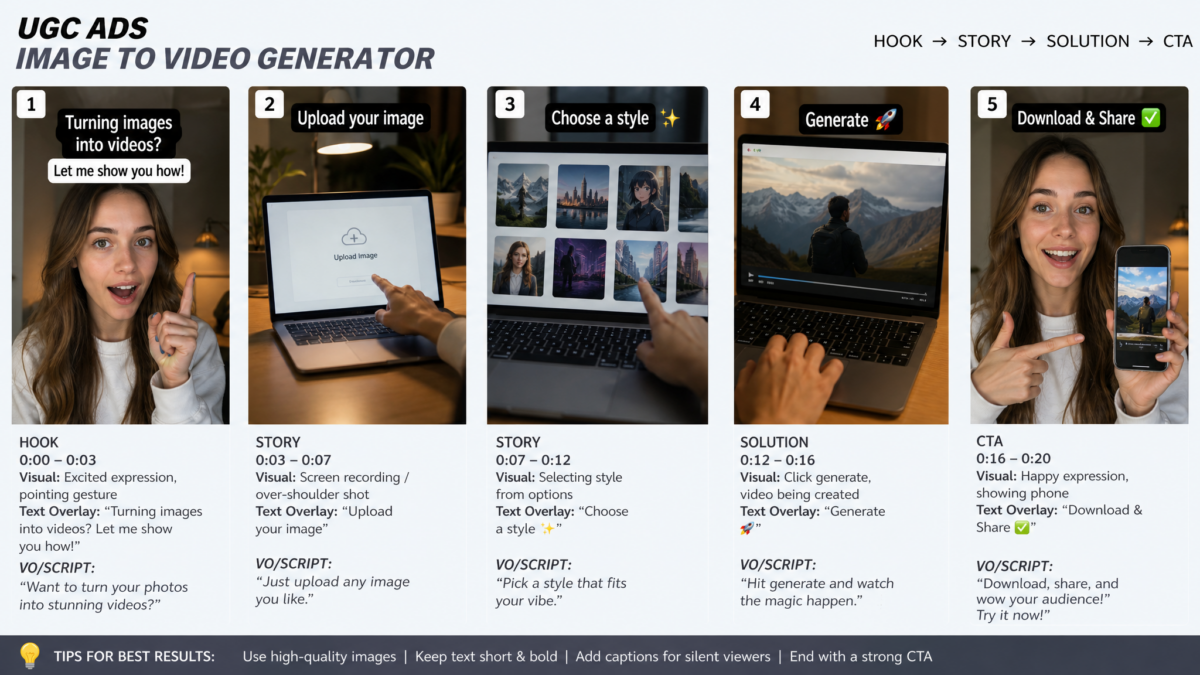
The complete guide to image to video generators in 2026 — how the technology works, which use cases deliver the highest ROI, a platform comparison table, step-by-step production workflow, and why converting static images to video is now a core content infrastructure capability rather than a creative novelty.
📋 Key Takeaways — Image to Video Generator 2026
- →Image to video generators convert existing still images into animated, motion video clips using AI — enabling complete video ad production from product photos in under 30 minutes per asset, with no filming required.
- →Any brand with an existing image library has an immediately available content production pipeline — no photographer, no videographer, no studio booking required.
- →The highest-ROI applications are: ecommerce product ad creation, real estate property tour video from listing photos, travel and destination content, and fashion lookbook animation from editorial stills.
- →Image to video is not a replacement for filmed content in all contexts — it excels at high-frequency production, asset repurposing, and multilingual campaign scaling; filmed content still leads for hero brand narrative.
- →Input image quality is the primary variable in output quality — high-resolution, well-lit, clean-background images produce significantly better AI animation results than low-quality or cluttered inputs.
- →The most effective image to video workflow pairs AI animation with AI voiceover, captions, and product-specific text overlays — producing a complete, platform-ready video ad from a single product photo in a single session.
Think about the last time you actually filmed a product video from scratch. The lighting setup, the multiple takes, the editing session, the rounds of feedback. Then think about how many product photos your team already has sitting in a shared drive or asset library, professionally shot, properly lit, completely unused as video content.
That gap — between the images you have and the video content you need — is exactly what image to video generator technology closes in 2026. Not by being a gimmick or a shortcut that produces obviously AI-generated content, but by turning an existing still image into a motion video asset that performs in the same platforms, at the same placement positions, as filmed video. The teams that have figured this out are producing video content at a pace their competitors cannot match — without proportionally increasing their production budget. This is the infrastructure shift that matters right now.
What Is an Image to Video Generator?
What Is an Image to Video Generator?
An image to video generator is an AI tool that converts static still images into animated video clips by applying AI-generated motion, camera movement, depth-driven parallax effects, or animated transitions. Modern image to video generators also support voiceover, captions, music, and text overlays, enabling complete production-ready video ads and social content from a single input image in under 30 minutes.
How Image to Video AI Actually Works
The mechanism behind image to video generation is worth understanding at a basic level, because it directly informs which inputs produce the best outputs — and therefore how to brief your team and prepare your image assets for the best results.
Modern image to video AI tools use several distinct techniques depending on the motion type they are producing:
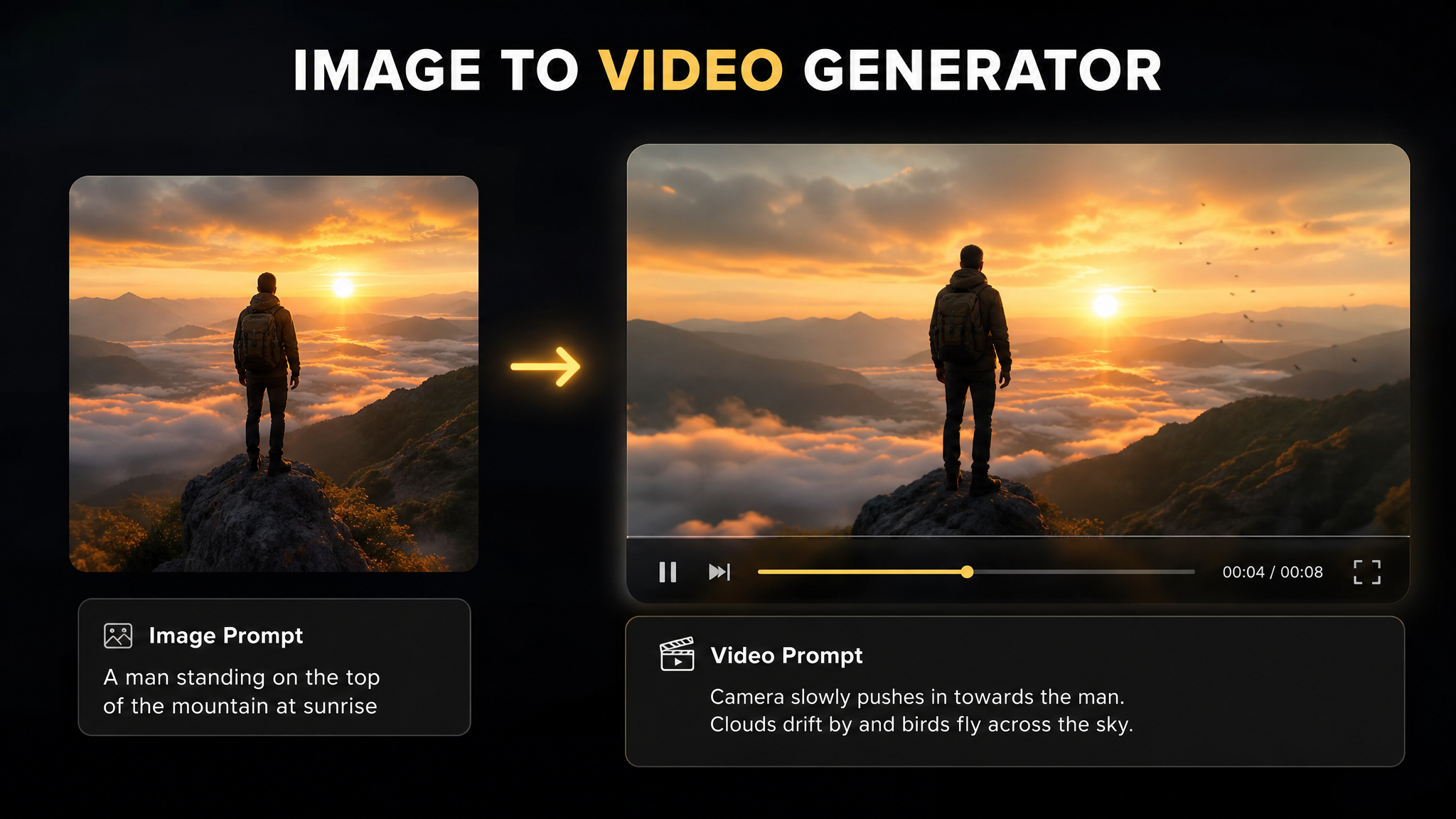
- Depth estimation and parallax motion — the AI analyzes the spatial depth layers in the image (foreground, midground, background) and moves them at different rates relative to each other, creating a natural 3D motion effect. This works particularly well with product photography against clean backgrounds, architecture, and landscape images.
- Subject-specific motion generation — AI models trained to recognize specific subject types (fabric, hair, water, fire, foliage, smoke) can generate physically plausible micro-motion for those elements. A fashion product image with fabric will see natural fabric drape movement; a food photo may show steam rising.
- Camera movement simulation — the AI simulates camera movements (slow push-in, pull-back, pan, tilt, crane shot) applied to the still image, creating the feeling of an active camera without any actual camera movement in the original shot.
- Outpainting for frame extension — some image to video tools expand the frame beyond the original image boundaries to create wider field-of-view shots or to allow camera movement without revealing the image edges.
Why Image to Video Matters More in 2026 Than It Did Two Years Ago
The technology has existed in various forms since 2022. What has changed is quality, accessibility, and economic context — all three simultaneously.
Quality has improved to the point where image to video output is routinely used in paid advertising without disclosure and without detectable quality degradation versus filmed content. The motion is natural, the depth effects are convincing, and the compositing of overlaid elements (text, voiceover sync, captions) has reached production-standard quality on most leading platforms.
Accessibility has improved because the technical workflow that previously required video production expertise has been abstracted into single-click tools accessible to any brand team or solo creator. Uploading an image, selecting a motion style, and downloading a video clip now takes under two minutes of active user time.
The economic context has shifted most significantly. Every major social platform now prioritizes video content in feed distribution — TikTok exclusively, Meta Reels aggressively, YouTube Shorts as its primary growth surface, Pinterest video pins at 2–3x organic reach of static pins. A brand that only has still images is structurally disadvantaged in every major paid and organic channel simultaneously. Image to video removes that structural disadvantage without requiring a filming budget.
For brands running paid social advertising, the implications for Facebook ad creative strategy and ecommerce video ad production are significant.
Top Use Cases for Image to Video Generators
Ecommerce Product Video Ads
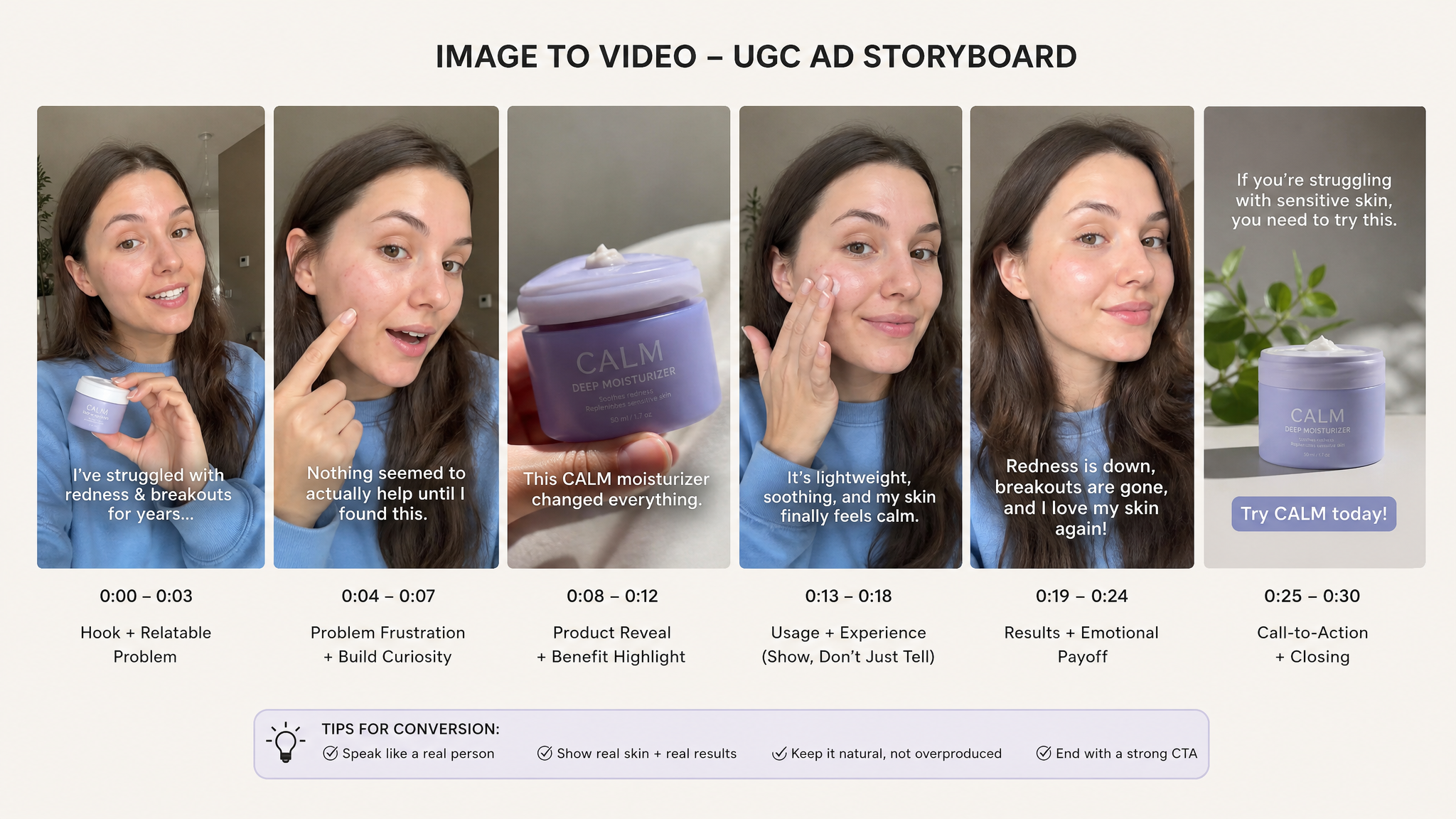
Convert existing product photography into motion video ads for TikTok, Meta, YouTube, and Amazon. Product images with clean backgrounds and multiple angle shots are ideal inputs. Add AI voiceover and text overlay to complete a production-ready ad without any filming. For ad-specific production workflow, see our ecommerce video ads guide.
Real Estate Property Tours
Convert listing photography into walkthrough-style property tour videos with camera movement through each room. A standard 10–15 photo listing set can generate a 60–90 second video property tour in under 20 minutes. For how this fits broader real estate advertising strategy, our dedicated guide covers the full picture.
Fashion and Apparel Lookbooks
Animate editorial fashion photography into video lookbook content for social, email, and e-commerce product pages. Fabric motion effects on clothing photography produce convincingly natural movement that static imagery cannot achieve. Video lookbook content drives 40–70% higher engagement on product pages versus static image galleries.
Travel and Destination Content
Convert destination photography into travel video content with natural camera movement and landscape motion effects. Tourism boards, travel brands, and hospitality companies with large photography archives can generate video content for every destination in their catalog without re-shooting. Parallax depth effects work exceptionally well on architectural and landscape photography.
Food and Hospitality
Restaurant and food brand photography converts well into social video content with steam, lighting, and subtle motion effects that make dishes appear freshly plated. Menu photography libraries become video content assets for paid social without re-shooting. Works well for both fine dining and fast casual brand photography.
Marketing and Advertising Repurposing
Convert existing brand photography, campaign images, and ad statics into video variants for A/B testing in paid campaigns. Teams that already have high-quality brand photography can extend their creative library into video placements without incremental production cost. Particularly valuable for brands running Meta Advantage+ campaigns that automatically test creative across placements.
Convert your product images into platform-ready video ads in under 30 minutes. From $9.99/mo
🎬 Convert Images to Video →Traditional Video Filming vs Image to Video Generator
| Factor | Traditional Video Filming | Image to Video Generator |
|---|---|---|
| Production time per video | Half day to full day (shoot + edit) | Under 30 minutes per asset |
| Cost per video asset | $500–$5,000+ (crew, location, edit) | Under $10 at scale |
| Required resources | Camera, crew, location, lighting, props | Existing image library only |
| Variant output volume | 3–5 per shoot day | 20–50+ per session from image batch |
| Language variants | One per production session | 120+ from one image + script |
| Consistency across assets | Variable (lighting, framing, energy) | Identical motion style across batch |
| Emotional depth (hero content) | Highest — human presence, narrative | Natural for product focus, lower for emotional storytelling |
| Update/revision workflow | Re-shoot required for product changes | Replace input image and regenerate |
The emotional depth row is the one to take seriously. Image to video produces exceptional results for product-focused and property-focused content where the subject itself is the story. It produces less convincing results for content that requires a human emotional narrative — testimonials, founder stories, brand manifesto content. Understanding which of your content types maps to which production method is the strategic decision that determines where image to video fits in your content stack.
The Image to Video Generator Platform Landscape in 2026
| Platform Type | Core Capability | Motion Quality | Best For |
|---|---|---|---|
| Dedicated image animation tools | Depth-driven parallax, subject motion | Highest for still-to-motion animation | Brand photography, editorial, real estate |
| AI video ad platforms (URL/image input) | Image + voiceover + captions + CTA in one session | Strong, optimised for ad formats | Ecommerce product ads, social campaign content |
| Generative video models (Sora-class) | Full video generation from image + prompt | Highest creative flexibility | Creative campaigns, brand storytelling |
| All-in-one content platforms | Image animation + multi-format export | Good for volume production | High-frequency social content, repurposing |
For ecommerce and paid advertising specifically, all-in-one AI video ad platforms that combine image animation with voiceover, text overlay, and platform-specific format export represent the highest-productivity workflow — because they eliminate the step of transferring an animated clip from one tool to a video editor to add audio and captions. The production cycle that includes all these steps in a single session consistently outperforms multi-tool workflows in volume, consistency, and time-to-publish.
Tools that support URL-to-video alongside image-to-video input provide the most flexible creative pipeline for ecommerce teams — the same session can generate product videos from both the product photo and the product URL, with the tool auto-pulling additional product metadata in the URL case. For TikTok-specific ad creation from this workflow, see our guide to creating TikTok ads with AI.
Convert Your Product Images Into Video Ads
Upload any product photo and VidAU generates a platform-ready motion video ad with AI voiceover, captions, and multi-format export for TikTok, Meta, and Amazon.
🎬 Start From $9.99 →Plans from $9.99/month · No credit card required · Image to video in minutes
Step-by-Step Image to Video Production Workflow
📋 7-Step Image to Video Production Workflow
Audit your existing image library for video-ready assets
Before selecting a platform, identify which images in your existing library are genuinely suitable for animation. Ideal inputs: high-resolution (minimum 1080p), well-lit, clean or blurred backgrounds, distinct foreground-background separation. Low-quality, cluttered, or flat-composition images will produce lower-quality output regardless of platform. Start with your best 20–30 images rather than trying to process your entire library at once.
Define output format and platform destination first
Decide before generating: is this for TikTok (9:16), Meta Reels (9:16), Meta feed (1:1 or 4:5), YouTube (16:9), or Amazon product video (16:9)? Platform destination determines aspect ratio, safe zones for text overlay, and optimal motion speed. Generating in the wrong aspect ratio and re-cropping produces lower-quality output. Set format first and generate natively.
Select motion style matched to image type
Match the motion style to what the image content naturally supports. Product photos on clean backgrounds work well with slow push-in or orbit camera movement. Landscape and architectural images work well with parallax depth motion and wide pan. Fashion and fabric respond well to subject-specific micro-motion. Selecting a motion type that conflicts with the image depth structure produces unnatural-looking output.
Write a short script or voiceover brief before generating
If the final video will include voiceover, write the script before generating the video clip. The voiceover length determines the optimal video duration — a 20-second voiceover needs a 20–25 second video clip, not a 10-second clip with audio that runs over the end. Script-first produces better audio-visual synchronization than adding audio to a pre-existing clip of the wrong length.
Generate, preview, and assess motion quality
Generate an initial preview and evaluate motion quality specifically: Does the motion look physically plausible? Are there any edge artifacts where the image boundary becomes visible? Does the motion speed feel appropriate for the platform (slower for premium brand content, faster for TikTok)? Make motion adjustments before adding audio and text overlays to avoid regenerating with the overlay layer already applied.
Add voiceover, captions, music, and text overlays
Layer in audio and text elements in this sequence: voiceover first (determines pacing), captions second (synced to voiceover), text overlays third (key message, price, or CTA), background music last (mixed under voiceover). This sequence ensures each layer is placed in the context of what was already added, producing better synchronization than adding layers in arbitrary order. For AI voiceover selection guidance, our guide to AI voice generators covers tone and style matching for different content types.
Export, review, and batch produce variants
Export the final version and do a single review pass specifically for: audio-visual sync accuracy, text safe zone compliance for the target platform, caption accuracy on any product-specific terminology, and motion artifact check on the first and last 2 seconds. If the output passes review, use it as the template for batch-producing variants by swapping the input image while keeping audio, text structure, and motion settings constant.
Image Quality: The Variable Most Guides Skip
The most underemphasised variable in image to video production is the quality of the input image. Platform benchmarks, motion algorithms, and AI model quality all matter — but none of them can compensate for a low-quality input image. The AI animates what is there; it cannot improve what was not captured in the original photograph.
Practical image preparation guidelines for the best image to video output:
- Resolution — minimum 1080×1080 pixels for square content; 1080×1920 for vertical; 1920×1080 for horizontal. Higher resolution gives the AI more spatial information to work with during depth estimation. Lower resolution inputs show compression artifacts when the animated clip is exported at video resolution.
- Background separation — clean, solid, or blurred backgrounds produce significantly better parallax motion than busy or flat backgrounds. A product photographed against a white or blurred environment will animate with more natural depth than the same product photographed against a textured studio wall.
- Lighting quality — well-lit images with consistent light direction produce more natural motion output than poorly lit or harshly shadowed images. Consistent lighting across a batch of images produces consistent video output quality, which matters for brand cohesion across a content series.
- Subject clarity — images where the primary subject is clearly defined in the frame produce better subject-motion effects. Images with ambiguous or overlapping subjects make it harder for the AI to determine which elements should move independently.
If your existing product photography was shot against busy backdrops, at low resolution, or with inconsistent lighting, the incremental cost of a simple re-shoot against a clean background specifically for image to video input may be worth it. A few hours of basic product photography against a clean surface generates an image library that will produce significantly better animated video output than trying to work with existing low-quality images.
Common Mistakes with Image to Video Generators
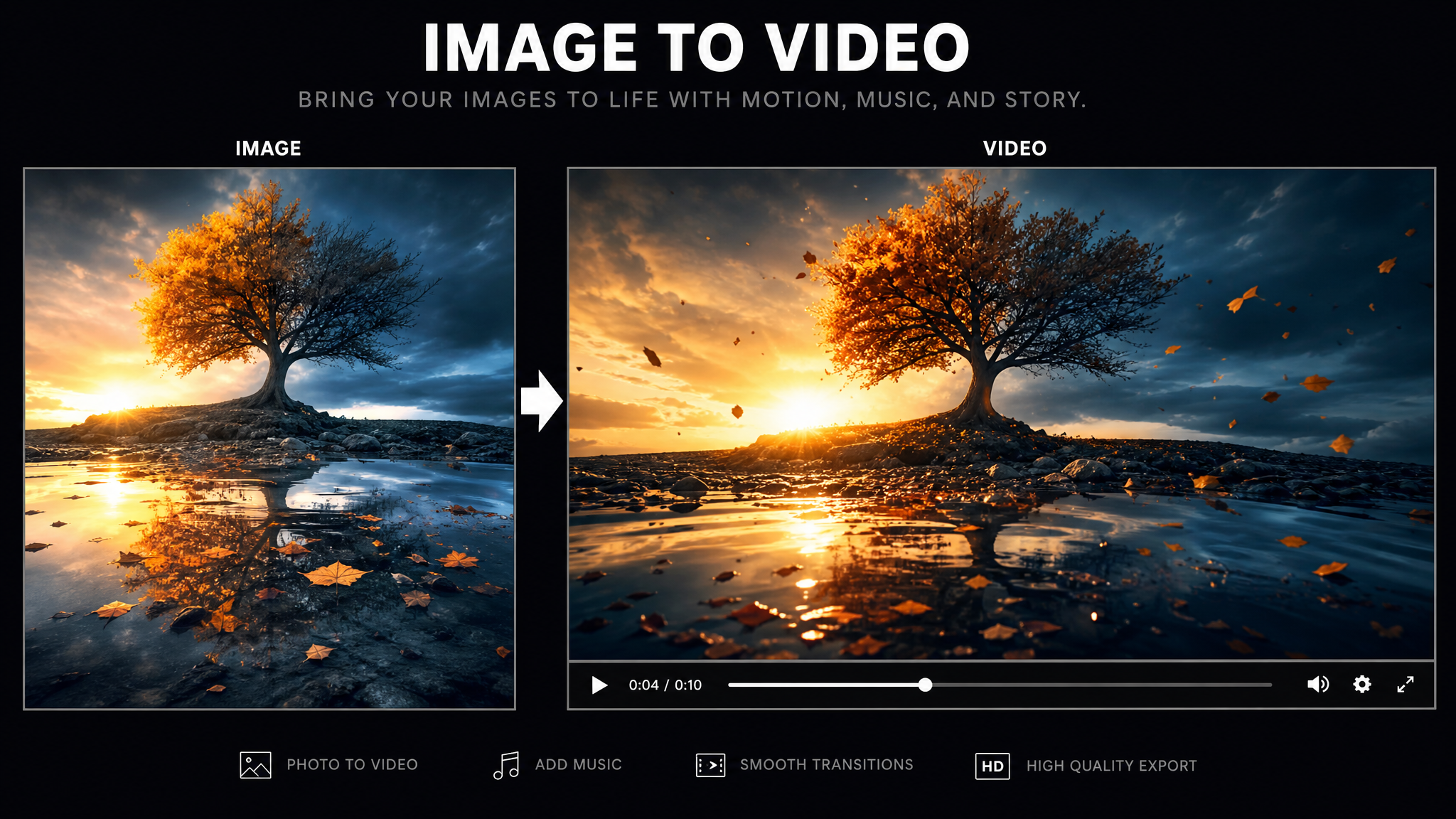
Producing a video and then deciding which platform to use it on — rather than determining the platform first and generating in the correct native format — is the most common image to video workflow error. TikTok requires 9:16. Amazon requires 16:9. Meta feed performs best at 4:5 or 1:1. Generating a 16:9 video and then re-cropping for TikTok produces lower-quality output with key product elements often cut from the frame. Define destination first.
- Using low-resolution or poorly lit input images. The AI cannot improve on what was captured. Low-quality inputs produce low-quality outputs regardless of platform. The investment in proper input image quality has the highest leverage of any variable in the workflow.
- Selecting motion styles that conflict with image composition. Applying a camera orbit motion to a flat, front-facing product shot that has no depth information produces unnatural-looking output. Match motion style to what the image depth structure naturally supports.
- Generating video without audio layers. A silently moving product image with no voiceover, caption, or music is not a complete video ad — it is an animated GIF. The audio layer is what completes the asset from motion clip to publishable content. Always plan for voiceover and/or music before generating.
- Not testing motion speed for platform. The same motion speed that looks natural and premium for a real estate showcase video looks slow and dull on TikTok where faster pacing is expected. Adjust motion speed to the platform rhythm — faster for short-form social, slower for showcase and brand content.
- Applying image to video to every content type indiscriminately. Image to video excels at product, property, and place content. It is not the right tool for content that requires authentic human presence, emotional narrative, or testimonial-style delivery. Applying it to the wrong content types produces underwhelming results and leads to unfair conclusions about the technology’s capability.
- Treating image to video as a one-time use tool. Each image in your product library is a reusable video content asset. The same product image can be animated in multiple motion styles, at multiple aspect ratios, with different voiceover scripts, for different platforms and different campaign objectives. The per-asset value of a high-quality product photo increases significantly when treated as a recurring video production input rather than a one-time use.
Where Image to Video Technology Is Heading
Three developments are accelerating that will change how image to video generators are used in the next 12–18 months.
Generative Extension Beyond the Frame
Current image to video tools work within the boundaries of the original image. The next generation will routinely extend beyond those boundaries — using outpainting and scene completion AI to expand the visual context of the original image while maintaining coherence with the original. This enables wide-angle camera movements, reveal shots, and environmental context expansion from close-up product photography without re-shooting at a wider focal length.
Product-Consistent Video Generation
One of the current limitations of generative video from images is maintaining product consistency across multiple frames as motion occurs. When a product label or specific design detail moves through a generated animation, it sometimes distorts. The next generation of product-focused image to video models will maintain object consistency at the detail level, making generated product video indistinguishable from filmed product video even at close inspection.
Integrated Multi-Channel Campaign Generation
The direction the market is moving: uploading one product image and generating all platform-format video assets for a complete cross-channel campaign in a single session. TikTok 9:16, Meta Reels 9:16, Meta feed 4:5, YouTube 16:9, Amazon 16:9 — all derived from the same image, with format-appropriate motion speed, text positioning, and audio levels automatically adjusted per platform. As more ecommerce marketing teams build this capability into their workflows, the brands that have already structured their image libraries for video generation will have the clearest path to activating it.
Related Resources
Image to Video Generator 2026: Key Insights
- Every image library is an untapped video production pipeline. Any brand with existing product photography, listing images, or brand photography has immediate access to video content production at near-zero marginal cost per asset. The infrastructure already exists — image to video tools convert it into deployable content.
- Platform destination must be defined before generation, not after. Aspect ratio, safe zones, motion speed, and text positioning are all platform-specific. Generating first and reformatting after consistently produces lower-quality output than generating natively for the destination platform from the start.
- Input image quality is the primary determinant of output quality. Resolution, background separation, lighting consistency, and subject clarity in the input image determine more of the final output quality than platform or algorithm differences. Invest in image quality before scaling production volume.
- Motion style must match image depth structure. Depth-driven parallax motion requires images with distinct foreground-background separation. Subject motion effects require identifiable subjects. Camera movement simulation works best with scene compositions that have spatial depth. Mismatching motion type to image structure is the most common production quality failure.
- Image to video is an asset multiplier, not a filming replacement. Each high-quality product image becomes a reusable video production input across multiple motion styles, aspect ratios, scripts, and platform versions. The strategic value is in treating existing images as recurring production assets rather than single-use sources.
- Complete video assets require an audio layer. A motion clip without voiceover, captions, or music is not a publishable video ad. Always plan the audio layer before generating the video clip — voiceover length determines optimal clip duration, and this sequence produces better audio-visual synchronization than adding audio to an already-generated clip.
Turn Your Product Photos Into Video Ads
VidAU converts any product image into a platform-ready motion video ad with AI voiceover, captions, text overlays, and multi-format export for TikTok, Meta, YouTube, and Amazon.
🎬 Get Started from $9.99 →Plans from $9.99/month · No credit card required · Image to video in minutes
FAQ — Image to Video Generator
What is an image to video generator?
An image to video generator is an AI tool that converts static still images into animated video clips by applying AI-generated motion, camera movement, depth-driven parallax effects, or subject-specific animation. Modern tools also support voiceover, captions, music, and text overlays, enabling complete production-ready video ads from a single input image in under 30 minutes.
How does image to video AI work?
Image to video AI analyzes the spatial depth and visual structure of a still image, then synthesizes plausible motion across the scene. Techniques include depth-estimation parallax (moving foreground and background at different rates), subject-specific motion for fabric, hair, or water, camera movement simulation such as push-in or pan, and outpainting to expand the frame beyond original image boundaries.
What can I use an image to video generator for?
Image to video generators are used for: ecommerce product video ads from product photos, real estate property tour video from listing images, social media content from brand photography, travel content from destination photos, fashion lookbook animation from editorial stills, and repurposing existing marketing image libraries into video assets without re-filming.
Is image to video better than filming from scratch?
Image to video excels at high-frequency content production, asset repurposing, and multilingual campaign scaling from existing image libraries. Filming from scratch still produces better results for hero brand content requiring human presence, emotional narrative, or complex storytelling. The most effective content strategy uses both: image to video for volume and repurposing, filming for hero and emotional content.
What are the best use cases for image to video in ecommerce?
The best ecommerce image to video use cases are: converting product photography into TikTok and Meta Reels video ads, creating motion product showcases for Amazon listings, producing seasonal campaign videos from existing brand photography, generating social content from product imagery at scale, and rapidly producing multilingual video ad variants from a single product image for international markets.
How long does it take to convert an image to video?
Most image to video AI generators produce a finished motion clip in 30 seconds to 5 minutes. Adding voiceover, captions, text overlays, and music typically adds 5–15 minutes for a complete production-ready video. The total workflow from image input to finished video ad, including audio and text layers, is typically under 30 minutes per asset.
Sources: AI video production and image animation benchmarks from industry data Q1–Q2 2026. Social platform engagement data for video vs static content from platform-reported statistics. Production cost benchmarks from ecommerce content team surveys, 2026. Ecommerce Video Ads 2026 · Facebook Ad Best Practices 2026 · Real Estate Advertising 2026.