TikTok Video Ads · AI Ad Creation
How to Create TikTok Video Ads with AI (Step-by-Step Guide)
Learn how AI-powered tools can transform product URLs into scroll-stopping TikTok video ads without expensive shoots, professional creators, or days of editing.
By the VidAU Editorial Team · Updated 2026 · 6 min read
To create TikTok video ads with AI, paste a product URL or upload product images into an AI TikTok ad generator, choose a short script with a strong first-three-second hook, generate a 9:16 vertical video with captions, review the visuals and claims, then upload several variants to TikTok Ads Manager for testing.
Top e-commerce brands are now using AI to create ads for TikTok video with ai by transforming product URLs into high-converting TikTok video ads without expensive shoots or hiring content creators. This automation approach is changing how sellers, affiliates, and marketers produce ad content at scale.
The advertising landscape on TikTok has shifted dramatically. While traditional video production required expensive equipment, professional creators, and days of editing, AI-powered tools now generate scroll-stopping ads in minutes using only product links. This guide walks you through the complete process of creating TikTok video ads with AI, from selecting tools to launching campaigns that convert.
How to Create TikTok Ads with AI
To create TikTok ads with AI, add a product URL, product image, script, or existing video to an AI TikTok ad generator. Generate a short vertical video, improve the first three seconds with a clear hook, add captions and one call-to-action, review the creative for accuracy, then test several variations in TikTok Ads Manager.
A simple workflow is:
- Add your product URL, product images, script, or existing video clips.
- Choose your audience, campaign goal, language, and creative style.
- Generate a 9:16 TikTok video ad with captions and a clear opening hook.
- Review the product details, claims, voiceover, and visual quality.
- Create three to five variations with different hooks or presentation styles.
- Add the appropriate AI-generated content disclosure when required.
- Upload the best variations to TikTok Ads Manager and compare the results.
Quick summary
- AI video ad creation helps e-commerce brands produce TikTok-ready ads faster by turning product URLs, images, scripts, avatars, and voiceovers into short-form creative assets.
- TikTok ads perform best when they feel native and UGC-style rather than overly polished or corporate.
- The guide covers three main AI ad creation methods: URL-to-video generation, recreating winning ads with AI, and using specialized AI ad generators.
- Strong TikTok ad performance depends on script quality, visual clarity, authentic presentation, systematic testing, and ongoing creative refreshes.
Why AI Video Ad Creation Matters for TikTok
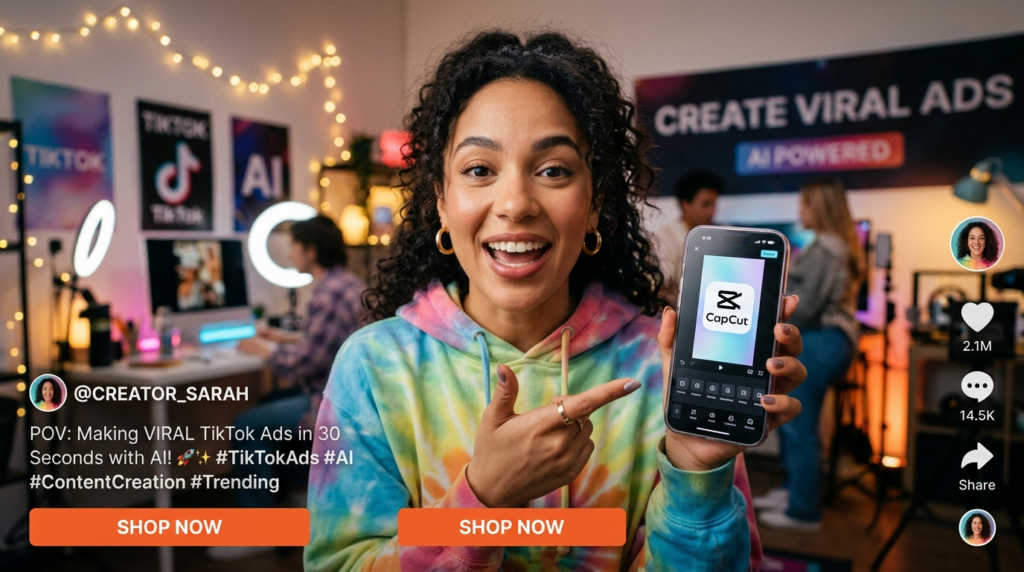
TikTok’s advertising platform rewards authentic, native-looking content that blends seamlessly with organic posts. The platform’s audience responds better to user-generated content (UGC) style videos than polished corporate advertisements. This creates a challenge for brands without access to creator networks or production budgets.
AI solves this problem by generating UGC-style content that looks and feels authentic while maintaining brand control. The technology has advanced to the point where AI-generated ads perform comparably to traditional creator content in many product categories.
The cost difference is substantial. Traditional creator partnerships typically cost $500 to $5,000 per video, depending on follower count and usage rights. AI tools generate similar content for a fraction of that cost, often producing dozens of variations for testing.
Speed represents another advantage. Where traditional production requires weeks for scripting, filming, revisions, and editing, AI workflows complete the same process in hours. This speed enables rapid testing and iteration, which directly impacts campaign performance.
What Is an AI Video Generator for TikTok Ads?
An AI video generator for TikTok ads is a tool that turns product information into short, vertical ad creatives. Depending on the tool, you can start with a product URL, product images, a script, a video clip, or a campaign brief.
The generator can help create:
| Output | How it supports TikTok ad creation |
|---|---|
| Short vertical video ads | Produces mobile-first creative for the TikTok feed |
| Product-focused scripts | Turns product details into concise ad messages |
| Opening hooks | Creates multiple first-three-second variations |
| Captions and text overlays | Makes the message easier to understand without sound |
| AI avatars or voiceovers | Adds presenter-led or localized creative options |
| Multiple ad variations | Helps test different hooks, visuals, and calls-to-action |
Which input should you use?
| Starting point | Best use case |
|---|---|
| Product URL | Fast product-ad generation for e-commerce campaigns |
| Product images | Creating visual ads when you do not have video footage |
| Script | Testing a specific hook, offer, or campaign angle |
| Existing video | Refreshing a proven creative with new captions, hooks, or scene order |
| Campaign brief | Generating multiple concepts for testing |
Section takeaway
Use an AI video generator to create the first version quickly, then improve the hook, pacing, captions, claims, and call-to-action before publishing.
Choose the Best AI TikTok Ad Creation Method
The best method depends on the assets you already have and the type of creative you want to test.
| Starting asset | Recommended workflow | Best for |
|---|---|---|
| Product URL | URL-to-video generation | E-commerce products, TikTok Shop listings, and fast campaign setup |
| Product images | Image-to-video generation | Products with strong photography but limited footage |
| Script or product description | Text-to-video generation | Testing new messages, hooks, and offers |
| Existing product clips | AI remix and editing | Refreshing creative without filming again |
| Customer testimonial | UGC-style video generation | Social-proof campaigns |
| Existing winning concept | Original pattern-based recreation | Testing a new version without copying protected assets |
Which workflow should you start with?
Start with URL-to-video generation when speed matters. Use product-image generation when your listing images are strong. Use remix tools when you already have a video that performed well and want to test a new hook, voiceover, scene order, or call-to-action.
Why this matters
TikTok rewards native-looking content that blends with organic posts. AI helps brands create UGC-style ads at scale while maintaining control over messaging, product positioning, and creative variation.
Method 1: Converting Product URLs to Video Ads with AI
The fastest method for creating TikTok video ads involves AI tools that generate complete videos from product URLs. This approach works exceptionally well for e-commerce sellers with products listed on Amazon, Shopify, or TikTok Shop.
Selecting Your Product and Gathering Assets
Start by choosing a product that already shows market demand. Look for products with existing positive reviews, clear use cases, and visual appeal that translates well to short video format.
Collect your product URL from your sales platform. Most AI ad generators work with direct links from Amazon, Shopify stores, TikTok Shop listings, and other major e-commerce platforms. The URL provides the AI with product information, images, descriptions, and specifications needed to generate relevant content.
If your product images lack visual appeal, enhance them before generating videos. Tools like Nano Banana allow you to modify product photography, adjust backgrounds, and improve lighting digitally. Better source images result in better final videos.
Gather any existing product videos, customer testimonials, or unboxing content you might have. While AI generates new content, having reference material helps ensure the generated videos align with your brand voice and product positioning.
Using Creatify for URL-to-Video Generation
Creatify represents one of the most powerful AI tools for converting product URLs into finished TikTok ads. The platform analyzes your product link and generates multiple video variations with different scripts, visuals, and voiceovers.
Access Creatify’s dashboard and select the URL-to-video option. Paste your product link into the input field. The platform automatically scrapes product information including title, description, key features, pricing, and available images.
Review the extracted product information for accuracy. Creatify allows manual editing of any details it pulls from your listing. Ensure product benefits are correctly identified, as the AI uses this information to generate ad scripts.
Select your target audience and campaign objective. Creatify adjusts script tone, visual style, and call-to-action based on whether you’re targeting direct sales, brand awareness, or consideration-stage customers.
Choose your preferred video length. For TikTok ads, 15-second videos typically perform best, though testing multiple lengths reveals what works for your specific product and audience.
Selecting AI Avatars and Voiceovers
AI avatar selection significantly impacts ad performance. Choose avatars that match your target demographic and product category. A tech product might use a younger, tech-savvy appearing avatar, while wellness products often perform better with avatars that convey warmth and trustworthiness.
Creatify offers extensive avatar libraries covering different ages, ethnicities, styles, and personalities. Test multiple avatars even with identical scripts, as avatar choice can produce dramatically different conversion rates.
Voiceover quality matters more than visual polish on TikTok. Select natural-sounding AI voices that match your avatar and brand personality. Avoid robotic or obviously synthetic voices that reduce credibility.
Pace and tone should match your ad’s emotional arc. Energetic products benefit from faster-paced, enthusiastic delivery. Problem-solving products often perform better with calmer, more authoritative tones.
Some AI platforms including VidAU AI offer advanced voiceover customization with emotional modulation, emphasis control, and multilingual capabilities. These features enable more nuanced delivery that better matches your intended message.
Test voiceovers separately from other variables when possible. Recording the same script with three different voices reveals which vocal characteristics resonate with your audience.
Tip
Test one variable at a time when possible. Avatar choice, script angle, voiceover style, and visual treatment can each change conversion performance, so isolate variables when evaluating results.
Method 2: Recreating Winning TikTok Ads with AI
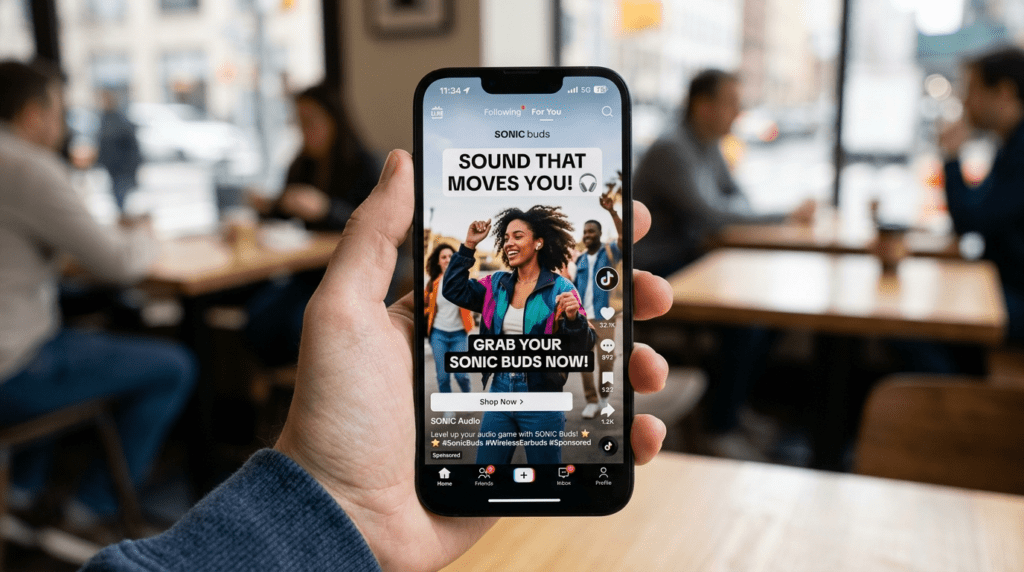
Analyzing and recreating successful competitor ads provides a tested foundation for your campaigns. This method combines competitive research with AI recreation capabilities.
Finding High-Performing Reference Ads
Identify winning ads in your product category using TikTok’s Ad Library, third-party tools like Pipiads or BigSpy, or manual research within the TikTok app.
Look for ads with high engagement rates, strong comment sections, and clear calls-to-action. Comments often reveal what resonates with viewers—whether it’s a specific benefit, the presentation style, or the offer itself.
Save reference ads that align with your product positioning. Download videos using TikTok’s save feature or tools like SaveFrom that preserve video quality for analysis.
Analyze script structure in successful ads. Note hook variations, how problems are presented, solution explanations, and call-to-action phrasing. Create a document outlining these elements for reference during your recreation process.
Pay attention to pacing and editing rhythm. Count the number of cuts, duration of each scene, and how quickly information is presented. Recreating this rhythm helps your AI-generated ads feel native to the platform.
Identify visual patterns that repeat across successful ads in your category. Certain product categories benefit from before/after comparisons, while others perform better with demonstration-focused content.
The Clone and Clean Method
This fastest recreation approach involves downloading a winning ad, replacing competitor branding with your product, and using AI to regenerate certain elements.
Download the reference video in highest quality available. Use the downloaded file as a template in video editing software like CapCut.
Replace visual elements that reference the competitor’s product. This might involve masking their product with yours, swapping out product shots, or regenerating scenes entirely with AI tools.
Use AI object removal tools to eliminate competitor logos, watermarks, or branding elements. CapCut’s AI features can automatically detect and remove logos, though manual refinement often improves results.
Regenerate voiceovers using AI voice cloning that matches the original tone and pacing but delivers your script. This maintains the ad’s proven cadence while presenting your unique value proposition.
Adjust text overlays to feature your product name, benefits, and pricing. Maintain the original placement and animation style while updating the actual content.
This method creates ads quickly but requires careful execution to avoid copyright issues. Ensure you’re recreating the concept and structure rather than directly copying creative elements.
Recreating with AI-Generated Images
A higher-quality approach involves using the reference ad’s structure while generating entirely new visual assets with AI image generators.
Transcribe the reference ad’s script, noting timing for each line and scene. This transcript becomes your blueprint for the recreation.
Use AI image generators like Freepik, Midjourney, or DALL-E to create product images matching scenes from the reference ad. Describe each scene in detail: “close-up of hands holding [product], natural lighting, lifestyle photography style, neutral background.”
Generate variations of each required image. AI image tools produce inconsistent results, so creating 5-10 versions of each scene ensures you have usable options.
Import generated images into video editing software, matching the timing and sequence from your reference ad. This maintains the proven structure while using completely original visual assets.
Add AI avatars if the reference ad uses on-camera talent. Position and scale avatars to match the reference composition, maintaining similar framing and visual hierarchy.
Generate voiceovers matching the reference script’s pacing and tone. Use the original ad as a guide for where emphasis falls and how quickly information is delivered.
This method produces higher-quality results than clone-and-clean while still leveraging proven ad structures.
Watch out
When recreating a winning ad, recreate the concept, structure, pacing, and persuasion pattern. Do not directly copy protected creative elements, competitor branding, or copyrighted assets.
Method 3: Using Specialized AI Ad Generators
Dedicated AI advertising platforms provide end-to-end workflows optimized specifically for social media ads.
TopView for Rapid Ad Generation
TopView specializes in creating UGC-style TikTok ads from minimal input. The platform emphasizes speed and volume, enabling users to generate dozens of ad variations quickly.
Create an account and select your campaign objective. TopView tailors generation parameters based on whether you’re driving traffic, generating leads, or pursuing direct sales.
Upload your product image or paste your product URL. TopView analyzes the visual and extracts product information to inform script generation.
Select your target market and language. The platform generates culturally appropriate content and uses AI voices native to your selected language.
Choose from multiple presentation styles: testimonial-style, demonstration-focused, problem-solution, or comparison-based. Each style suits different products and campaign stages.
Generate a batch of videos in a single workflow. TopView creates multiple versions simultaneously, each with different scripts, voices, visual treatments, and calls-to-action.
Review generated videos in the preview dashboard. TopView provides engagement predictions based on historical performance data, helping prioritize which videos to test first.
Export videos optimized for TikTok specifications. The platform automatically formats output to meet resolution, aspect ratio, and file size requirements.
TikTok Symphony for Platform-Native Creation
TikTok’s own AI ad creation tool, Symphony, offers deep integration with TikTok Ads Manager and access to proprietary creative intelligence.
Access Symphony through TikTok Ads Manager under the creative tools section. The tool requires an active TikTok ad account.
Input product information directly or connect your product catalog. Symphony pulls product details automatically from connected catalogs, streamlining the creation process.
Select from Symphony’s template library featuring top-performing ad structures. These templates are built from analysis of millions of successful TikTok ads.
Customize templates with your product imagery, brand colors, and messaging. Symphony maintains the proven structure while applying your unique elements.
Leverage Symphony’s AI avatar library, which includes avatars specifically optimized for TikTok’s audience and trending styles.
Use auto-captioning features to add subtitles in multiple languages. Captions significantly improve ad performance, as many TikTok users watch videos with sound off.
Symphony provides performance predictions before you launch. The tool estimates expected engagement rates based on creative elements and target audience.
VidAU AI for Multilingual Campaigns
For brands targeting international markets or multilingual audiences, platforms like VidAU AI offer specialized capabilities for creating localized video ads at scale.
The platform supports video generation in multiple languages with native-sounding voiceovers and culturally appropriate avatar selection. This enables simultaneous campaign launches across different markets without requiring multiple production teams.
Video content can be automatically adapted to different regional preferences while maintaining brand consistency. The AI adjusts pacing, visual emphasis, and even color schemes based on cultural research data.
For e-commerce brands expanding internationally, these multilingual capabilities reduce the traditional barriers of video localization while ensuring ads feel native to each target market.
Creating Effective Ad Scripts with AI
Script quality determines ad performance more than any other single factor. AI assists script creation but requires strategic direction.
Script Structure for TikTok Ads
Successful TikTok ad scripts follow a proven four-part structure that aligns with user behavior on the platform.
1
Hook
The hook occupies the first 1-2 seconds and must stop scrolling immediately. Effective hooks present surprising information, ask provocative questions, or show visually arresting imagery. “This $15 tool replaced my $400 appliance” works better than “Check out this amazing product.”
2
Problem identification
Problem identification comes next, connecting with a pain point your audience experiences. Make the problem specific and relatable. “Tired of wasting 20 minutes every morning” resonates more than “Want to save time?”
3
Solution presentation
Solution presentation demonstrates how your product solves the identified problem. Show rather than tell when possible. Visual demonstration of your product in action proves effectiveness more convincingly than verbal claims.
4
Call-to-action
The call-to-action completes the script with clear next steps. Specify the exact action viewers should take: “Click the link below,” “Visit our TikTok Shop,” or “Use code SAVE20 at checkout.” Vague CTAs like “Learn more” underperform specific directions.
Using AI for Script Generation
ChatGPT and similar language models generate effective ad scripts when provided with detailed prompts.
Your prompt should include: product name and category, key benefits, target audience, desired emotional tone, video length, and any specific features to emphasize.
Example prompt: “Write a 15-second TikTok ad script for a portable blender targeting busy professionals. Emphasize convenience and health benefits. Tone should be energetic and relatable. Include a hook about morning smoothies and end with a shop now call-to-action.”
Generate 10-15 script options from a single prompt. AI tools produce varied results, and quantity increases the likelihood of finding exceptional options.
Refine promising scripts iteratively. Take the best AI-generated script and ask for variations: “Rewrite this script with a stronger hook” or “Make this more conversational.”
Combine elements from multiple generated scripts. The hook from one script might combine perfectly with the problem statement from another and the CTA from a third.
Test scripts against TikTok best practices. Scripts should be conversational, front-load value, use active voice, and avoid industry jargon.
Optimizing Visual Elements with AI Tools
Visual quality and style significantly impact ad performance on TikTok’s highly visual platform.
AI Image Enhancement and Background Removal
Product images often require enhancement before incorporating into video ads.
Use AI background removal tools to isolate products from original photos. Services like Remove.bg, Pixlr, and Canva’s background remover create clean cutouts for compositing.
Replace removed backgrounds with lifestyle contexts relevant to your target audience. A kitchen gadget appears more appealing in an attractive kitchen setting than on a white background.
Enhance image quality with AI upscaling tools. If your only product images are low resolution, AI upscalers like Let’s Enhance or Gigapixel improve quality without requiring new photography.
Adjust lighting and color with AI editing tools. Consistent, appealing lighting across all ad scenes creates professional results even when combining images from different sources.
Generate lifestyle scenes with AI when original photography isn’t available. Describe your desired scene to Midjourney or DALL-E: “modern kitchen countertop, morning light, coffee mug and phone visible, warm tones.”
Creating Product Demonstrations with AI Video
AI video generation tools create product demonstrations without filming.
Kling and similar AI video generators create short video clips from text descriptions or images. Describe the action you want shown: “hand picking up the product, rotating it to show all sides, placing it on counter.”
Generate multiple takes of each desired action. AI video tools produce variable results, so creating 5-10 versions of each needed clip ensures usable footage.
Combine AI-generated clips with real product footage when available. Hybrid approaches often deliver the most convincing results.
Use AI video editing to smooth transitions between clips. Tools like CapCut’s AI features automatically match pacing and add transitions that feel natural.
Apply consistent color grading across all clips. This creates visual cohesion even when combining footage from different sources.
Editing and Polishing AI-Generated Ads
Raw AI output typically requires refinement before launch.
Using CapCut for Final Editing
CapCut provides a balance of power and accessibility perfect for polishing AI-generated ads.
Import all generated assets into a new CapCut project. Organize clips, images, and audio files in folders for easy access.
Build your video on the timeline, following your planned script structure. Position visual elements to align with voiceover timing.
Apply transitions between scenes. Simple cuts work well for fast-paced ads, while quick fades suit slightly slower content. Avoid complex transitions that distract from your message.
Adjust audio levels to ensure voiceover remains clearly audible over background music. Voiceover should be 3-5dB louder than music.
Add CapCut’s auto-captions feature for subtitles. Review generated captions for accuracy and fix any transcription errors.
Apply color grading for visual consistency. CapCut’s filters can match the aesthetic of trending TikTok content in your category.
Export in TikTok’s recommended format: 1080×1920 resolution, H.264 codec, AAC audio, 30fps.
Quality Control Checklist
Before launching ads, verify all elements meet quality standards.
- Check audio clarity. Voiceovers should be easily understood without straining. Background music should enhance rather than compete with dialogue.
- Verify visual quality on mobile devices. What looks good on a computer monitor might appear pixelated or too small on phones, where most TikTok viewing occurs.
- Test video with sound off. Approximately 60% of TikTok users browse with sound disabled, so your ad should communicate effectively through visuals and text alone.
- Confirm all text is readable. Show the video to someone unfamiliar with your product and verify they can read all text overlays in real-time.
- Validate claims and information. Ensure all product descriptions, benefits, and pricing mentioned in the ad are accurate and current.
- Check for competitor references or copyrighted elements. If you used the recreation method, verify no protected elements remain from the reference ad.
- Review pacing. TikTok ads should feel energetic without being rushed. Each scene should remain on screen long enough to register but not so long that engagement drops.
Watch out
Raw AI output usually needs refinement before launch. Always review captions, pacing, audio clarity, text placement, product claims, mobile viewing quality, and copyright-sensitive elements.
Launching and Testing AI-Generated Ads
Creating ads is only the first step. Strategic testing reveals what works for your specific audience and product.
Setting Up TikTok Ad Campaigns
Access TikTok Ads Manager and create a new campaign. Select your objective based on your goal: traffic, conversions, or app installs.
Set up your ad group with targeting parameters. For initial testing, broader targeting often reveals unexpected audience segments that respond well to your ads.
Upload your AI-generated videos as ad creatives. TikTok recommends uploading multiple creatives per ad group to enable their algorithm to optimize delivery.
Write compelling ad copy for the text description field. While video carries your primary message, the text description provides additional context and can include links or offers.
Set your budget and bidding strategy. For testing AI-generated ads, start with modest budgets allowing statistical significance without major risk.
Enable TikTok Spark Ads when possible. This ad format uses existing TikTok posts, allowing organic content to gain paid reach. Some AI-generated ads perform better as Spark Ads because they benefit from social proof like likes and comments.
How to Build AI Creative for TikTok Campaigns
AI creative works best when you use it to test controlled variations rather than publish a large number of unrelated videos. Start with one campaign concept and change one major variable at a time.
| Test round | Keep consistent | Change | What you learn |
|---|---|---|---|
| Hook test | Product, offer, CTA, audience | First 1–3 seconds | Which opening gets attention fastest |
| Visual test | Winning hook, script, CTA | Product demo, lifestyle scene, or avatar | Which presentation style communicates value clearly |
| Script-angle test | Product visuals and CTA | Problem-solution, testimonial, demonstration, or comparison | Which message resonates |
| Voiceover test | Script and visuals | Voice, pace, and tone | Which delivery feels most natural |
| CTA test | Winning creative | Shop Now, Learn More, Visit Store, or offer-led CTA | Which next step improves response |
| Localization test | Product positioning | Language, captions, avatar, and regional wording | Which version fits each market |
How many AI TikTok ad creatives should you test?
Start with three to five variations of one concept. For example, generate five videos with the same product visuals and call-to-action but different hooks. Keep the winning hook, then test a second variable.
Section takeaway
Use AI to create structured variations, not random variations. Controlled testing makes the results easier to interpret and improves the next round of creative production.
Leveraging TikTok Shop Integration
For e-commerce sellers, TikTok Shop provides seamless integration between ads and purchases.
Connect your product catalog to TikTok Ads Manager. This enables dynamic product ads and simplifies the ad creation process for multi-product stores.
Use TikTok Shopping Ads format for AI-generated content. These ads include product cards with pricing and “Shop Now” buttons directly in the video.
Optimize for TikTok Shop conversions in your campaign settings. TikTok’s algorithm then prioritizes showing your ads to users likely to purchase within the app.
Create collection ads featuring multiple products. AI tools can generate videos showcasing product collections, increasing average order value.
Enable TikTok Shop’s livestream integration. Some AI platforms generate video content that can introduce products later featured in live shopping events.
Monitor TikTok Shop analytics alongside ad performance. The connection between ad creative elements and actual purchase behavior reveals insights impossible to gain from ad metrics alone.
Create TikTok Video Ads with AI
Use VidAU AI to generate multilingual TikTok video ads, product demonstrations, UGC-style creatives, avatars, voiceovers, subtitles, and platform-ready ad variations.
VidAU workflow
From product asset to TikTok ad testing system
- Start with product inputs: Use product URLs, images, descriptions, benefits, testimonials, or existing product clips as the foundation for your ad creative.
- Generate creative variations: Build multiple scripts, avatars, voiceovers, visuals, captions, and UGC-style video versions for testing.
- Localize and adapt: Use VidAU AI for multilingual voiceovers, culturally appropriate avatars, subtitles, and regional campaign versions when targeting international markets.
- Test and refresh: Launch multiple ad variations, track performance, scale winners gradually, and refresh creative every 7-14 days to reduce fatigue.
Key takeaway
Conclusion
AI-powered TikTok ad creation gives e-commerce brands, sellers, affiliates, and marketers a faster way to move from product URL to test-ready creative. Instead of relying only on expensive shoots, creator partnerships, or long editing timelines, AI workflows can generate product demonstrations, UGC-style videos, scripts, avatars, voiceovers, captions, and multilingual ad variations in a fraction of the time.
The strongest results still depend on strategy. Choose products with market demand, use native-looking visuals, customize scripts, select natural voices, test avatars and hooks, polish raw AI output, and launch structured A/B tests. Tools like VidAU AI can support this workflow especially when you need multilingual campaigns, localized creative, and scalable TikTok video ad production.
FAQ
What is the best AI tool to create TikTok video ads?
The best tool depends on your specific needs. Creatify excels at converting product URLs into complete ads quickly. TopView specializes in rapid UGC-style ad generation.
Can AI-generated TikTok ads perform as well as creator-made content?
Yes, AI-generated ads regularly achieve performance comparable to traditional creator content when properly executed. The key is creating ads that look native to TikTok rather than obviously AI-generated.
How much does it cost to create TikTok ads with AI tools?
Costs vary significantly by tool. Some platforms offer free tiers with limited features or video credits. Mid-tier plans typically range from $30 to $100 per month and include enough credits for regular ad creation.
Do I need any video editing experience to create AI TikTok ads?
No extensive experience is required. Modern AI tools handle most technical aspects automatically. Basic familiarity with video editing concepts helps with refinement, but you can create functional ads with no prior experience.
How long does it take to create a TikTok ad with AI?
Using URL-to-video tools, you can generate a complete ad in 5-10 minutes. More sophisticated approaches involving custom assets and multiple variations might take 30-60 minutes.
What video format and specifications should I use for TikTok ads?
TikTok recommends vertical video (9:16 aspect ratio) at 1080×1920 resolution. Video length can range from 5 to 60 seconds, though 9-15 seconds typically performs best for in-feed ads.
Can I use TikTok videos from other creators in my ads?
You cannot use other creators’ videos without explicit permission due to copyright restrictions. However, you can use your own TikTok posts as Spark Ads, which is a specific ad format that promotes existing organic content.
How do I make AI-generated ads look authentic and not obviously artificial?
Focus on natural voiceovers rather than robotic AI voices. Use conversational scripts with platform-appropriate language. Avoid overly perfect visuals—slight imperfections increase authenticity.
Should I create separate ads for TikTok Shop versus regular TikTok ads?
Yes, TikTok Shop ads should emphasize immediate purchasing capability since users can buy without leaving the app. Include clear product information, pricing if competitive, and “Shop Now” calls-to-action.
How many ad variations should I test simultaneously?
Start with 3-5 variations testing a single variable like different hooks or avatars. This provides enough variety for meaningful comparison without diluting budget too much.
What are TikTok video ad specs I need to follow?
TikTok accepts multiple specifications but optimal results come from: 9:16 vertical aspect ratio, 1080×1920 pixel resolution minimum, 5-60 second duration, MP4 or MOV format, H.264 video codec, AAC audio codec, and maximum 500MB file size.
Can AI tools create ads for multiple products automatically?
Yes, most enterprise-level AI ad platforms support batch processing of multiple product URLs. You can upload a product catalog and automatically generate ads for numerous items.
How often should I refresh my AI-generated TikTok ads?
Plan to refresh ads every 7-14 days even when performance remains strong. TikTok users develop creative fatigue faster than on other platforms due to high content consumption volume.
How do I create TikTok ads with AI?
Start with a product URL, product images, a script, or existing footage. Use an AI video generator to create a short vertical ad, improve the first-three-second hook, add captions and a call-to-action, review the final output, and test several variations in TikTok Ads Manager.
What is the best AI video generator for TikTok ads?
The best tool depends on your starting assets and campaign workflow. Use a URL-to-video generator for fast e-commerce ads, an image-to-video generator when you have strong product photography, and an AI remix tool when you want to refresh existing clips.
Can I use an AI video generator for TikTok campaigns?
Yes. AI video generators can help produce multiple campaign creatives, including new hooks, scripts, captions, avatars, voiceovers, and localized versions. Test one major creative variable at a time so you can identify which change improves results.
What is a TikTok video ad creator?
A TikTok video ad creator is a tool that helps produce vertical advertising videos for TikTok. Some creators use AI to generate videos from a product URL, image, script, or existing footage.
How many AI TikTok ad variations should I test?
Start with three to five variations that change one major creative variable, such as the hook, avatar, voiceover, visual sequence, or call-to-action.
Can I create TikTok Shop ads with AI?
Yes. You can use product URLs, listing images, scripts, and existing clips to create short TikTok Shop ad variations. Review the product details, pricing, captions, and call-to-action before publishing.