AI Automation Strategy for $1M+ Businesses: How to Scale 10x Without Proportional Headcount Growth in 2026
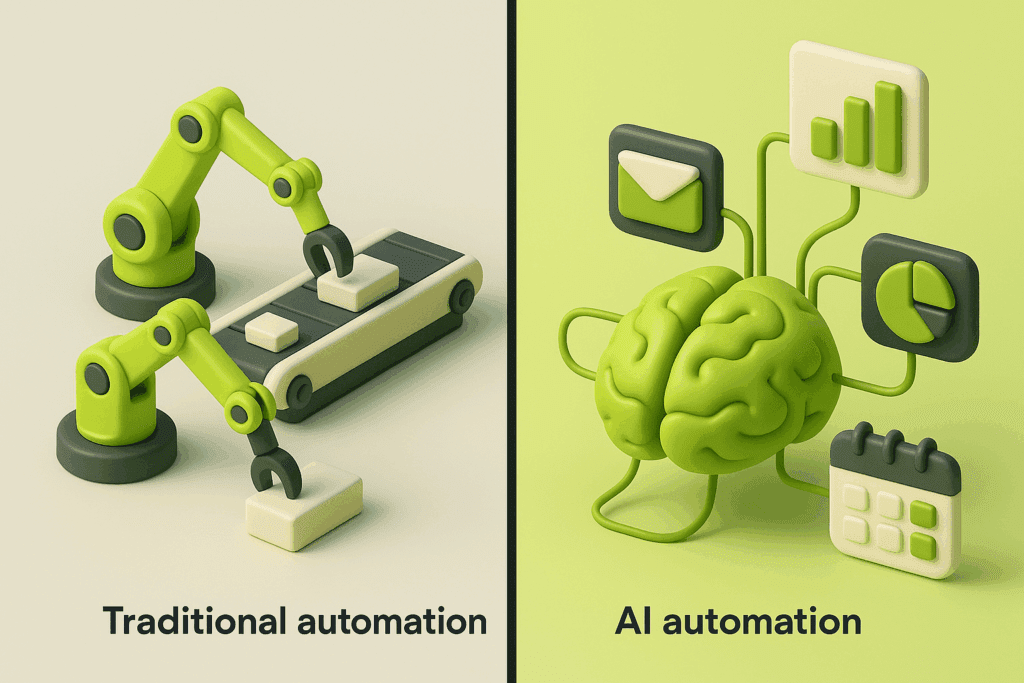
How top businesses are using AI automation to scale 10x without hiring proportionally. While most $1M+ businesses are trapped in the linear growth model—adding headcount to increase revenue—a select group of companies has cracked the code on exponential scaling through strategic AI automation. They’re achieving 10x revenue growth with only 2-3x increases in team size, fundamentally rewriting the economics of business scaling.
The New Economics of Scale: AI-First vs. Human-First Growth
The traditional scaling playbook is broken. For decades, business growth meant proportional hiring: double your revenue, double your team. This model creates a profit ceiling because personnel costs scale linearly with revenue growth. The math simply doesn’t work for exponential expansion.
AI automation fundamentally changes this equation. By strategically implementing automation in high-leverage areas, businesses are achieving what was previously impossible: exponential output with logarithmic cost increases. The companies winning this transformation aren’t simply “using AI”—they’re architecting their operations around a strategic framework that identifies automation opportunities, builds scalable stacks, and avoids the implementation pitfalls that derail 80% of AI initiatives.
Pillar 1: Identifying High-Leverage Automation Opportunities in Your Business
The critical mistake most businesses make is automating randomly rather than strategically. They implement AI tools because they’re trendy, not because they solve high-impact problems. This scattershot approach wastes resources and creates disillusionment with AI’s potential.
The High-Leverage Framework
High-leverage automation opportunities share three characteristics:
1. High Volume, High Repeatability
Look for processes your team executes dozens or hundreds of times weekly. These are your automation goldmines. Customer support responses, content creation, data entry, lead qualification, report generation—any task performed repeatedly is a candidate.
For a $2M B2B SaaS company we analyzed, their sales team spent 18 hours weekly manually qualifying inbound leads. By implementing an AI-powered qualification system using natural language processing and decision trees, they reduced this to 3 hours of human review time, freeing up 15 hours per week per sales rep for high-value conversations.
2. Clear Input/Output Relationships
The best automation candidates have well-defined inputs and predictable outputs. Ambiguous creative decisions and complex judgment calls remain human domains (for now). Focus first on processes where success criteria are measurable and consistent.
Consider content creation: repurposing a podcast episode into blog posts, social content, and email newsletters follows a repeatable pattern. The input (transcript) and outputs (formatted content) are clearly defined, making this ideal for automation.
3. Bottleneck Impact
Prioritize automating bottlenecks that constrain revenue growth. If your sales team can’t follow up with leads fast enough, automate lead nurturing. If content production limits your marketing reach, automate content repurposing and distribution.
One e-commerce brand we studied identified product photography as their growth bottleneck. Creating professional product images required hiring photographers, renting studios, and managing complex workflows. By implementing AI image generation and enhancement tools, they reduced per-product photography costs by 87% and cut production time from weeks to days.
The Automation Audit Process
Step 1: Time Tracking Analysis
Have your team log activities for two weeks. Categorize by task type, frequency, and time investment. This reveals where human hours actually go—often dramatically different from assumptions.
Step 2: Value Scoring
Score each activity on two dimensions:
– Automation Feasibility (1-10): How easily can AI handle this task?
– Business Impact (1-10): How much does automating this move key metrics?
Multiply these scores. Activities scoring 70+ are your immediate opportunities.
Step 3: Dependency Mapping
Some automations unlock others. Automating data collection enables automated analysis, which enables automated reporting. Map these dependencies to identify automation sequences that compound value.
Pillar 2: Building an AI Automation Stack That Scales With Revenue
Once you’ve identified high-leverage opportunities, the next challenge is implementation. The mistake here is building point solutions—isolated automations that don’t integrate or scale. Instead, architect a connected automation stack that grows with your business.
The Four Layers of a Scalable AI Stack
Layer 1: Data Infrastructure
AI automation requires clean, accessible data. Before implementing any AI tools, ensure your data foundation is solid:
– Centralized Data Warehouse: Consolidate data from CRM, marketing platforms, financial systems, and operational tools into a single source of truth. Tools like Snowflake, BigQuery, or even well-structured Airtable bases work for different scales.
– API Connectivity: Every system should communicate via APIs. This enables automation tools to pull data, process it, and push results without manual intervention.
– Data Quality Protocols: Implement validation rules, deduplication processes, and standardization. Poor data quality will sabotage AI accuracy.
A $3M professional services firm spent $40K and three months building proper data infrastructure before implementing any AI. This foundation enabled them to deploy seven automated workflows in the following quarter, each taking days rather than months to implement.
Layer 2: Process Automation Layer
This layer handles repeatable workflows and decision logic:
– Workflow Automation Platforms: Tools like Zapier, Make (formerly Integromat), or n8n connect applications and trigger actions based on conditions. When a lead submits a form, the automation can score the lead, add them to appropriate sequences, notify sales, and schedule follow-ups—all without human intervention.
– Decision Trees: Implement rule-based logic for standard decisions. If lead score > 80 and industry = target vertical and company size > 50, route to enterprise sales. Otherwise, nurture via email sequence.
– Document Generation: Automate creation of proposals, contracts, reports, and presentations using templates populated with relevant data.
Layer 3: AI Intelligence Layer
This is where AI adds genuine intelligence—understanding context, generating content, and making predictions:
– Natural Language Processing: Deploy AI to understand and generate written content. Use cases include drafting emails, summarizing calls, extracting insights from documents, and creating marketing copy.
– Predictive Analytics: Implement machine learning models that forecast outcomes—lead conversion probability, customer churn risk, revenue projections, inventory needs.
– Computer Vision: For businesses dealing with visual content, AI can analyze images, generate product photos, create marketing visuals, and perform quality control inspections.
– Voice AI: Automate phone interactions, transcribe meetings, analyze sales calls for coaching opportunities, and provide real-time conversation assistance.
A $5M e-learning company built their AI intelligence layer around content creation. They use AI to:
1. Generate course outlines from topic inputs
2. Draft lesson content following their pedagogical framework
3. Create assessment questions aligned to learning objectives
4. Generate marketing copy for course launches
5. Produce supplementary visual content
This stack reduced course development time from 120 hours to 35 hours, with human experts focusing on review, refinement, and high-level instructional design.
Layer 4: Orchestration and Monitoring
The final layer ensures your automation stack operates reliably:
– Monitoring Dashboards: Track automation performance, error rates, processing times, and business impact. Set alerts for failures or anomalies.
– Version Control: Maintain documentation of automation logic, API configurations, and AI model versions. This enables troubleshooting and prevents knowledge silos.
– Feedback Loops: Implement mechanisms for humans to provide feedback on AI outputs. This data continuously improves model performance.
– Governance Framework: Establish approval workflows for automations that handle sensitive decisions, customer communications, or financial transactions.
Integration Architecture Principles
Principle 1: Build Modular Components
Create automation modules that can be combined and reused. A lead scoring module might feed both your email automation and sales routing systems. A content generation module might produce both blog drafts and social posts.
Principle 2: Design for Failure
Automations will fail—APIs go down, data formats change, edge cases appear. Build error handling, fallback options, and human review triggers. When an automation can’t complete confidently, it should escalate to a human rather than fail silently or produce poor output.
Principle 3: Optimize for Iteration
Your first automation version won’t be perfect. Design systems that are easy to modify based on performance data and changing business needs. Quick iteration beats perfect initial design.
Principle 4: Balance Automation and Control
Full automation isn’t always optimal. Often, the best approach is “human-in-the-loop”—AI handles 80% of the work, humans review and refine the remaining 20%. This maintains quality while capturing most efficiency gains.
Pillar 3: Common Pitfalls and How to Avoid Them When Implementing AI

Even with clear opportunities and solid architecture, AI automation initiatives fail frequently. Understanding common pitfalls helps you navigate implementation successfully.
Pitfall 1: Automating Broken Processes
The Problem: Automating a poorly designed process just means failing faster at scale. If your manual lead qualification process has a 40% error rate, automating it will generate errors at higher volume.
The Solution: Fix processes before automating them. Map current workflows, identify inefficiencies, redesign for optimal outcomes, then automate the improved version. This often reveals that “automation” isn’t needed—sometimes process redesign alone solves the problem.
Pitfall 2: Underestimating Change Management
The Problem: Your team resists automation because they fear job loss, don’t trust AI outputs, or find new systems complicated. Resistance sabotages even technically sound implementations.
The Solution: Position automation as capability enhancement, not replacement. Involve team members in identifying automation opportunities—they know pain points best. Provide training and celebrate wins. Most importantly, redeploy team capacity toward higher-value work rather than reducing headcount, at least initially.
One company we studied made their implementation team “automation champions”—giving them ownership of the transition and recognition for improvements. Resistance transformed into advocacy.
Pitfall 3: Ignoring Data Privacy and Security
The Problem: AI tools often require access to sensitive customer data, proprietary information, or confidential business metrics. Inadequate security creates legal liability and reputational risk.
The Solution: Conduct security audits of all AI vendors. Understand where data is stored, how it’s encrypted, who has access, and how it’s used for model training. Implement data anonymization where possible. Ensure compliance with GDPR, CCPA, and industry-specific regulations. For highly sensitive use cases, consider on-premise or private cloud deployments.
Pitfall 4: Expecting Perfection Immediately
The Problem: AI systems require training and refinement. Expecting human-level performance on day one leads to disappointment and premature abandonment of valuable tools.
The Solution: Set realistic accuracy expectations based on the task complexity. Start with lower-stakes use cases where errors have minimal consequences. Implement human review for critical outputs during the training phase. Measure improvement over time rather than demanding perfection immediately.
A customer service team implementing AI-generated response suggestions started with an 65% acceptance rate—meaning agents modified or rejected 35% of suggestions. After three months of feedback and model refinement, acceptance reached 88%, and average response time dropped by 53%.
Pitfall 5: Building Everything Custom
The Problem: Some businesses attempt to build proprietary AI systems from scratch, assuming custom solutions will provide competitive advantage. This dramatically increases cost, complexity, and time-to-value.
The Solution: Leverage existing AI platforms and APIs for 90% of use cases. OpenAI, Anthropic, Google, and Microsoft offer sophisticated AI capabilities via API. Workflow platforms handle integration and orchestration. Reserve custom development for truly unique competitive differentiators where off-the-shelf solutions don’t exist.
Pitfall 6: Neglecting ROI Measurement
The Problem: Without clear metrics, you can’t determine which automations deliver value or justify continued investment. Many businesses implement AI without tracking actual business impact.
The Solution: Define success metrics before implementation. For efficiency automations, track time saved, cost reduction, and capacity created. For revenue automations, measure conversion rates, deal velocity, and revenue attribution. Review metrics monthly and sunset underperforming automations while scaling successful ones.
Create an “automation scorecard” showing:
– Hours saved per week
– Cost per task (before vs. after)
– Quality metrics (accuracy, customer satisfaction)
– Revenue impact (if applicable)
– Team satisfaction with the automation
Implementation Framework: Your 90-Day AI Automation Roadmap
Here’s a practical framework for businesses ready to implement strategic AI automation:
Days 1-30: Assessment and Strategy
Week 1-2: Automation Audit
– Conduct time-tracking analysis
– Score opportunities using the Value Scoring framework
– Map dependencies and sequence opportunities
– Select 2-3 high-impact initiatives for initial implementation
Week 3-4: Infrastructure and Planning
– Audit current data infrastructure and identify gaps
– Select automation tools and platforms
– Design integration architecture
– Establish success metrics and tracking mechanisms
– Secure budget and team buy-in
Days 31-60: Implementation Phase 1
Week 5-6: Foundation Building
– Implement necessary data infrastructure improvements
– Set up automation platforms and API connections
– Document current process workflows in detail
– Begin team training on new tools
Week 7-8: First Automation Deployment
– Build and test your first automation (choose a high-impact, moderate-complexity opportunity)
– Implement with human-in-the-loop review
– Gather feedback from team members
– Measure initial performance against baselines
Days 61-90: Scaling and Optimization
Week 9-10: Refinement
– Analyze performance data from first automation
– Make adjustments based on feedback and results
– Document learnings and best practices
– Begin second automation implementation
Week 11-12: Expansion
– Deploy second automation
– Connect automations where dependencies exist
– Calculate ROI and business impact
– Develop roadmap for next 3-6 months of automation initiatives
– Present results to leadership and secure ongoing investment
Beyond 90 Days: Continuous Improvement
Successful AI automation isn’t a project with an end date—it’s an ongoing capability. Establish quarterly planning cycles to:
– Review automation performance
– Identify new opportunities as business evolves
– Upgrade to improved AI models and platforms
– Share knowledge and best practices across the organization
– Adjust strategy based on competitive landscape and technology advances
The Competitive Advantage of Strategic AI Automation
Businesses implementing strategic AI automation are building sustainable competitive moats. As they scale revenue without proportional cost increases, they generate higher profit margins that can be reinvested in product development, marketing, and strategic initiatives. This creates a compounding advantage over competitors stuck in linear growth models.
The window of opportunity is now. In 2026, early adopters are establishing 2-3 year leads over competitors. By 2028, AI automation will be table stakes—the baseline expectation, not a differentiator. The businesses winning this transition are those moving from experimentation to strategic implementation today.
The question isn’t whether to implement AI automation, but how quickly you can architect and deploy systems that transform your business economics. The companies scaling 10x without proportional hiring aren’t waiting for perfect solutions—they’re iterating rapidly, learning continuously, and building the operational infrastructure for exponential growth.
Your move.
Frequently Asked Questions
Q: What’s the realistic ROI timeline for AI automation investments?
A: Most businesses see initial ROI within 3-6 months for process automation implementations. Efficiency gains typically deliver 5-10x return in the first year through time savings and capacity creation. More complex AI intelligence implementations (predictive analytics, content generation) may take 6-12 months to show full ROI as models are trained and refined. The key is starting with high-impact, moderate-complexity opportunities that deliver quick wins while building toward more sophisticated capabilities.
Q: How much should a $1M+ business budget for AI automation?
A: A strategic AI automation initiative typically requires 3-8% of revenue annually. For a $2M business, this means $60K-160K per year including tools, implementation, and partial FTE for ongoing management. However, this investment should reduce operational costs by 15-30% within 12-18 months, creating positive cash flow. Start with a 90-day pilot of $10K-25K to prove ROI before committing to larger investments.
Q: Do I need to hire AI specialists or data scientists?
A: Not initially. Most $1M-$10M businesses can implement high-impact AI automation using no-code/low-code platforms and existing staff who understand business processes. Hire a fractional AI consultant for 90-day implementation guidance rather than full-time specialists. Once you’re scaling multiple automations and generating significant value, consider hiring a dedicated automation manager. Reserve data scientists for businesses with unique competitive use cases that require custom machine learning models.
Q: What if my team resists AI automation due to job security concerns?
A: Reframe automation as capacity creation rather than job elimination. Show team members how automation eliminates tedious work, allowing them to focus on higher-value activities that are more engaging and better compensated. Involve employees in identifying automation opportunities—they become advocates when they see pain points solved. Commit to redeploying capacity toward growth initiatives rather than headcount reduction, at least for the first 12 months. Most businesses find they need more humans as they scale revenue, just in different roles.
Q: Which business functions typically provide the highest automation ROI?
A: Customer support, content marketing, lead qualification, data entry, and reporting typically deliver the fastest and highest ROI. These functions involve high-volume, repeatable tasks with clear success criteria. Customer support automation can reduce response times by 60-80% while handling 40-60% of inquiries without human intervention. Content marketing automation can increase output by 5-10x with human oversight. Lead qualification automation can free up 10-15 hours per week per sales rep. Start with your biggest bottleneck among these functions.