AI UGC Ads · Realistic Ad Creative Workflow
How to Create AI UGC Ads That Look Real (Tools & Workflow)
Learn how to create AI UGC Ads that feel real using scripting automation, AI actor generation, product grid references, video rendering, voiceover, and batch creative workflows.
By the Sarah Iruoje · AI UGC ads guide · 10 min read
Most UGC ads fail not because the product is bad, but because the content looks staged. Real user-generated content works because it feels unfiltered. The challenge for ecommerce brands is producing that feeling at scale without a roster of paid creators.
AI UGC Ads solve this by combining scriptwriting automation, AI actor generation, and video synthesis into a single production pipeline. Tools like Seedance 2.0, Claude, Arcads, and ElevenLabs now make it possible to generate dozens of realistic ad variations from a single product image. The output quality has reached a point where these ads perform on TikTok and Meta alongside content from real creators.
This guide walks through the complete workflow, from scripting and actor generation to video rendering and platform optimization, so you can build a repeatable system for ad production.
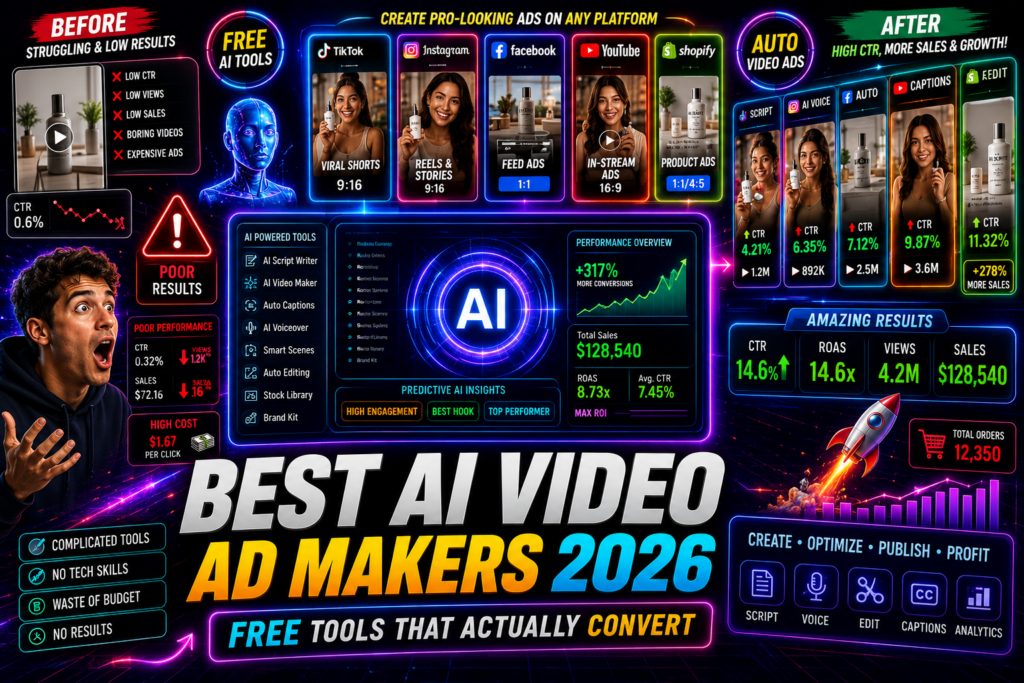
Featured image placeholder for AI UGC Ads, Claude scripting, Seedance 2.0 video generation, product grid references, ElevenLabs voiceover, Arcads automation, and VidAU AI video workflows.
Quick Summary
- AI UGC Ads use tools like Seedance 2.0, Claude, and Arcads to generate realistic user-style video ads without hiring creators.
- The most effective 2026 workflow combines Claude for scripting, Higgsfield or Arcads for video generation, and ElevenLabs for voiceover.
- The product grid reference technique significantly improves how well products appear in AI actor hands.
- Full automation using Claude Code and the Arcads API lets you clone viral ads and generate hundreds of variations from one product image.
In This Guide
- What AI UGC Ads are and why they work
- Why this approach matters for ecommerce brands
- Step-by-step workflow from script to final video
- Best tools and when to use each one
- Platform-specific optimization for TikTok and Meta
- Common mistakes that break realism
- Advanced strategies including viral ad cloning and batch automation
- Final Thoughts
- FAQ
What Is an AI UGC Ad?
An AI UGC Ad is a video advertisement designed to look and feel like organic user-generated content, produced entirely using AI tools instead of real creators. These ads typically feature AI-generated actors holding or demonstrating a product, a spoken script delivered in a natural voice, and casual selfie-style framing that mimics authentic reviews or testimonials.
The format works because it carries the visual language of real user content while giving brands full control over messaging, pacing, and product placement.
Key definition
AI UGC Ads are ad videos that mimic organic user-generated content while using AI for scripting, actor generation, video synthesis, voiceover, and editing. The goal is to preserve the casual feel of real UGC while giving brands repeatable control over creative testing.
Why AI UGC Ads Matter for Ecommerce Brands
Hiring real UGC creators is expensive and slow. A single video from a vetted creator can cost hundreds of dollars and take weeks to produce. That timeline makes creative testing nearly impossible at the speed Meta and TikTok algorithms require.
AI UGC Ads change the economics. Once you have a working workflow, generating a new variation takes minutes rather than days. You can test five different hooks, three different actors, and two different scripts simultaneously without additional creator fees.
The realism question was the main objection a year ago. Current models like Seedance 2.0 have largely closed that gap for straightforward product demonstrations. Brands running Shopify stores, dropshipping operations, and DTC campaigns are reporting competitive ROAS from AI-generated creatives that were previously only achievable with professional productions.
That said, execution still matters. A poorly prompted AI video with awkward product placement will underperform a well-shot real UGC every time. The workflow below is built around the quality controls that separate effective AI ads from generic ones.
Key Takeaways
- AI UGC Ads reduce the time and cost of creator-style ad production.
- New variations can be generated in minutes once the workflow is built.
- Seedance 2.0 and similar models have improved realism for straightforward product demonstrations.
- Execution quality still determines whether an AI UGC ad feels believable.
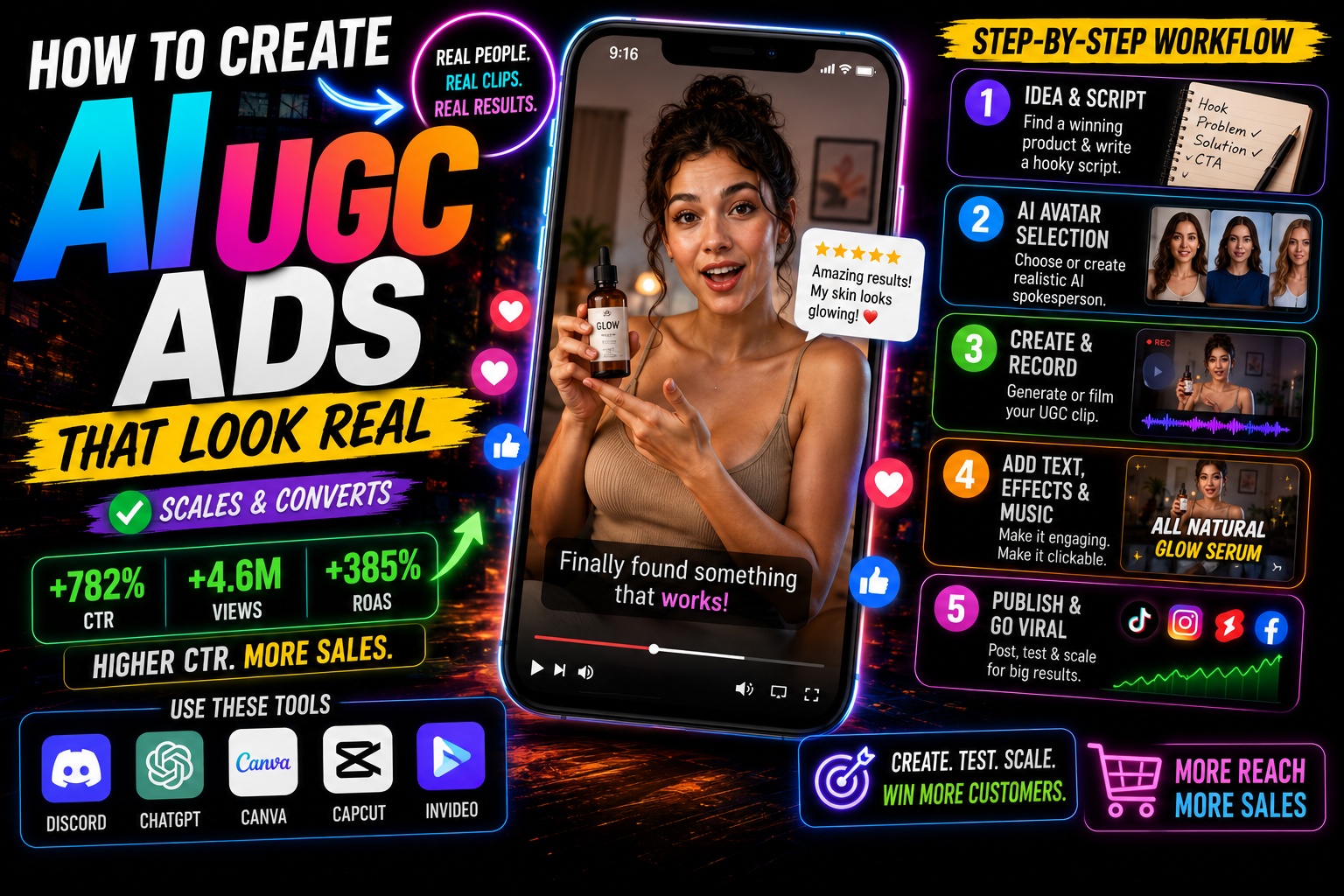
Step-by-Step Workflow for Creating AI UGC Ads
Step 1: Research and Script with Claude
Start with competitive research. Use an ad spy tool like Winning Hunter to find ads in your niche that are actively running and have been running for weeks. These are your reference ads.
Feed the reference ad structure into Claude with a prompt that asks it to extract the hook style, emotional arc, and CTA format. Then ask Claude to rewrite that structure for your product using a Claude Skill file configured for UGC ad scripting. This gives you consistent output across multiple scripts without rewriting prompts from scratch each time.
A good Claude UGC skill file tells the model to write in a conversational first-person voice, keep sentences short, front-load the hook within the first three seconds, and avoid overly polished language that reads like ad copy.
Step 2: Generate Your AI Actor
For actor generation, Nano Banana Pro is currently one of the strongest options for producing realistic AI humans with natural skin texture and believable facial expressions. The key prompt parameters to control are lighting style (natural, soft indoor), camera angle (selfie-style or slight low angle), and clothing that matches your target customer.
Avoid overly polished or studio-lit actors. The selfie aesthetic is what makes these ads feel like real UGC rather than branded content.
Step 3: Create a Product Grid Reference
This is the step most people skip, and it is one of the biggest quality differences between average and convincing AI UGC Ads.
A product grid reference is a simple image document showing your product from multiple angles with consistent lighting. When you feed this reference into your video generation model alongside your actor prompt, the model has enough visual context to place the product accurately in the actor’s hand or environment.
Without a product grid, the model guesses at product shape, color, and proportions. With one, placement accuracy improves significantly. ElevenLabs Studio and Higgsfield Marketing Studio both support this reference input method.
Step 4: Generate the Video with Seedance 2.0 or Veo 3.1
Seedance 2.0 is currently integrated into both Arcads and Higgsfield Marketing Studio. For most ecommerce ads, Higgsfield Marketing Studio is the faster option since it wraps the generation process in a purpose-built ad creation interface.
For more complex scenes, Veo 3.1 and Kling 2.6 are strong alternatives. Veo 3.1 handles dynamic scenes and movement particularly well. Kling 2.6 is useful for motion design end screens.
Prompt structure for the video generation step should include:
- Actor description from Step 2
- Product reference from Step 3
- Scene context (indoors, kitchen, gym, street)
- Camera movement (static, slow zoom, handheld)
- Emotional tone (excited, casual, relatable)
Step 5: Add Voiceover with ElevenLabs
Once you have your video clip, sync the script from Step 1 using ElevenLabs for voiceover. Choose a voice that matches the actor’s apparent demographic. ElevenLabs Studio also lets you edit clip timing and generate background music, which saves a separate editing step.
For lip sync, tools like Sieve work well when you need the AI actor’s mouth to match the spoken audio.
Step 6: Edit and Finalize in CapCut
CapCut handles the final assembly: trimming clips, adding captions, overlaying product shots, and applying the motion design end screen from Kling 2.6. Keep the edit pace tight. UGC ads that perform well on TikTok and Meta rarely exceed 30 to 45 seconds.
Suggested Visual: Screenshot showing a side-by-side of a product grid reference image and the resulting AI actor video frame with accurate product placement.
Tip
The product grid reference step is one of the biggest realism upgrades. Give the model multiple product angles before asking it to place the product in an AI actor’s hand or environment.
Best Tools for AI UGC Ads
| Stage | Recommended Tools | Why |
|---|---|---|
| Scripting | Claude, ChatGPT | Fast structured UGC script output |
| Actor generation | Nano Banana Pro, Artguru | Realistic skin, selfie-style framing |
| Video generation | Seedance 2.0 via Higgsfield, Veo 3.1 | Natural movement, product accuracy |
| Voiceover | ElevenLabs | High-realism voice with sync support |
| Editing | CapCut, ElevenLabs Studio | Fast assembly, caption tools |
| Automation | Arcads, Claude Code | Batch generation, API-driven workflows |
For teams that want a more integrated AI video creation (https://www.vidau.ai/vidau-ai-video/) pipeline, VidAU AI also supports AI avatar and UGC-style video production, which can complement the multi-tool workflow described here.
Create Your First UGC Ads With VidAU
Use VidAU AI to create AI avatar videos, UGC-style ad content, product sample videos, text-to-video campaigns, and product-focused ad creatives alongside your multi-tool UGC production pipeline.
VidAU workflow
Where VidAU fits into an AI UGC ad pipeline
- Start with your product or script: Use a product sample, product URL, script, or product image as the input for AI-assisted ad production.
- Create human-facing ad content: Use AI avatar and UGC-style workflows to create spokesperson-style content without filming a real creator.
- Turn product assets into video: Use product-focused video generation to convert product samples and visuals into usable ad scenes.
- Add voice and captions: Combine natural voiceover, captions, and tight editing so the output feels native to TikTok and Meta.
- Scale variations: Generate multiple hooks, scripts, avatars, and product angles so you can test more creative without adding creator costs.
Platform-Specific Optimization for UGC Ads
TikTok
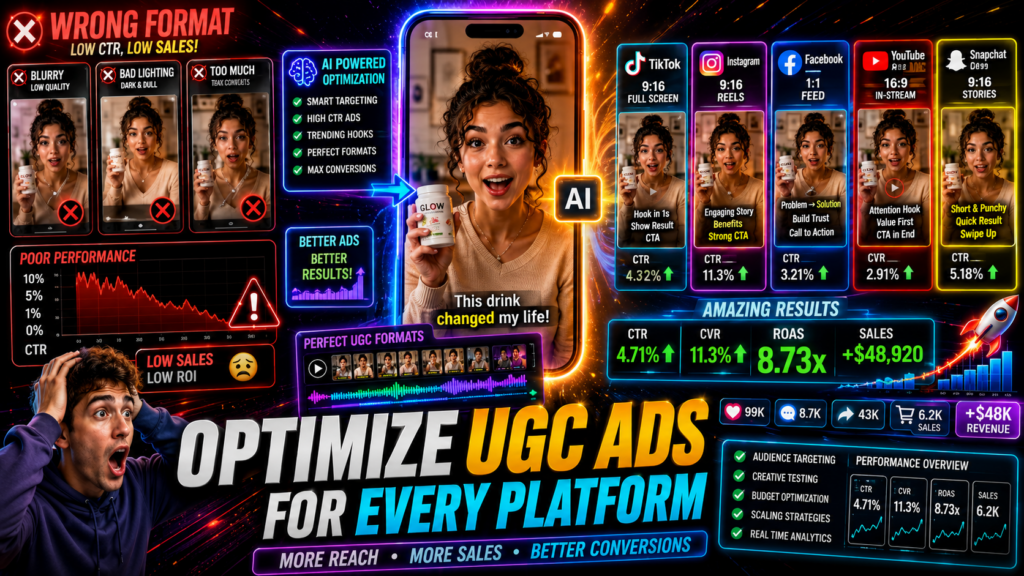
TikTok rewards content that feels native to the feed. Use vertical 9:16 framing, keep the hook within the first two seconds, and avoid any element that reads as traditional ad creative. Captions should be styled like organic TikTok captions, not branded overlays. The selfie camera angle and natural lighting from your actor generation step directly support this.
Meta Ads
Meta allows more format flexibility, but the UGC aesthetic still outperforms polished video for many direct-response campaigns. Square and vertical both work. The script structure matters more on Meta since users scroll with sound off. Strong text overlays and a visible product within the first three seconds improve performance.
For both platforms, test multiple hooks using the same underlying video. You can cut three different opening lines from a single generated actor video and run them as separate creatives to identify which angle resonates fastest.
Suggested Visual: Example showing three hook variations clipped from the same AI UGC ad video, formatted for Meta ad testing.
| Platform | Optimization approach |
|---|---|
| TikTok | Use vertical 9:16 framing, a hook in the first two seconds, organic-style captions, selfie camera angle, and natural lighting. |
| Meta Ads | Use square or vertical formats, strong text overlays, a visible product in the first three seconds, and sound-off-friendly script structure. |
| Both platforms | Test multiple hooks using the same underlying video to identify the fastest-resonating angle. |
Tip
Do not test only full ad variations. Cut multiple hook openings from the same generated actor video so you can isolate which first two or three seconds drive the best response.
Common Mistakes That Hurt Realism
Skipping the product grid reference. This produces generic or inaccurate product placement, which breaks the illusion immediately.
Using overly polished actors. Studio-lit, symmetrical, perfectly styled AI actors look like stock content, not real users. Intentionally introduce casual elements.
Writing scripts that sound like ad copy. Phrases like “limited time offer” or “clinically proven” destroy the UGC feel. Write the way a real customer would speak.
Generating complex multi-scene ads. Current AI video models produce their best results on single-scene, single-actor formats. Complex scene transitions, multiple characters, and heavy product interaction still produce inconsistent output. Start simple and build complexity as you validate the format.
Ignoring audio quality. A realistic video with a robotic voiceover does not convert. ElevenLabs voice selection and pacing directly affects whether the ad passes the credibility test.
Watch out
Realism breaks quickly when the product looks wrong, the actor looks too polished, the script sounds like ad copy, the scene is too complex, or the voiceover feels robotic.
Advanced Strategies: Cloning Viral Ads and Batch Generation
Cloning Viral UGC Ads with Claude Code and Arcads
The most efficient approach for scaling ad production is not writing scripts from scratch. It is finding a viral ad in your niche and using Claude Code connected to the Arcads API to clone its structure.
The workflow uses Claude Code to analyze a reference ad and output a structured prompt that replicates its pacing, emotional flow, and script architecture. That prompt then feeds directly into Arcads, which generates a new UGC video using Seedance 2.0 with your product substituted in. The entire pipeline from reference URL to rendered video can run with a single sentence input once configured.
This is particularly valuable for Shopify brands running aggressive creative testing. Instead of producing one ad per week, you can generate ten structural variations in a session and let performance data determine which angles to scale.
Generating Hundreds of Variations from One Image
Arcads Workflow Builder supports parallel rendering, meaning you can input one product image, configure multiple script and actor combinations, and render them simultaneously. The combination of Claude for scripting, Nano Banana Pro for actors, and Seedance 2.0 for video generation creates a pipeline where a single product image becomes the source for a large library of distinct creatives.
This approach works best for physical products that are easy to demonstrate, fashion items, accessories, and apps. It produces weaker results for complex products that require explanation or products with intricate physical features that current video models struggle to render accurately.
For teams wanting to extend this into UGC avatar-style videos with more avatar control, or who need to turn product samples directly into video content, tools like Product Sample to Video and Text to Video offer additional entry points depending on your starting assets.
Suggested Visual: Diagram showing the full automation pipeline from product image input through Claude scripting, actor generation, Arcads rendering, and final CapCut output.
Tip
Batch generation works best after you validate one simple winning format. Start with one product, one actor, and one script, then scale into hook testing, viral ad cloning, and parallel rendering.
Key takeaway
Final Thoughts
Creating convincing AI UGC Ads comes down to workflow discipline more than any single tool. The combination of Claude for structured scripting, Seedance 2.0 for realistic video generation, and ElevenLabs for voiceover covers the core pipeline. Adding the product grid reference step and testing multiple hook variations from each generated video will separate your output from the generic AI content flooding most ad feeds.
If you are running a Shopify store or managing ads for DTC clients and need to scale creative production without scaling creator costs, this workflow gives you a repeatable system. Start with one product, one actor, and one script. Validate the format on your platform of choice, then introduce batch generation and ad cloning once you have a baseline that works.
For teams wanting to explore AI video creation, UGC avatar production, or turning product assets directly into ad-ready video with tools like Product Sample to Video, VidAU AI offers additional options worth exploring alongside the multi-tool pipeline described here.
FAQ
Here are answers to common questions about AI UGC Ads, Seedance 2.0, Claude, Arcads, ElevenLabs, product grid references, viral ad cloning, batch generation, TikTok, Meta Ads, and VidAU AI video workflows.
What are AI UGC Ads?
AI UGC Ads are video advertisements that look like organic user-generated content but are produced entirely using AI tools for scripting, actor generation, and video synthesis.
Which AI tools work best for creating UGC ads in 2026?
Seedance 2.0 via Higgsfield or Arcads, Claude for scripting, ElevenLabs for voiceover, and CapCut for editing currently produce the most realistic results.
How do I make AI UGC ads look more realistic?
Use the product grid reference technique, choose casual selfie-style actor framing, write scripts in natural spoken language, and use high-quality AI voiceover tools like ElevenLabs.
Can I clone a viral TikTok or Meta ad using AI?
Yes. Using Claude Code connected to the Arcads API, you can analyze a reference ad and generate a structurally similar version with your product substituted in.
What types of products work best for AI UGC ads?
Simple physical products, fashion items, accessories, and apps produce the most convincing results. Complex products requiring multi-step demonstrations are harder to render accurately.
Do AI UGC ads actually perform on paid social platforms?
Yes, when executed correctly. Brands using Claude plus Seedance 2.0 workflows have reported competitive ROAS on TikTok and Meta, though results depend heavily on product fit, script quality, and targeting.